
In order to make the available date label more useful, we decided to implement a series of special characters that are then translated by our plugin automatically as certain dynamic wording. We named these special characters “vars” or “variables”. At the time of this document, there are 3 different type of variables: {date_format}, {human_readable} and {countdown}.
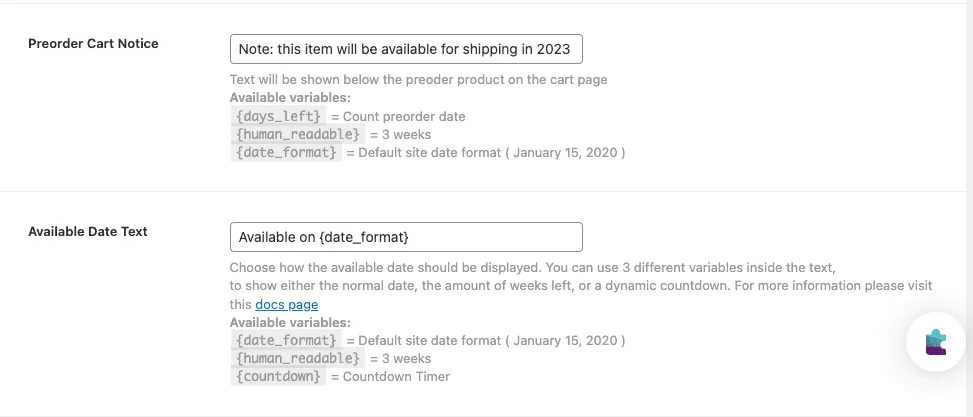
If you write down {date_format} in the field called “Available date text”, it will be automatically translated to the date when the preorder product will be available (for example January 1, 2020).
If you write {human_readable}, the same will take effect, but instead of the specific date, you will get the number of weeks when the product will be available. If less than 1 week is left, then the days left will be shown. For example, if your product is available in 16 days from today, it will show 2 weeks and If it is available the day after tomorrow, it will show 2 days.
Finally, if you choose {countdown}, a dynamic countdown timer will show up. We use the library JS Multi Countdown for this.
Check full documentation for Pre-orders for Woocommerce
How to translate the Preorders for WooCommerce plugin?>
Updated on April 22, 2026 · Need help? Open a support ticket