
Why Is It Important to Use the Countdown Timer?
The countdown timer on products helps create a sense of urgency, encouraging customers to act quickly to take advantage of an offer or purchase a product before it runs out. This is especially useful during promotions and high-demand periods.
Step-by-Step Guide to Configuring the Countdown Timer
1. How Can I Access BrightPlugins Settings?
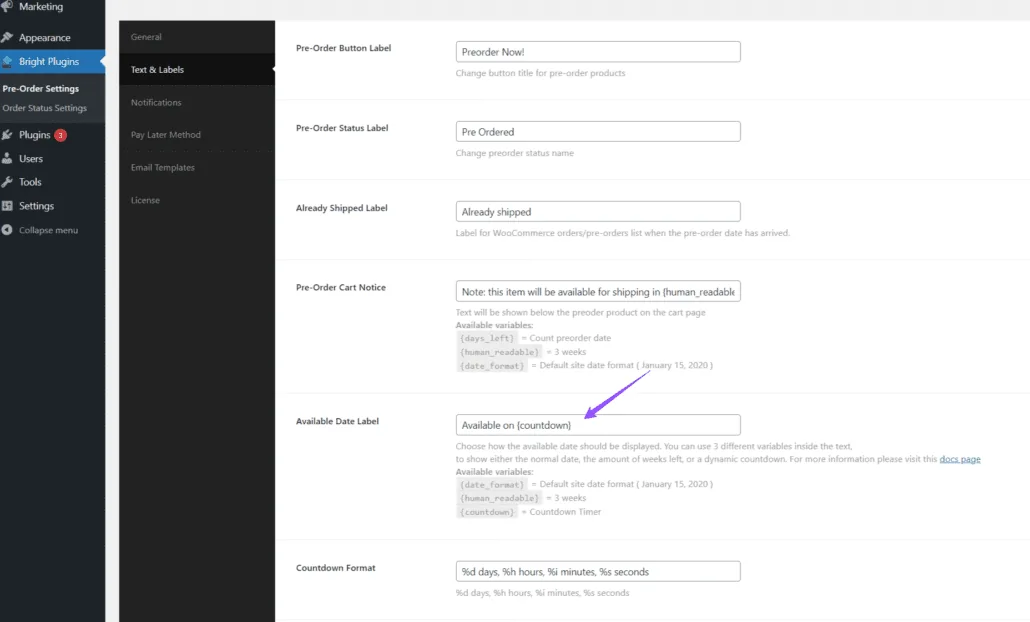
Store administrators should navigate to the WordPress admin panel and follow this path: BrightPlugins > Pre-Order Settings > Text & Labels.
In the Available Date Label option, select the {countdown} variable. This is the option we will highlight in this article. There are two additional options, but we will not cover them this time
2. How Can I Configure the Countdown Timer Position?
After selecting {countdown} in Available Date Label, you can choose where the countdown timer will be displayed on the product page using the Available Date Position option.
To set this position, go to BrightPlugins > Pre-Order Settings > General.

3. How Can I Configure the Product?
Ensure your product is correctly set up as either simple or variable according to your needs. If you need assistance with setting up simple or variable products, check the following links:
4. How Can I View the Countdown Timer?
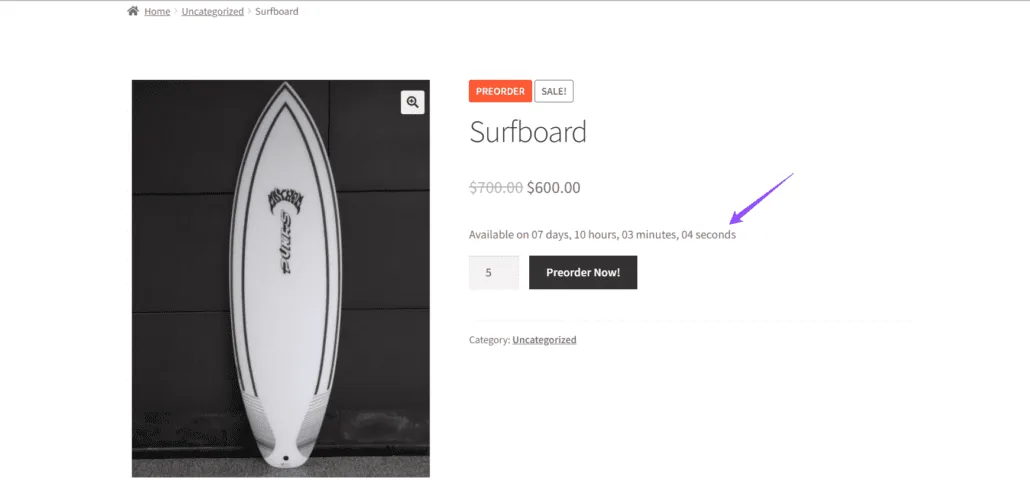
Once you have configured the product and selected {countdown}, the countdown timer will be displayed on the product page, indicating the time remaining until the product is available or the offer ends, in the chosen position.
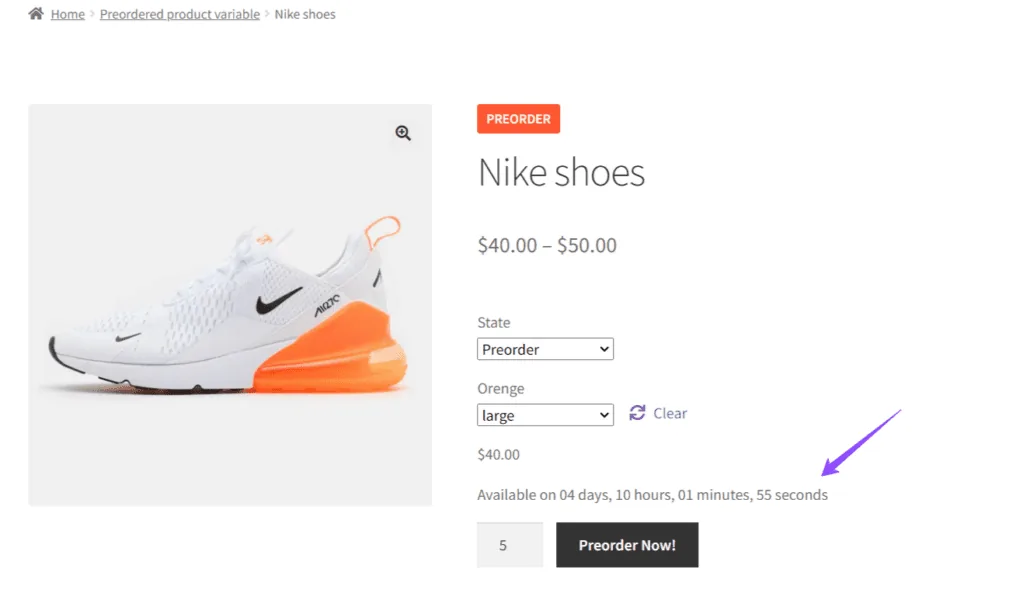
Example for Variable Product
For a variable product, after selecting {countdown}, the countdown timer will similarly show the time remaining on the product page.
Updated on April 22, 2026 · Need help? Open a support ticket