
Introduction
Learn how to effectively manage your coupons using the Auto Apply Coupon module in BrightPlugins.
Steps to Manage Coupons
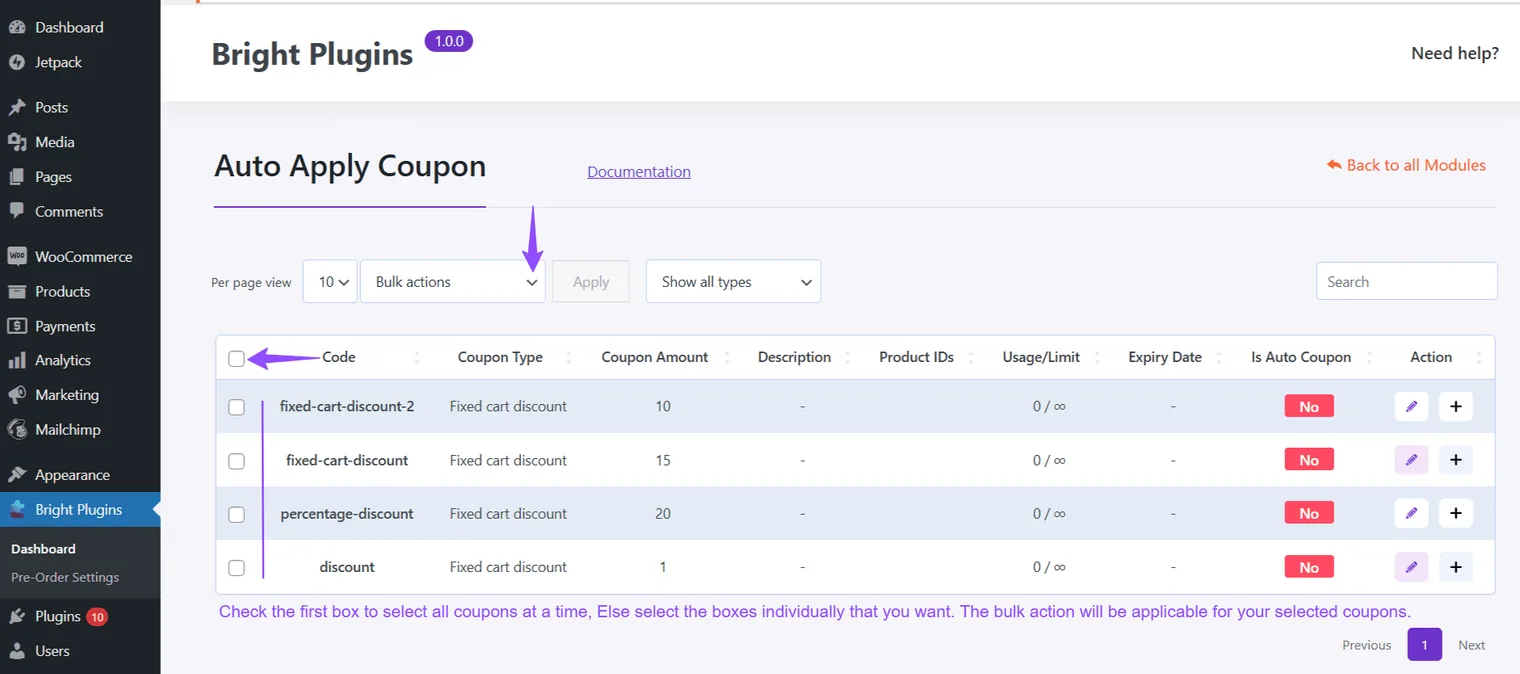
Select Coupons
- Use the Bulk Action feature to select and manage multiple coupons simultaneously.
Apply Bulk Actions
- Choose actions like add or remove from auto-apply and execute them with a single click.
Set Coupons Per Page View
- Adjust how many coupons are displayed per page to improve organization.
Tip: Efficient coupon management can enhance the shopping experience and simplify operations.
Updated on April 17, 2026 · Need help? Open a support ticket