
Many translator plugins are available in the market for plugin translation, but the best one we like to use is the Loco Translate plugin.
You can find their plugin support and beginners guide by the following links:
https://localise.biz/wordpress/plugin/support
https://localise.biz/wordpress/plugin/beginners
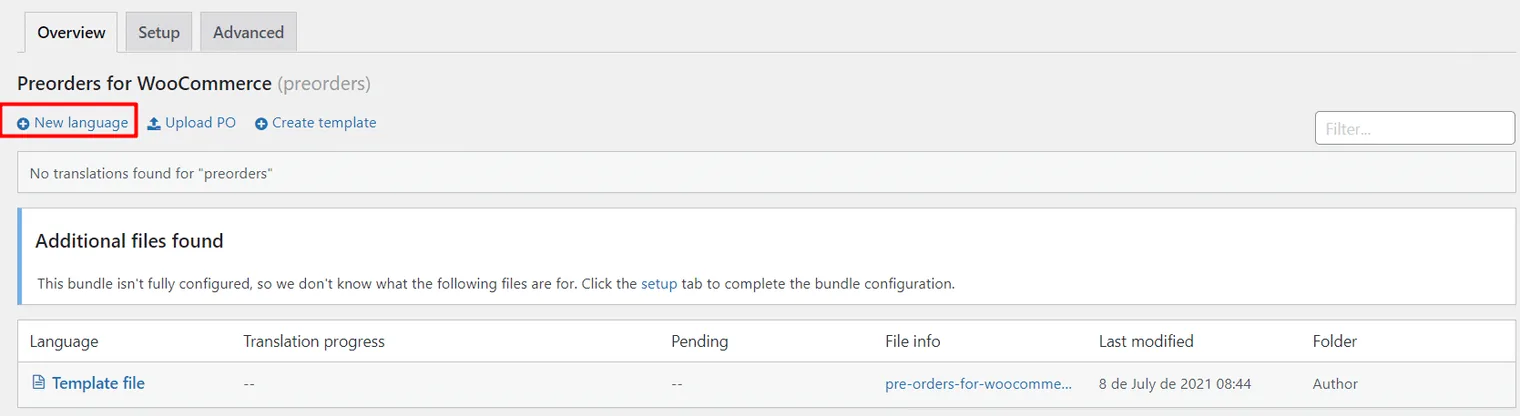
1. After installing Preorders for WooCommerce and Loco Translate plugin. You will need to create a new language for the plugin from the Loco plugin. Click on “Create new language.”
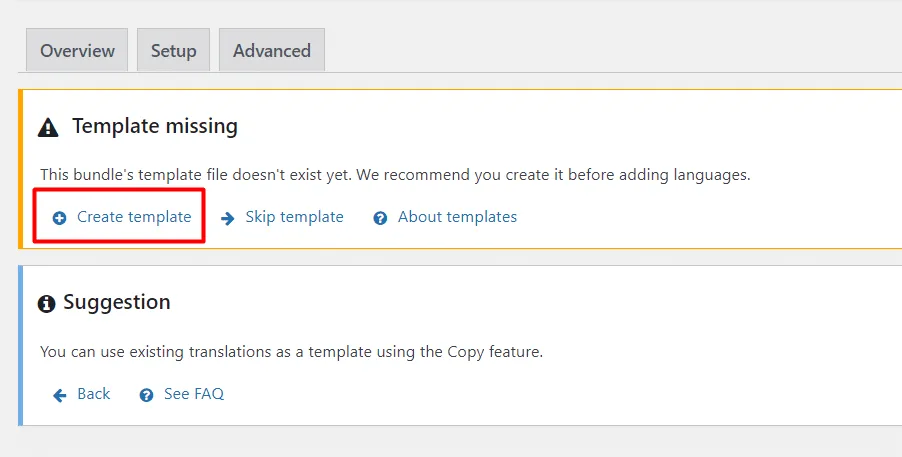
2. Now select “Create template.”
3. Go back to the new language section.
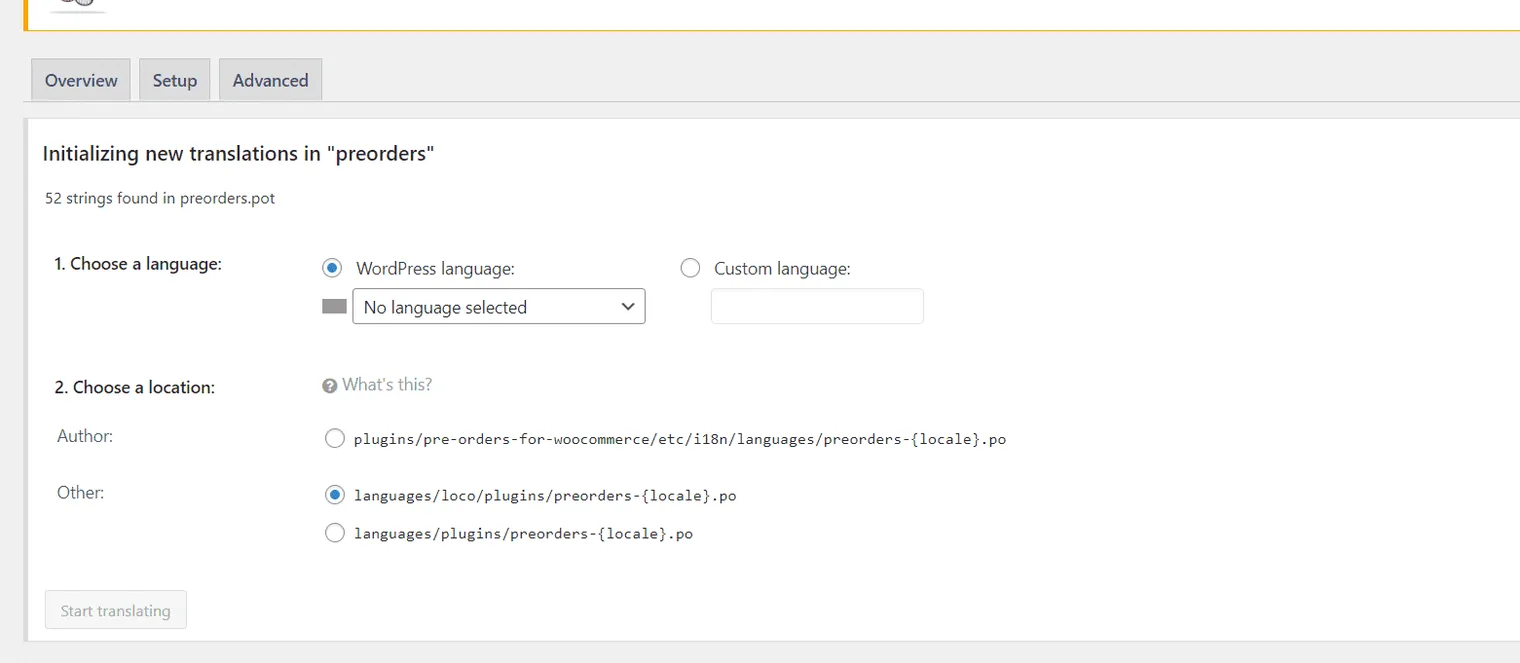
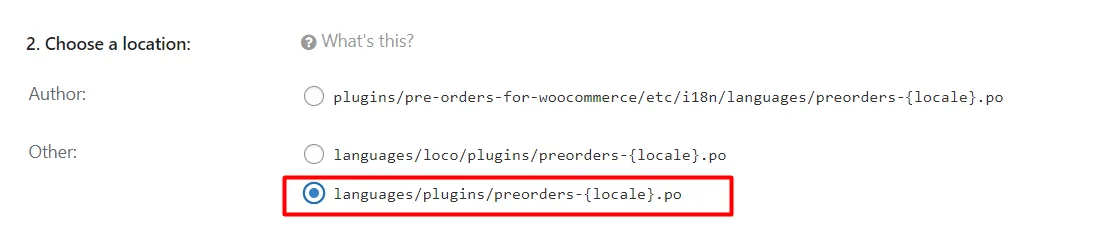
4. Select language save the file in this path indicated below.
Check full documentation for Pre-orders for Woocommerce
How to Show Available Date & Enable Pre-Order Badge in WooCommerce?>
Updated on April 22, 2026 · Need help? Open a support ticket