
Introduction
Learn how to set up the Product Sticky Bar to enhance your store’s user experience.
Bar Settings
- Enable Sticky Bar: Activate the sticky bar.
- Show on Desktop/Mobile: Display the bar on different devices.
- Sticky Bar Position: Choose top or bottom of the screen.
- Show Only After Scroll: Display after user scrolls a certain distance.
- Set Scroll Pixels: Set the scroll distance in pixels.
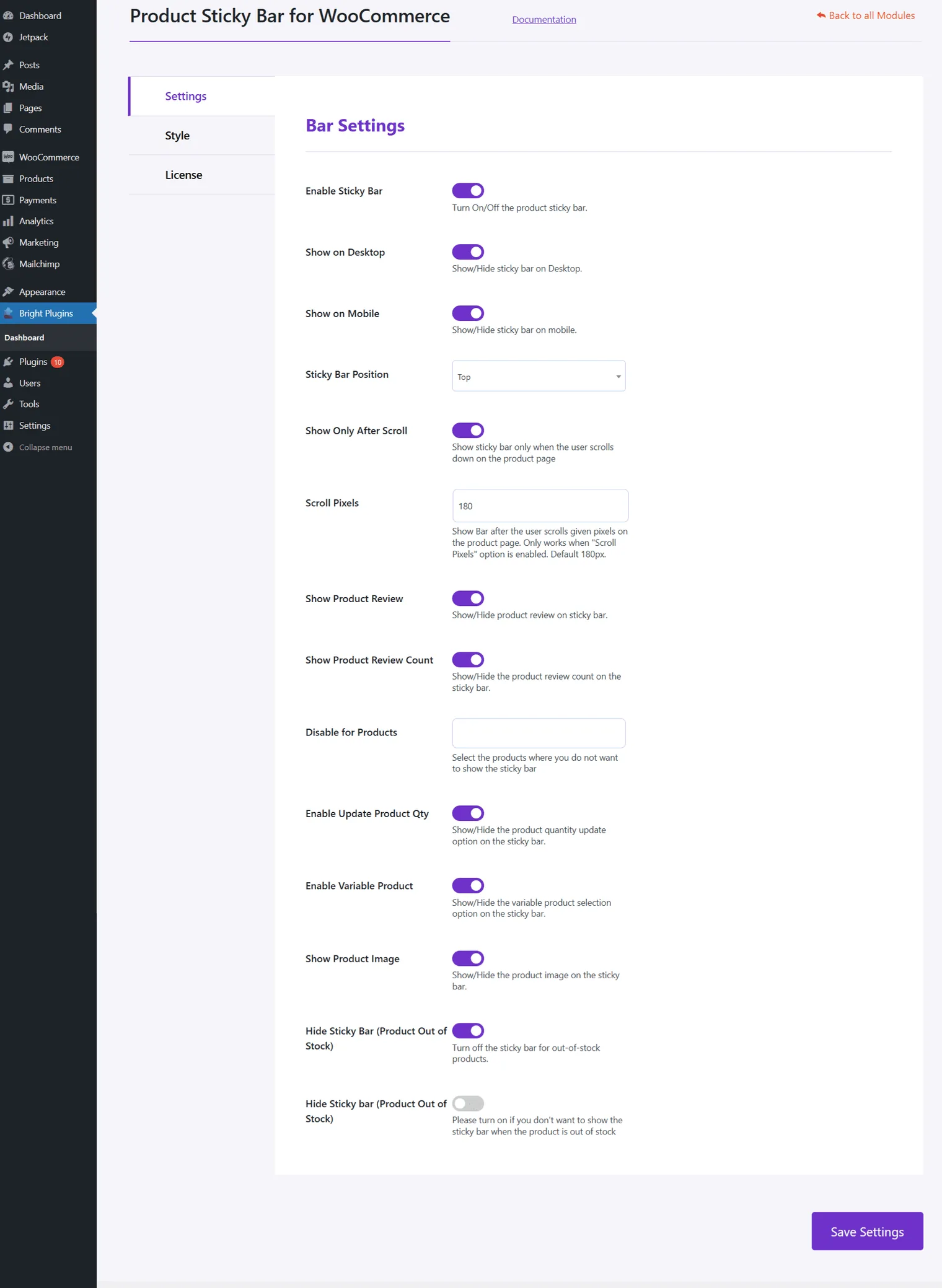
Additional Settings
- Show Product Review: Display product reviews.
- Show Product Review Count: Show the number of reviews.
- Disable for Specific Products: Exclude certain products.
- Enable Update Product Quantity: Reflect current quantity.
- Show Product Image: Display product image.
- Show Stock Quantity: Show available stock.
- Hide Sticky Bar for Out of Stock Products: Hide when out of stock.
Updated on April 17, 2026 · Need help? Open a support ticket