
Your privacy choices

We use cookies to see how the site is used and, with Google and Meta, to measure our ads. Nothing is set until you choose. You can change your choice at any time under Cookie settings.

Privacy Policy

We use cookies to see how the site is used and, with Google and Meta, to measure our ads. You can change your choice at any time under Your Privacy Choices.

Your privacy choices

Choose which cookies we may use. Your choice applies on every page and lasts 12 months.

Your opt-out preference signal has been honored. Advertising stays off while your browser sends it.

NecessaryKeeps the site working: your privacy choice here, the language you are reading in, the documentation search, and Cloudflare's protection of the site.
Always on
Google Analytics and Cloudflare Web Analytics, and WooCommerce's own record of the page your visit started on: which pages are read, how the site is used, and which of them lead to an order.
Google Ads and the Meta pixel: measuring and improving our ads, including on other sites.
ThriveDesk, which runs the live chat on our support page. It is run by another company and stores an identifier in your browser.
Privacy Policy

Set Coupon Usage Limits | Bright Plugins Docs

1 min read Updated April 20, 2026 By the Bright Plugins team

Get Coupon Generator Pro

Configuring Usage Limits
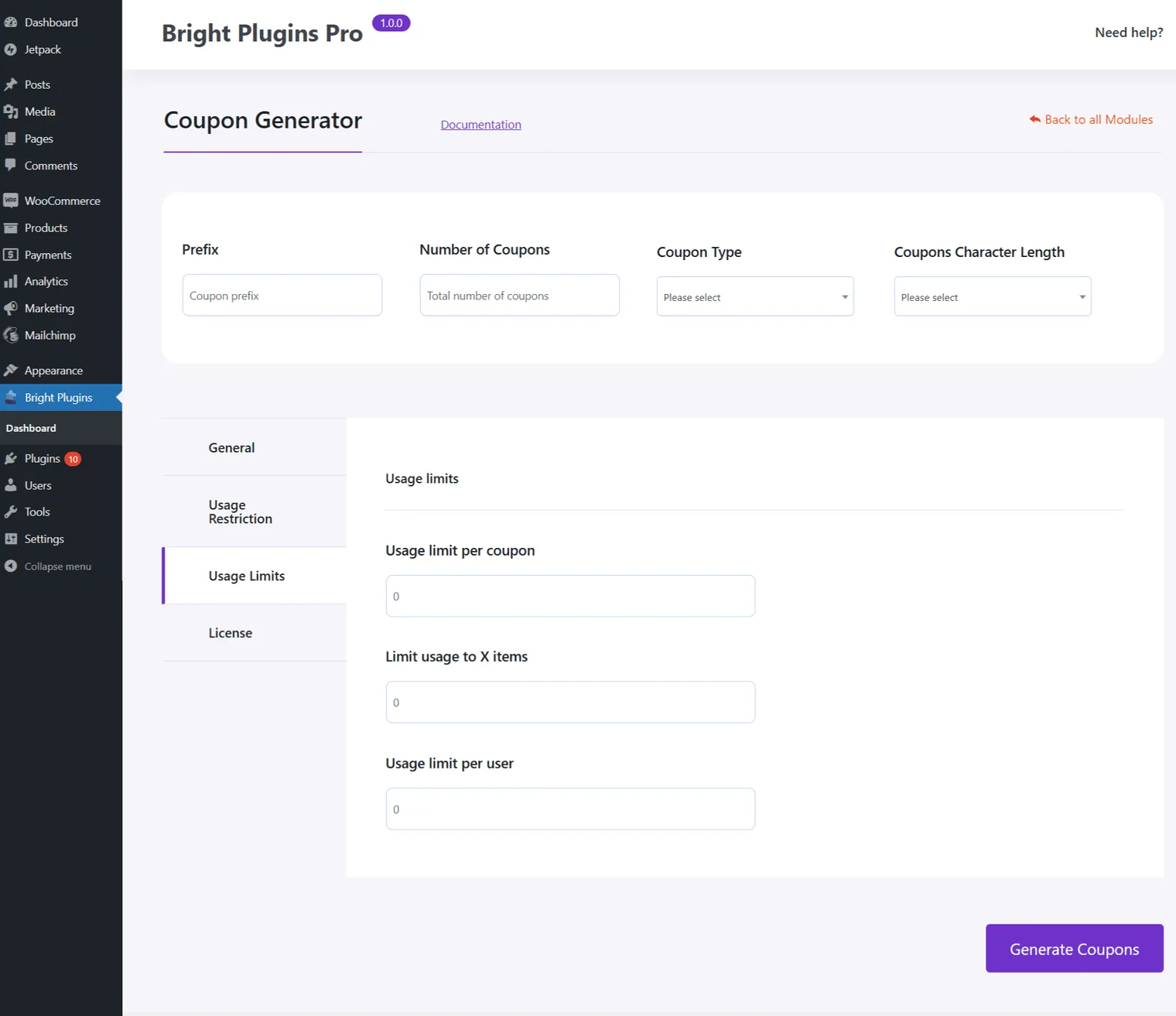
Coupon Generator: Usage limist settings 1

Usage Limit per Coupon:

  • Define the total number of times the coupon can be used across all customers. This helps control the overall impact of the promotion.

Limit Usage to X Items:

  • Specify the maximum number of items the coupon can apply to in a single transaction. This ensures the discount is limited to specific purchases.

Usage Limit per User:

  • Set the maximum number of times a single customer can use the coupon, which helps prevent abuse and encourages fair use among customers.

Conclusion

These settings allow you to manage the frequency and extent of coupon usage, ensuring promotions are both effective and sustainable. By carefully setting these limits, you can protect your margins while still offering attractive deals.

Updated on April 20, 2026 · Need help? Open a support ticket