
Introduction
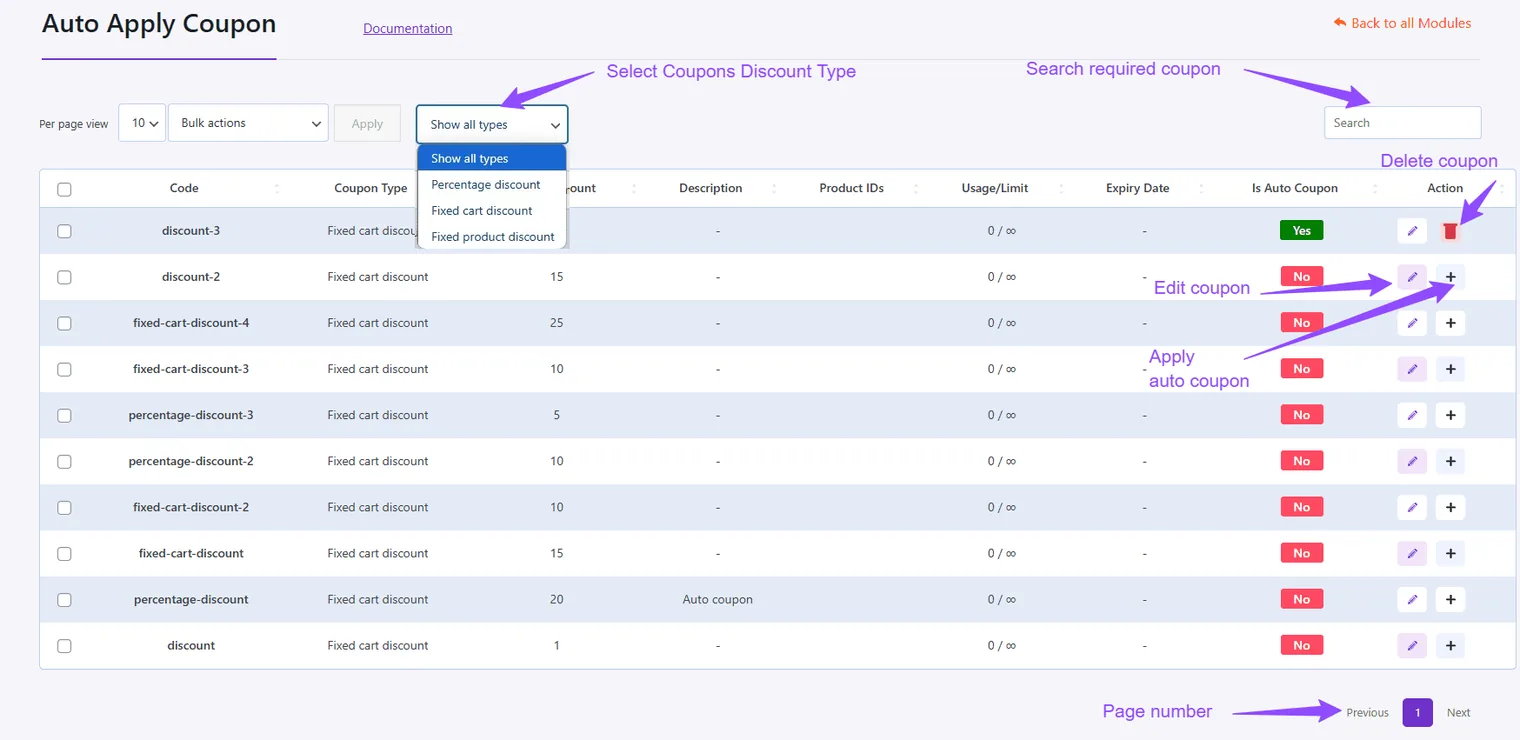
Convert existing coupons into auto-apply coupons to streamline the checkout process for your customers.
Steps to Create an Auto Apply Coupon
Convert a Coupon
- Go to the Action section of the coupon list.
- Switch the coupon to auto-apply and confirm the change.
Confirm the Conversion
- A prompt will appear; click Yes to proceed.
Tip: Auto-apply coupons can enhance customer satisfaction by simplifying the redemption process.
Updated on April 17, 2026 · Need help? Open a support ticket