
Customization Options
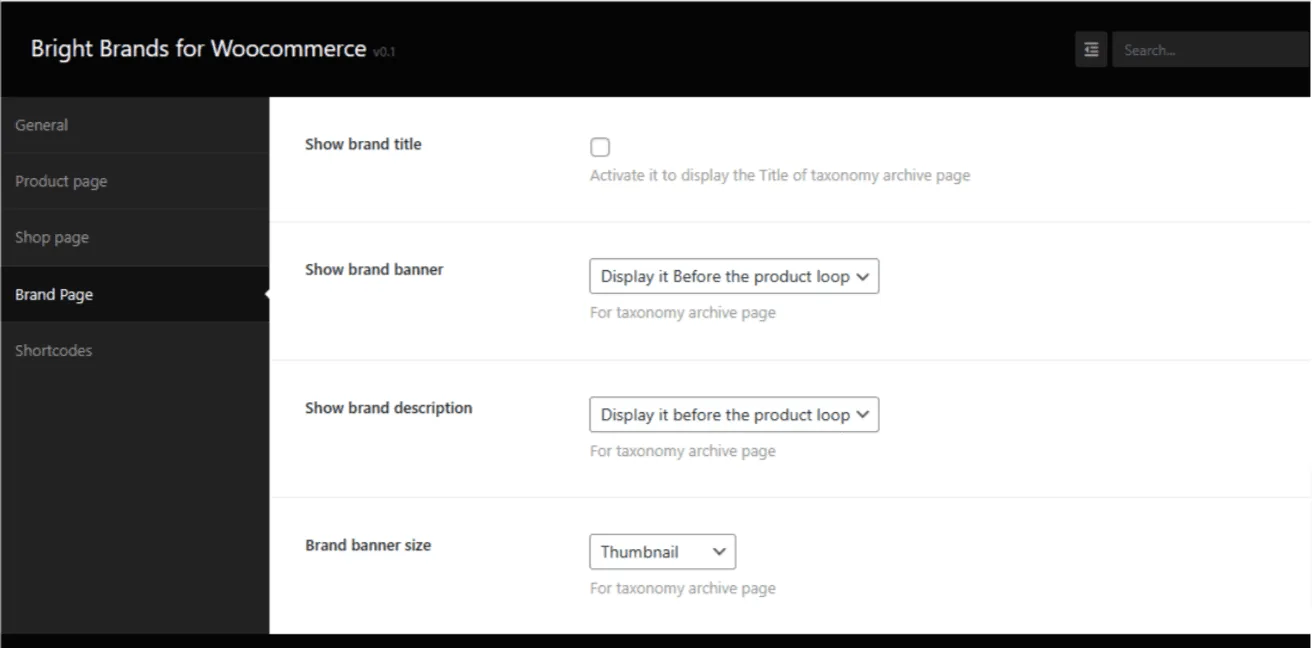
From the Brand Tab in the plugin settings, you can customize the brand page in various ways:
Plugin Settings – Brand Tab
- Show Brand Title: Display the brand name.
- Show Brand Banner and Its Position: Choose to show the brand banner and decide its position.
- Show Brand Description and Its Position: Display the brand description and choose its position.
- Choose the Banner Size: Select the size of the banner
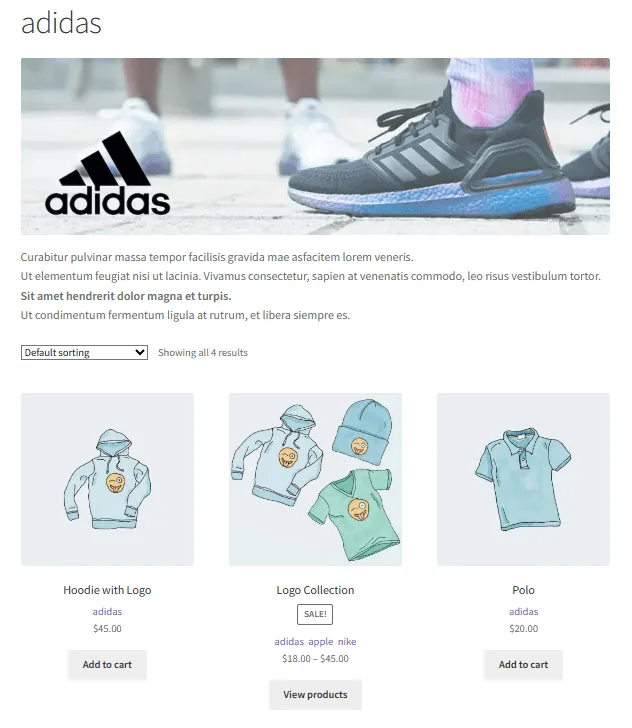
Example Brand Page Configuration
Plugin Settings on Brand Page Tab
- Show Brand Title: Checked.
- Show Brand Banner: Display it before the product loop.
- Show Brand Description: Display it before the product loop.
- Brand Banner Size: Full.
Plugin Settings on Shop Page Tab
- Show Brands in the Loop: Yes, show brand names.
How to Get Started with Brands>
Updated on April 17, 2026 · Need help? Open a support ticket