
With Quick Event Manager, you can display who is coming on your event page.
Go to Settings>Settings and tick the attendee line

You can enable in the event detail on / or the event list.
You can change the label and decide if you want names and / or avatar
This will apply to all your events.
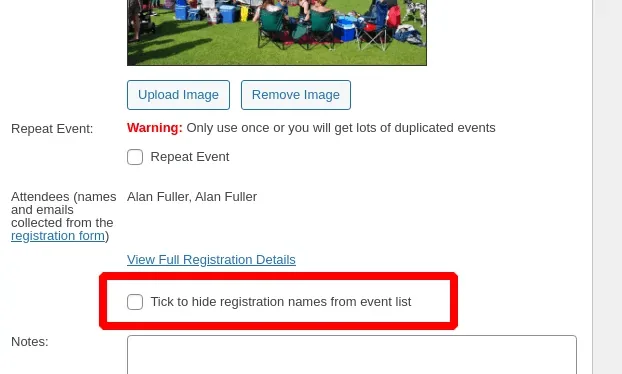
If you have some events where you don’t want to display who is coming you can turn it off on an event by event basis. This can be useful for instance between public and private events, or adult / junior etc.
Go to the event and scroll down just below the image to find the checkbox to disable.
Updated on April 22, 2026 · Need help? Open a support ticket