
Introduction#
The Shipping Bar for WooCommerce by BrightPlugins enhances the shopping experience by displaying a progress bar for free shipping. Customize its appearance and behavior to suit your store and maximize conversions.
Accessing the Settings#
Navigate to BrightPlugins > Dashboard to manage Shipping Bar settings.
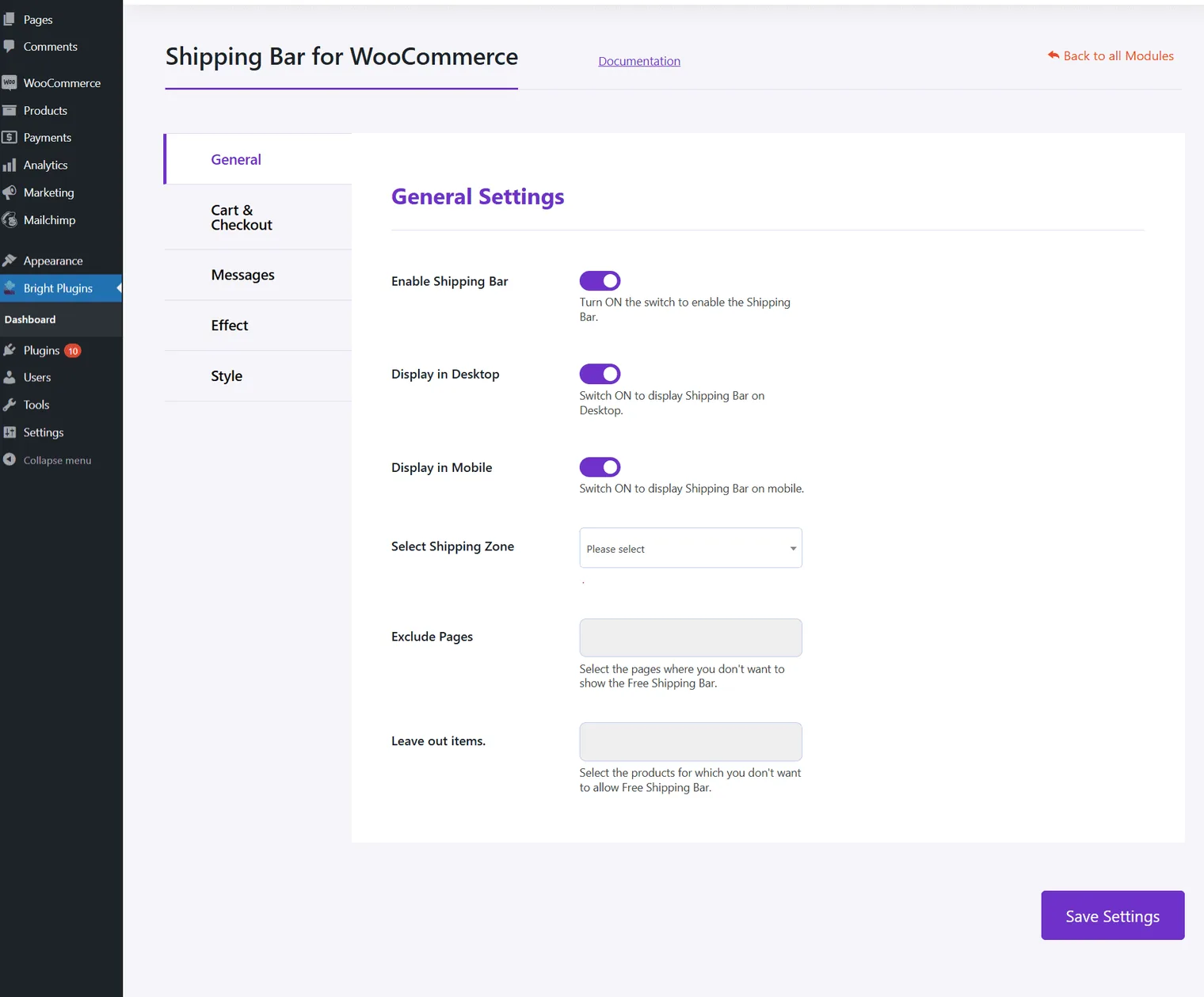
General Settings Overview#
- Enable Shipping Bar: Activate to enable the shipping bar.
- Display in Desktop: Show on desktops.
- Display in Mobile: Show on mobile devices.
- Select Shipping Zone: Choose your shipping zone.
- Exclude Pages: Exclude specific pages.
- Leave out items: Exclude specific products.
Updated on April 16, 2026 · Need help? Open a support ticket