
Do you want to organize your products with your own unlimited customized brands? Discover the Brands Plugin! This plugin is designed to facilitate product management in your WooCommerce store.
Benefits of Using Brands Plugin
Using the Brands Plugin in your WooCommerce store comes with several benefits:
- Improved Navigation: Brands make it easier for customers to find products they trust.
- Enhanced SEO: Unique brand pages can improve your site’s search engine ranking.
- Brand Loyalty: Highlighting brands can foster customer loyalty and repeat purchases.
Creating a Brand
- Navigate to WooCommerce > Products > Bright Brands
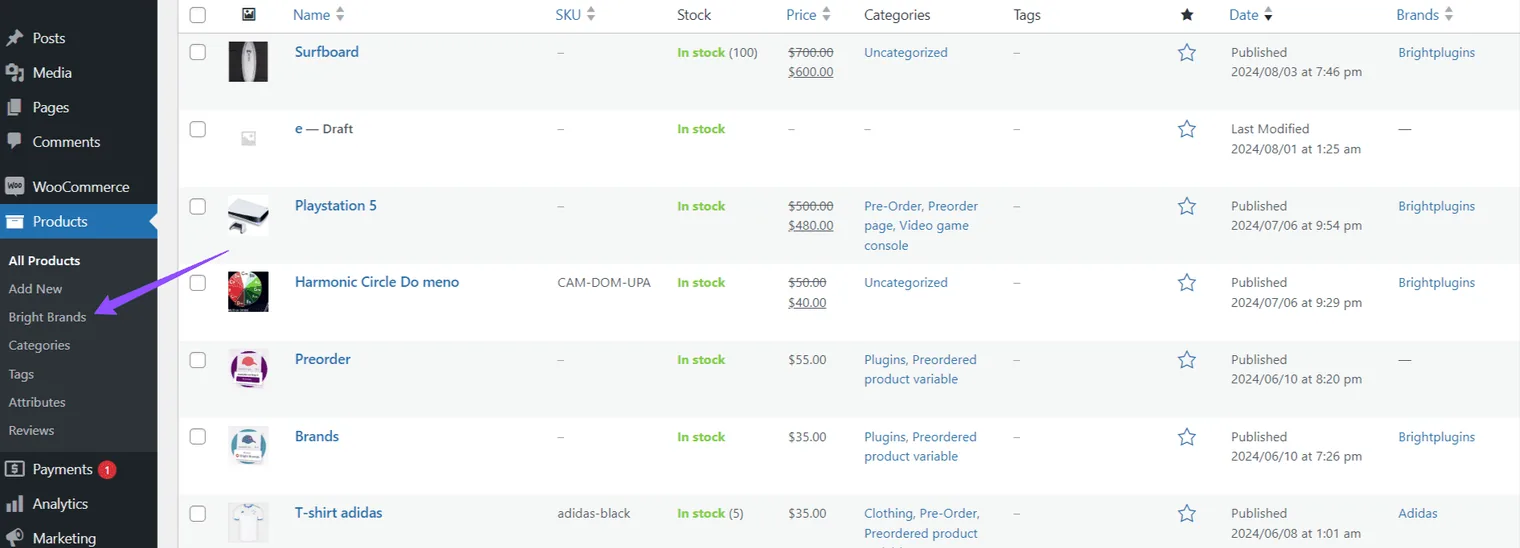
You will see a familiar interface that will make you feel right at home.
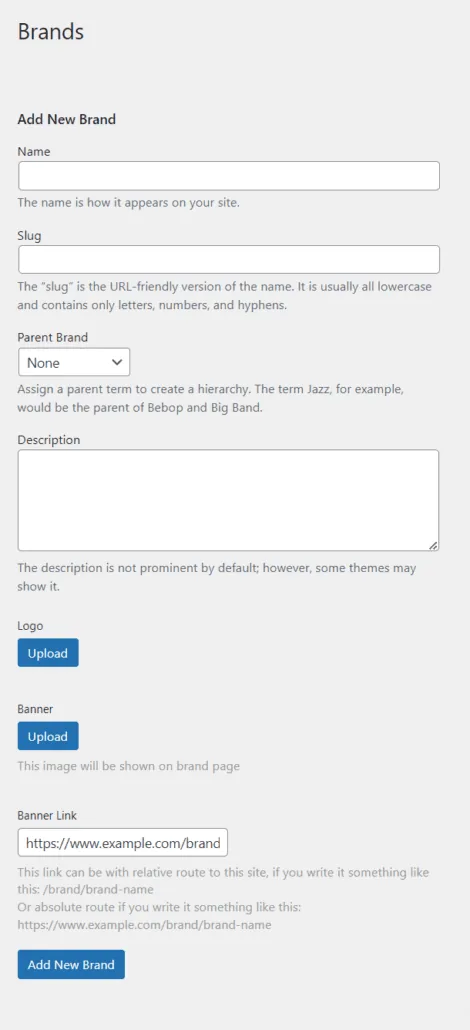
2. Add a New Brand
Brand Name: Enter the name as you want it to appear on your site.
Slug: This is the URL-friendly version of the name. It is usually all lowercase and contains only letters, numbers, and hyphens.
Parent Brand: Assign a parent term to create a hierarchy. For example, “Jazz” could be the parent of “Bebop” and “Big Band”.
3.Upload Logo
Upload the image of your brand for display.
Upload Banner
This image will be shown on the main page of the brand.
Banner Link
This link can be a relative path like /brand/brand-name or an absolute path like https://www.example.com/brand/brand-name.
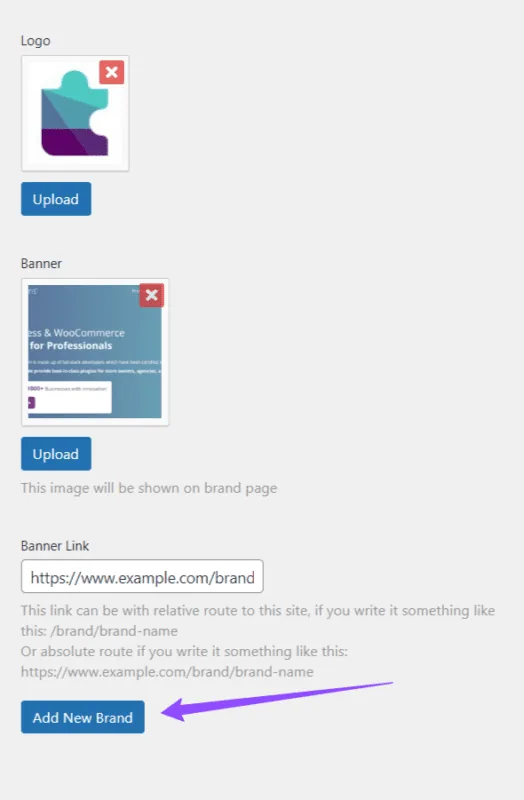
4. Add New Brand:
To finalize, click “Add New Brand”.
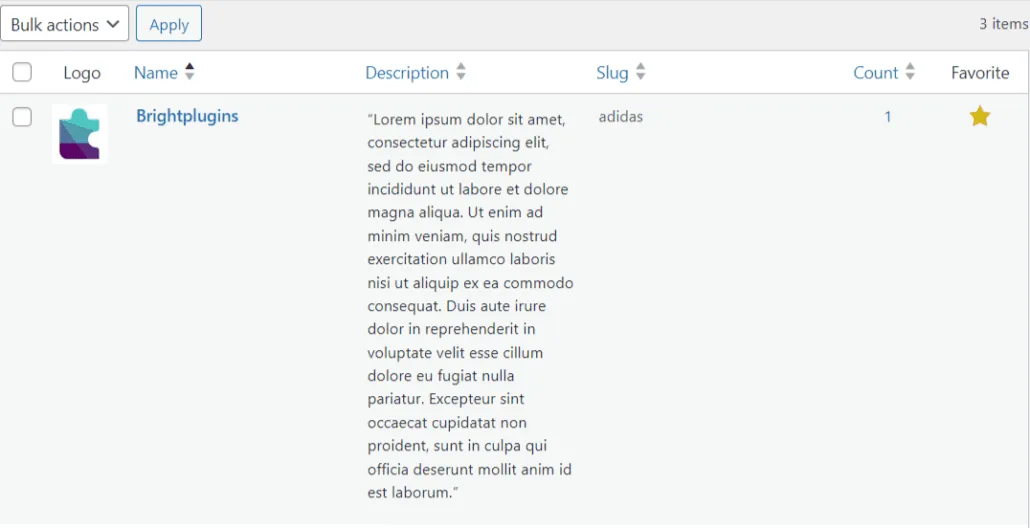
5. Confirmation
Congratulations! You have successfully added a new brand to your store.
Tips for Managing Brands
- Keep Logos Consistent: Ensure all brand logos are of similar dimensions to maintain a professional look.
- Regularly Update Brands: Keep your brand information updated to reflect current products and logos.
- Use High-Quality Images: High-resolution images make your brand pages look more appealing and professional.
Additional Reading
To learn more about the importance of branding in e-commerce, you can read this insightful article from Harvard Business Review on The Importance of Branding.
Conclusion
The Brands Plugin is a powerful tool that will allow you to efficiently manage brands in your WooCommerce store, offering your customers a better browsing and shopping experience.
Updated on April 16, 2026 · Need help? Open a support ticket