
The Stripe option is a premium option.
Stripe allows you to accept credit card payments for your Events. Stripe transaction fees are normally less than PayPal’s.
You can chose to use either Stripe or Paypal but not both.
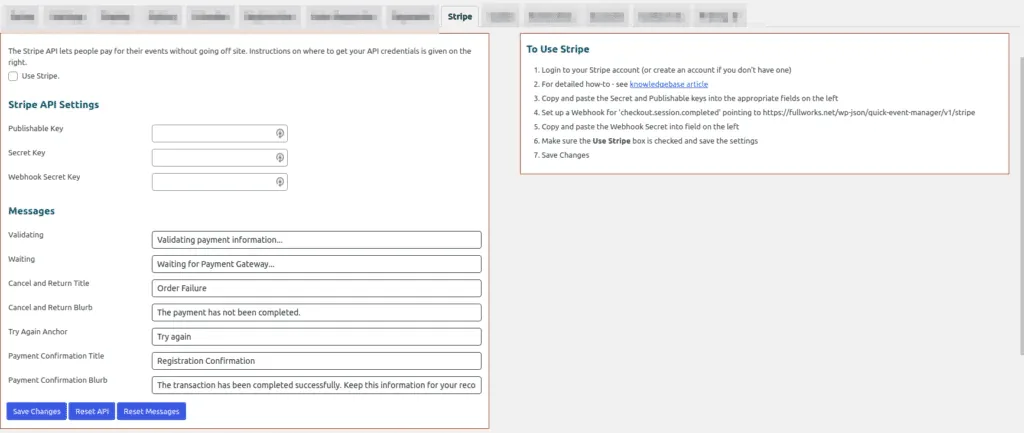
The Stripe Gateway uses Webhooks to obtain payment completed information, instructions on set up are included in the plugin.
Setup is straightforward and documented in the Stripe tab too.
- Login to your Stripe account (or create an account if you don’t have one)
- For detailed how-to – see Get Stripe API Keys and Set Up Webhook
- Copy and paste the Secret and Publishable keys into the appropriate fields on the tab
- Set up a Webhook for ‘checkout.session.completed’ pointing to the URL described on the tab
- Copy and paste the Webhook Secret into field on the tab
- Make sure the Use Stripe box is checked
- Save Changes
Updated on April 20, 2026 · Need help? Open a support ticket