
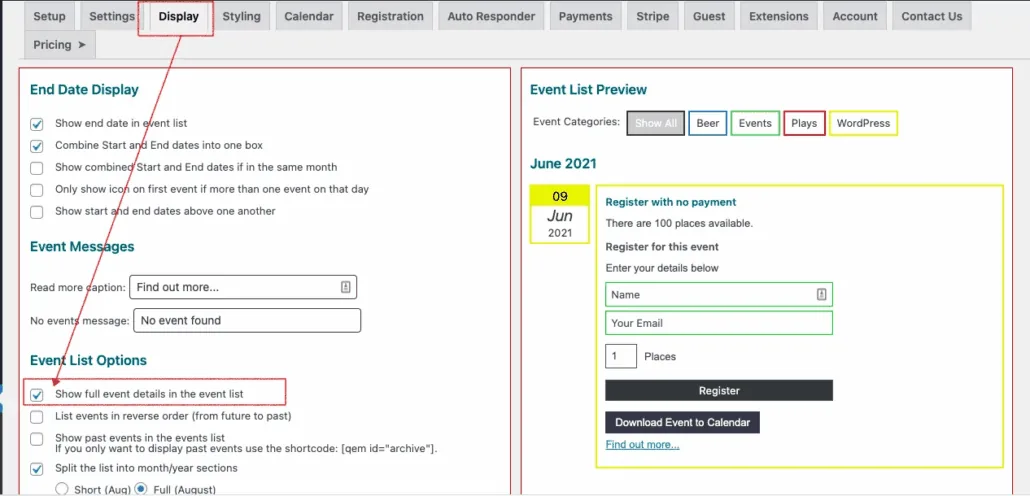
If you want to create a single page experience you can display the full event details, including the registration form in the list view.
From Settings>Display just select the option
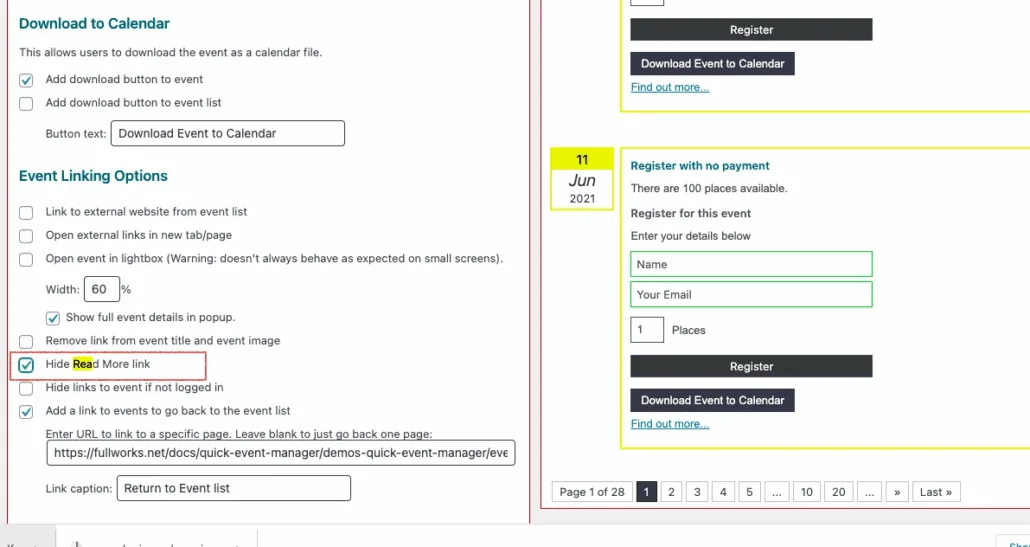
It also makes sense to hide the read more ( as it displays everything ), on same display settings tick the hide readmore box.
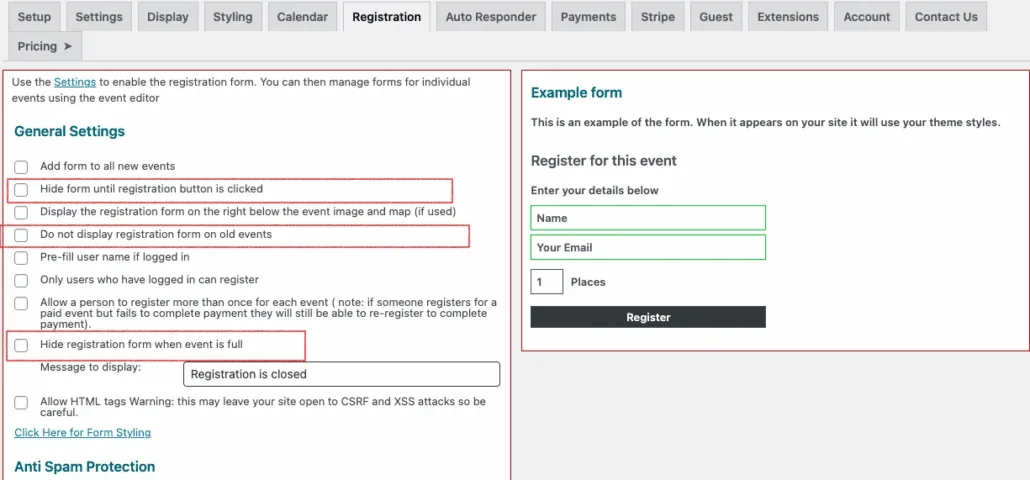
It also might make sense to set some other settings on the registration tab, like hide the form until clicked, don’t display on past events and hide when event full
Updated on April 20, 2026 · Need help? Open a support ticket