
Introduction
The Floating Cart module is a sticky Add to Cart bar that remains visible as users scroll through your store. It displays product thumbnails, titles, images, and quantities, making it easier for customers to place orders.
Accessing the Settings
Access:
Navigate to Bright Plugins > Dashboard to manage Floating Cart settings.
General Settings
Key Options:
- Enable Auto Open Cart: Automatically opens the cart when an item is added.
- Basket Count: Define the total number of items to display in the cart bar.
- Select Don’t Show Pages: Choose specific pages where the Floating Cart should not appear.
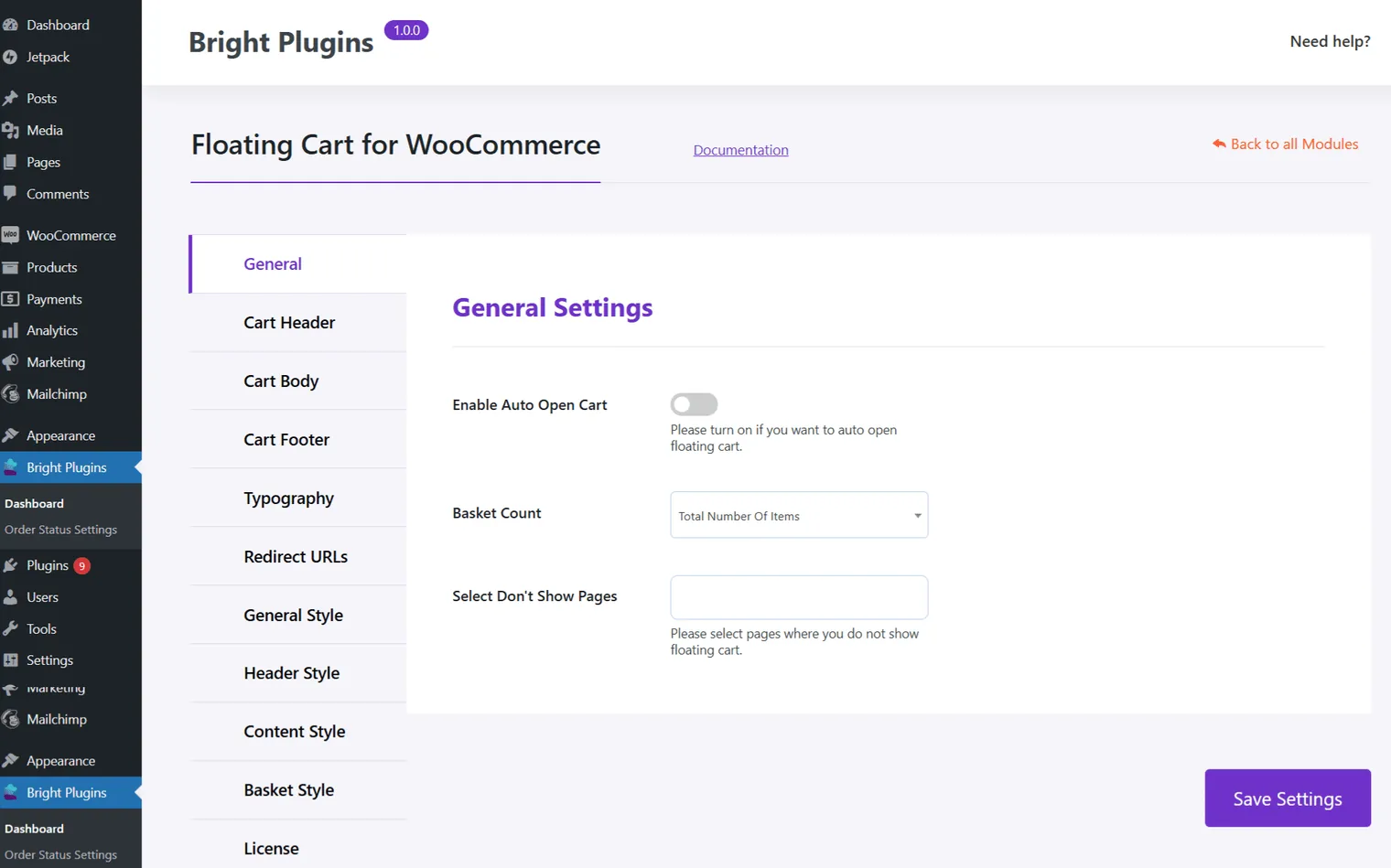
These settings allow you to customize the behavior and appearance of the Floating Cart, enhancing the shopping experience for your customers.
Updated on April 16, 2026 · Need help? Open a support ticket