
Introduction
The URL Coupon feature allows you to automatically apply discounts via a simple URL, making the shopping experience seamless for your customers.
Setting Up URL Coupons
Navigate to URL Coupon Settings
- Access Settings:
Go to the BrightPlugins dashboard, select Enable URL Coupon, and then click on Settings to configure your options.
Generate URL Coupons
- Create Coupons:
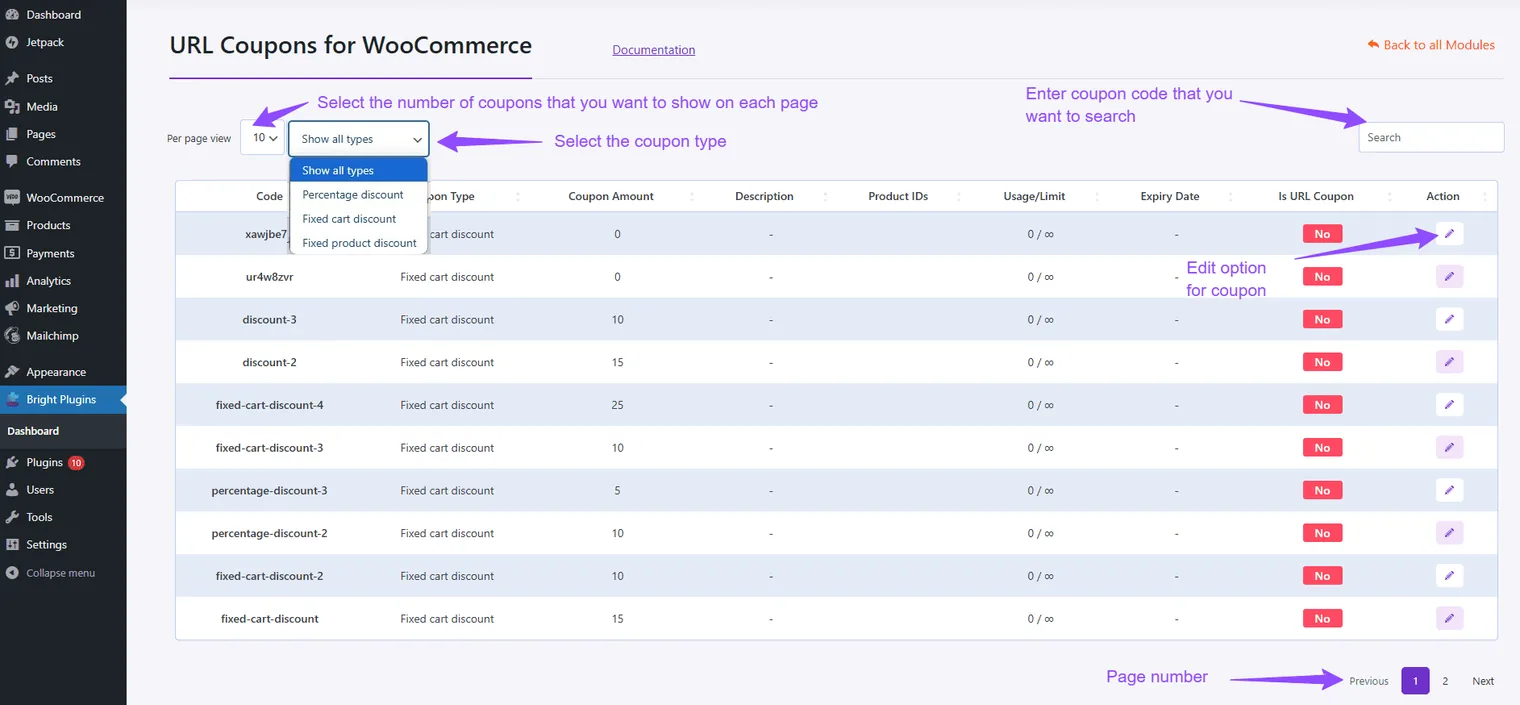
In the Settings section, create URL coupons that customers can apply automatically by clicking a provided link. This simplifies the discount process for customers.
Conclusion
By following these steps, you can effectively manage URL Coupons, streamlining the discount application process and enhancing the shopping experience for your customers.
Updated on April 16, 2026 · Need help? Open a support ticket