
You can apply a “pre-order” date to more than one product through a WordPress Bulk action grouped by category
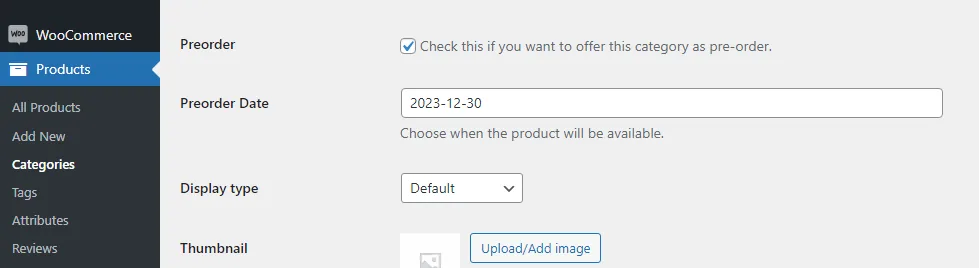
Navigate to Products – Categories. Edit the category you want to set a pre order date to all products
Mark the checkbox: “Check this if you want to offer this category as pre-order” and fill the pre-order date
Check full documentation for Pre-orders for Woocommerce
How to make products available automatically as soon as the pre-order period ends>
Updated on April 22, 2026 · Need help? Open a support ticket