
Once you have installed the Pre-Order plugin, we have prepared a default configuration for you. This will allow you to start managing your pre-orders without complications. You just need to choose the pre-order mode you want to use, and you will be ready to operate your store.
Below, you can see the default configuration:
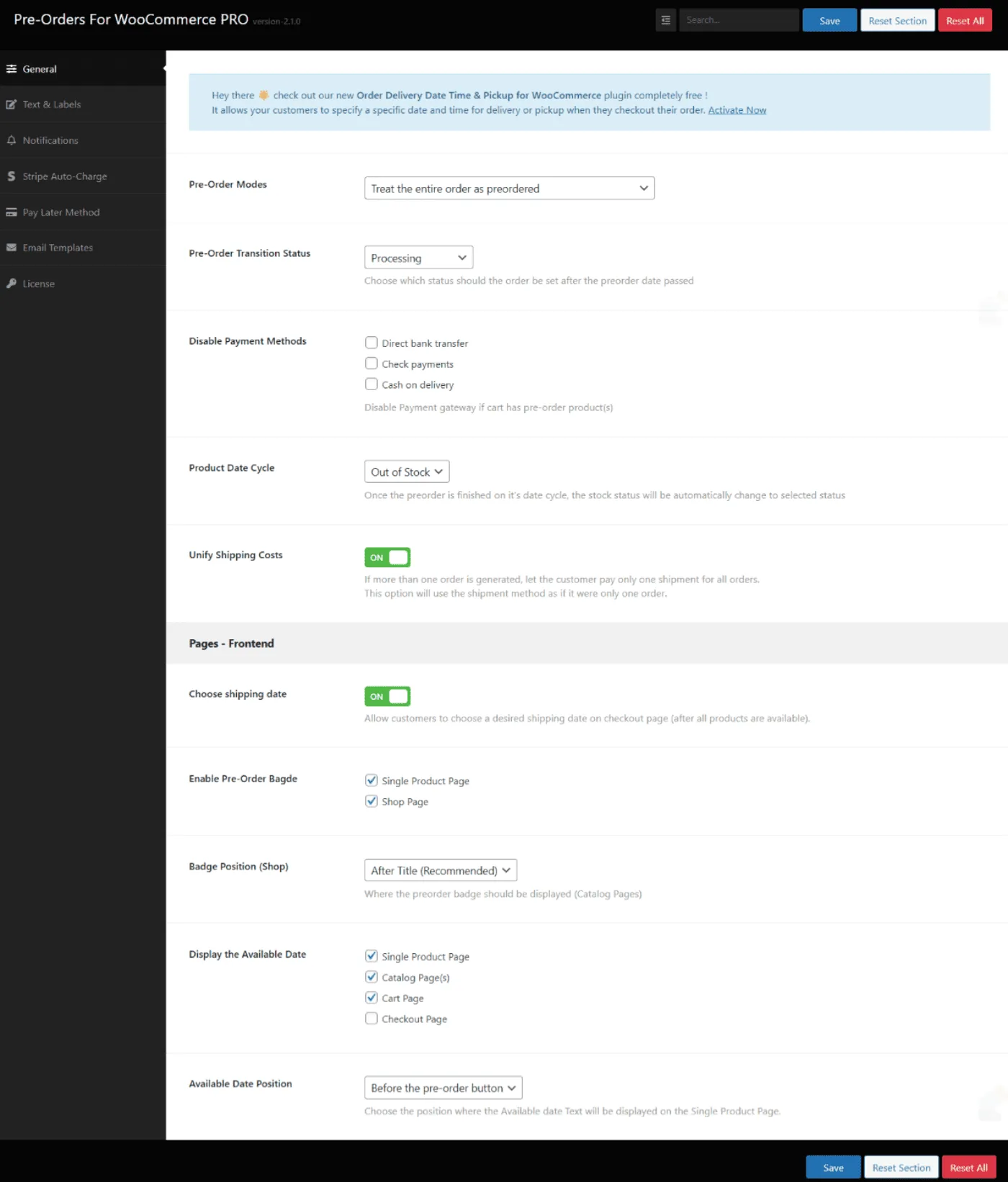
To begin, it is important that you choose the pre-order mode that best suits your store’s needs. Below, we show you the available options so you can configure it according to your preferences:
Updated on April 22, 2026 · Need help? Open a support ticket