
Custom Schedule#
You can choose create a custom schedule by Product or By ship method
Custom Schedule – by Product#
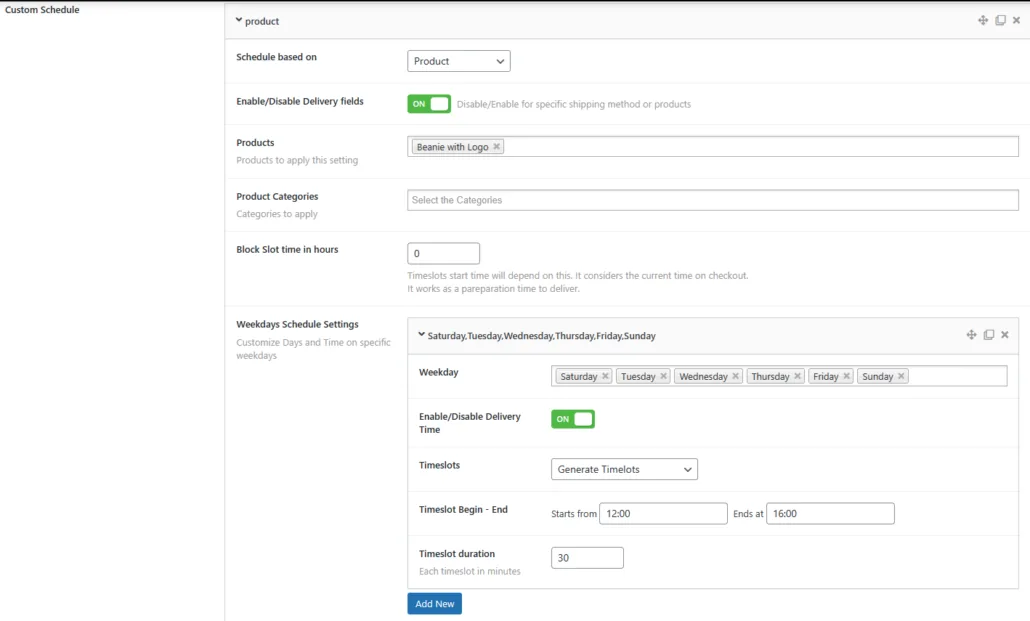
Schedule based on: Settings applied based on products in cart
Enable/Disable Delivery fields: Disable/Enable for specific products
Products: Products to apply this setting
Product Categories: Categories to apply
Block Slot time in hours: Timeslots start time will depend on this. It considers the current time on checkout.
It works as a preparation time to deliver.
Weekdays Schedule Settings:
Customize Days and Time on specific weekdays
Weekday: The weekdays to apply this settings
Enable/Disable Delivery Time: Enable timeslots on checkout
Timeslots: Choose if want to generate the timeslots based on a given time and duration, or if want to specify each timeslots manually
Timeslot Begin – End: Begin – end for generating timeslots
Timeslot duration: Duration in minutes for each generated timeslot
Custom Schedule – by Shipping Method#
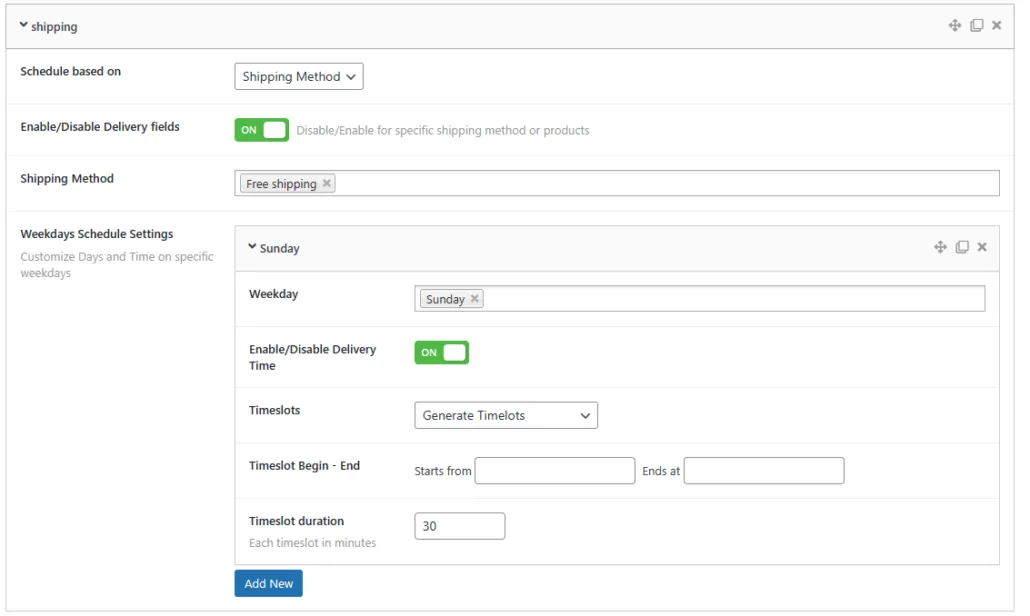
Schedule based on: Settings applied based on shipping method
Enable/Disable Delivery fields: Disable/Enable for specific shipping method
Shipping Method: Shipping Method to apply this setting
Weekdays Schedule Settings:
Customize Days and Time on specific weekdays
Weekday: The weekdays to apply this settings
Enable/Disable Delivery Time: Enable timeslots on checkout
Timeslots: Choose if want to generate the timeslots based on a given time and duration, or if want to specify each timeslots manually
Timeslot Begin – End: Begin – end for generating timeslots
Timeslot duration: Duration in minutes for each generated timeslot
Setting up Off days – specific dates>
Updated on April 16, 2026 · Need help? Open a support ticket