
Your privacy choices

We use cookies to see how the site is used and, with Google and Meta, to measure our ads. Nothing is set until you choose. You can change your choice at any time under Cookie settings.

Privacy Policy

We use cookies to see how the site is used and, with Google and Meta, to measure our ads. You can change your choice at any time under Your Privacy Choices.

Your privacy choices

Choose which cookies we may use. Your choice applies on every page and lasts 12 months.

Your opt-out preference signal has been honored. Advertising stays off while your browser sends it.

NecessaryKeeps the site working: your privacy choice here, the language you are reading in, the documentation search, and Cloudflare's protection of the site.
Always on
Google Analytics and Cloudflare Web Analytics, and WooCommerce's own record of the page your visit started on: which pages are read, how the site is used, and which of them lead to an order.
Google Ads and the Meta pixel: measuring and improving our ads, including on other sites.
ThriveDesk, which runs the live chat on our support page. It is run by another company and stores an identifier in your browser.
Privacy Policy

Multiple Name Fields on Registration | Bright Plugins Docs

1 min read Updated April 22, 2026 By the Bright Plugins team

Get Event Manager Pro

If your registration form looks like this
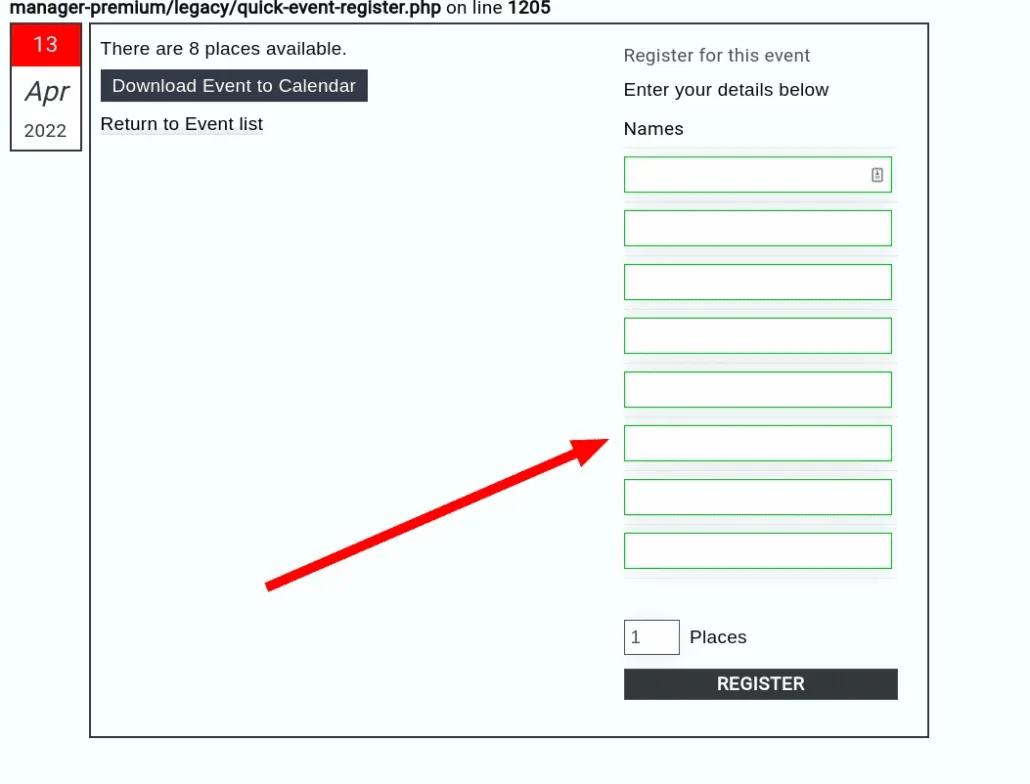
Quick Event Manager: An event registration form showing eight separate empty Names fields above the Places box and Register button

This is because you specified the maximum number per booking on your event, the system assumes you will actually want to know the names.

Quick Event Manager: Maximum number of places per registration set to 8, with the single name and email checkbox unticked

But if you don’t want multiple names, so it looks like this
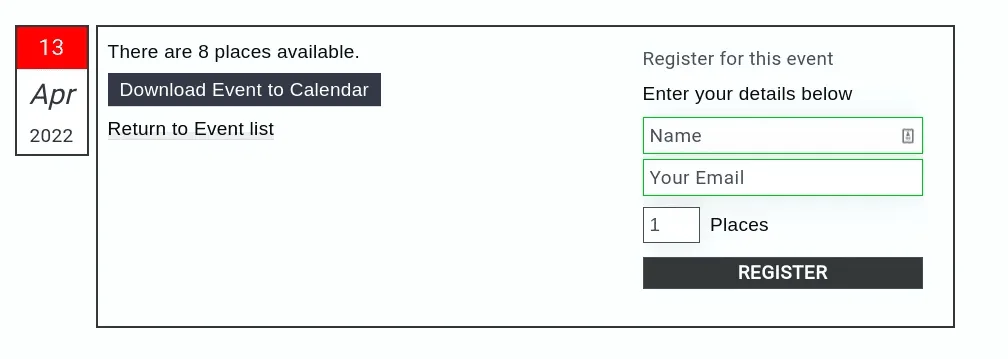
Quick Event Manager: The same event registration form showing one Name field and one email field above the Places box and Register button

The just tick the box that says “Tick if you want only a single name/email to reserve multi places” like this

Quick Event Manager: Maximum number of places per registration set to 8, with Tick if you want only a single name/email to reserve multi places now ticked

Updated on April 22, 2026 · Need help? Open a support ticket