
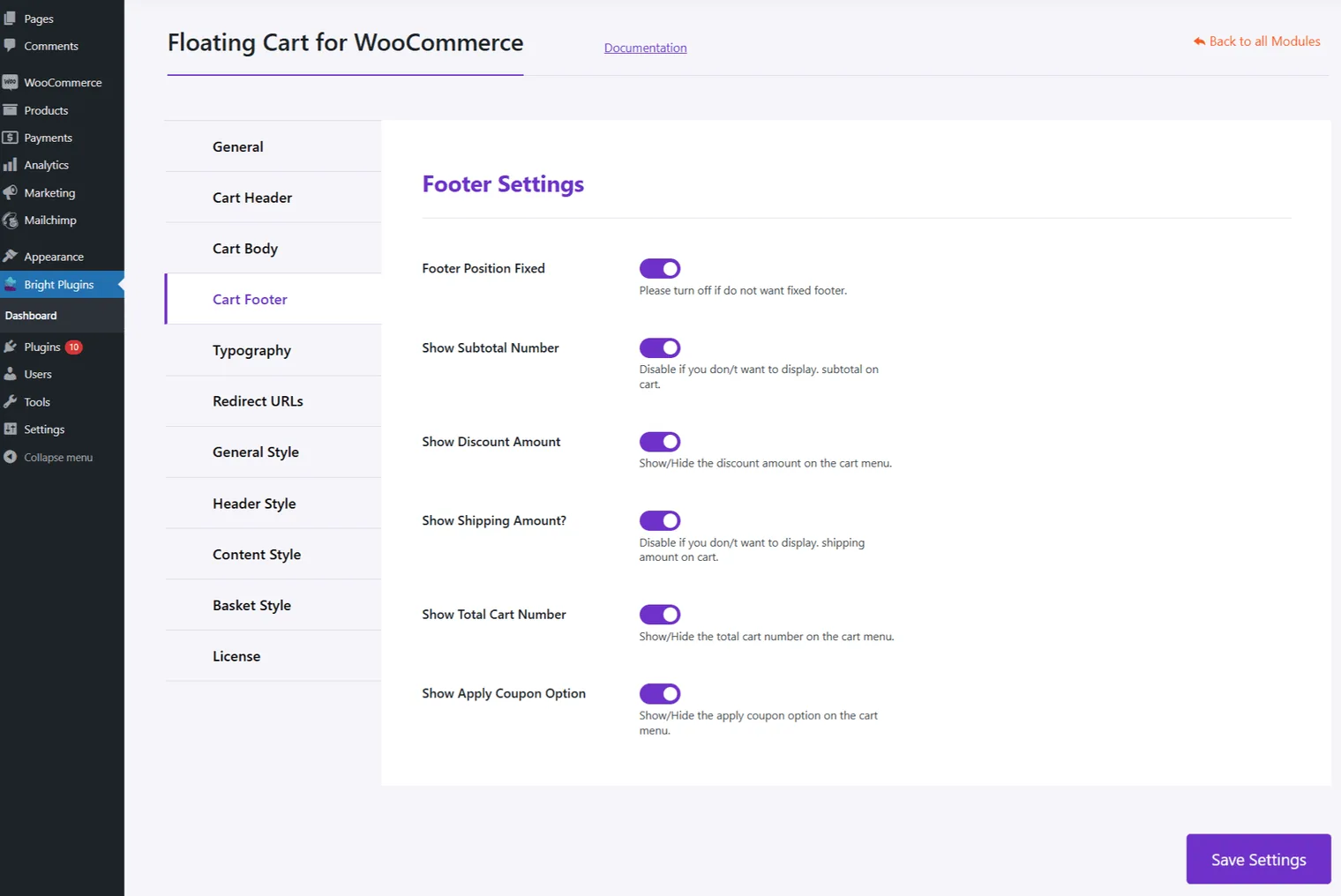
Cart Footer Settings Configuration
Enhance the footer of your Floating Cart with these options:
- Show Subtotal: Display the subtotal amount in the cart footer.
- Show Discount: Show any discounts applied.
- Show Shipping Amount: Display shipping costs.
- Show Cart Total: Display the total amount for all items.
- Show Apply Coupon: Allow customers to apply a coupon directly from the cart.
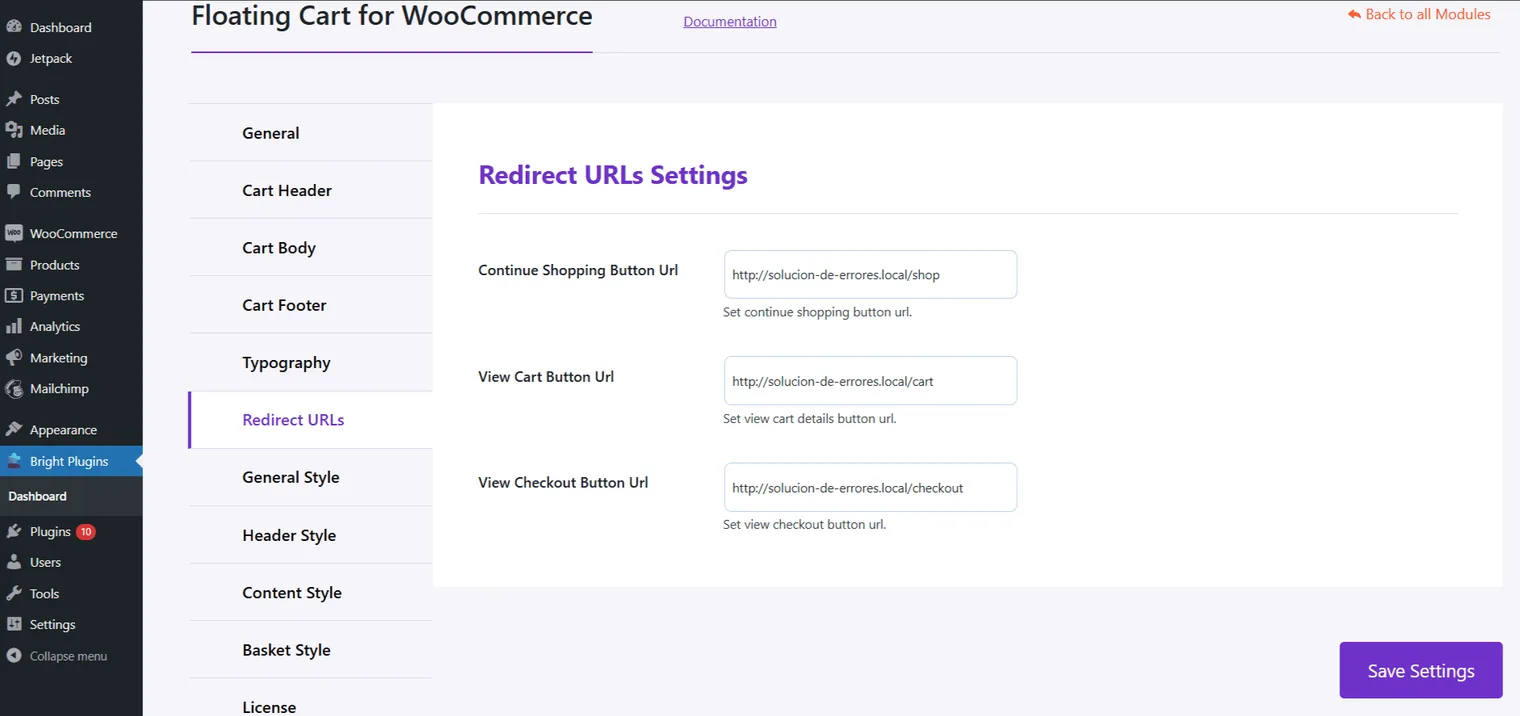
Redirect URLs Settings
Set up custom redirections to streamline navigation:
- Continue Shopping Button URL: Directs users to the shop page.
- View Cart Button URL: Takes users to the cart details page.
- View Checkout Button URL: Redirects users to the checkout page.
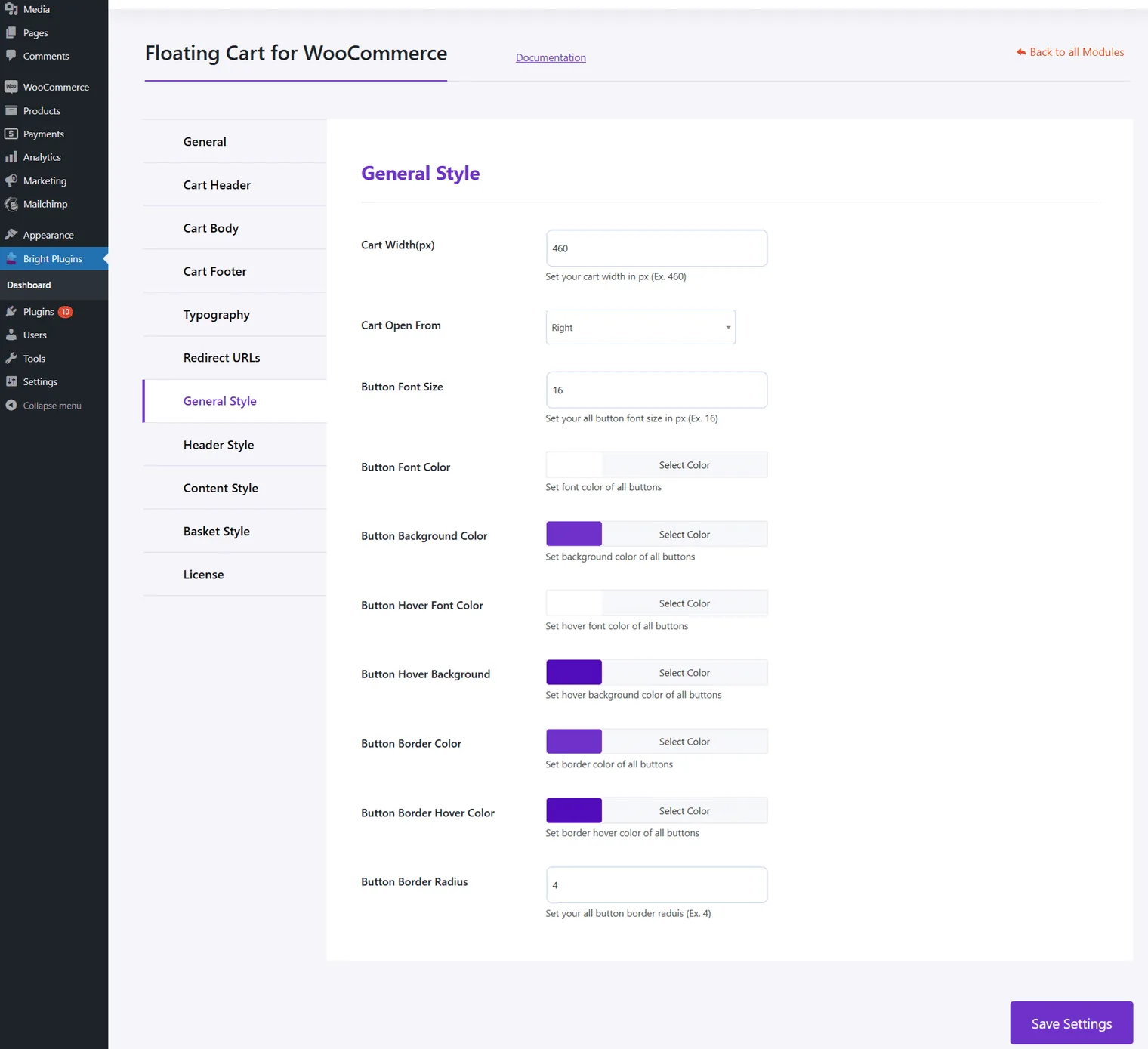
General Style Customizations
Adjust the appearance of your Floating Cart:
- Cart Width: Define the cart width to fit your layout.
- Cart Open From: Select the direction the cart opens (left, right, or top).
- Button Font Size: Set the font size for buttons.
- Button Font Color: Choose the color for button text.
- Button Background Color: Set the background color for buttons.
- Button Hover Font Color: Select the color for button text on hover.
- Button Hover Background: Set hover background color for buttons.
- Button Border Color: Define the border color for buttons.
- Button Border Radius: Adjust the roundness of button corners.
These settings help you tailor the navigation flow, footer details, and visual style of your Floating Cart to align with your store’s design.
Updated on April 16, 2026 · Need help? Open a support ticket