
Cart Footer Settings Configuration
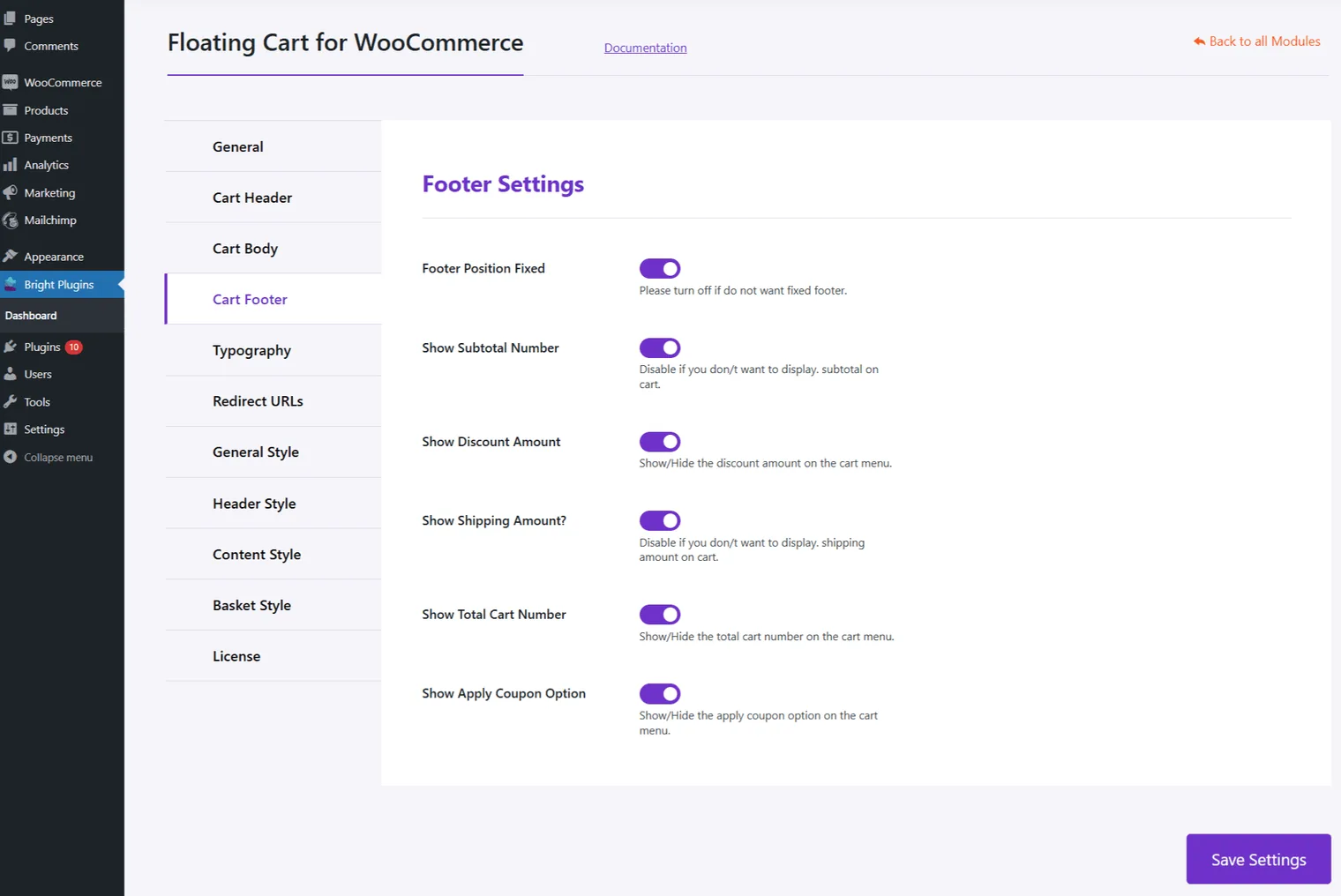
Enhance the footer of your Floating Cart with these options:
- Show Subtotal: Display the subtotal amount in the cart footer.
- Show Discount: Show any discounts applied.
- Show Shipping Amount: Display shipping costs.
- Show Cart Total: Display the total amount for all items.
- Show Apply Coupon: Allow customers to apply a coupon directly from the cart.
Typography Settings
Customize text elements to match your store’s branding:
- Heading Title: Set the cart’s heading title.
- Continue Shopping Button Text: Customize the “Continue Shopping” button text.
- View Cart Button Text: Adjust the “View Cart” button text.
- Checkout Button Text: Modify the “Checkout” button text.
- Empty Cart Message: Create a message for when the cart is empty.
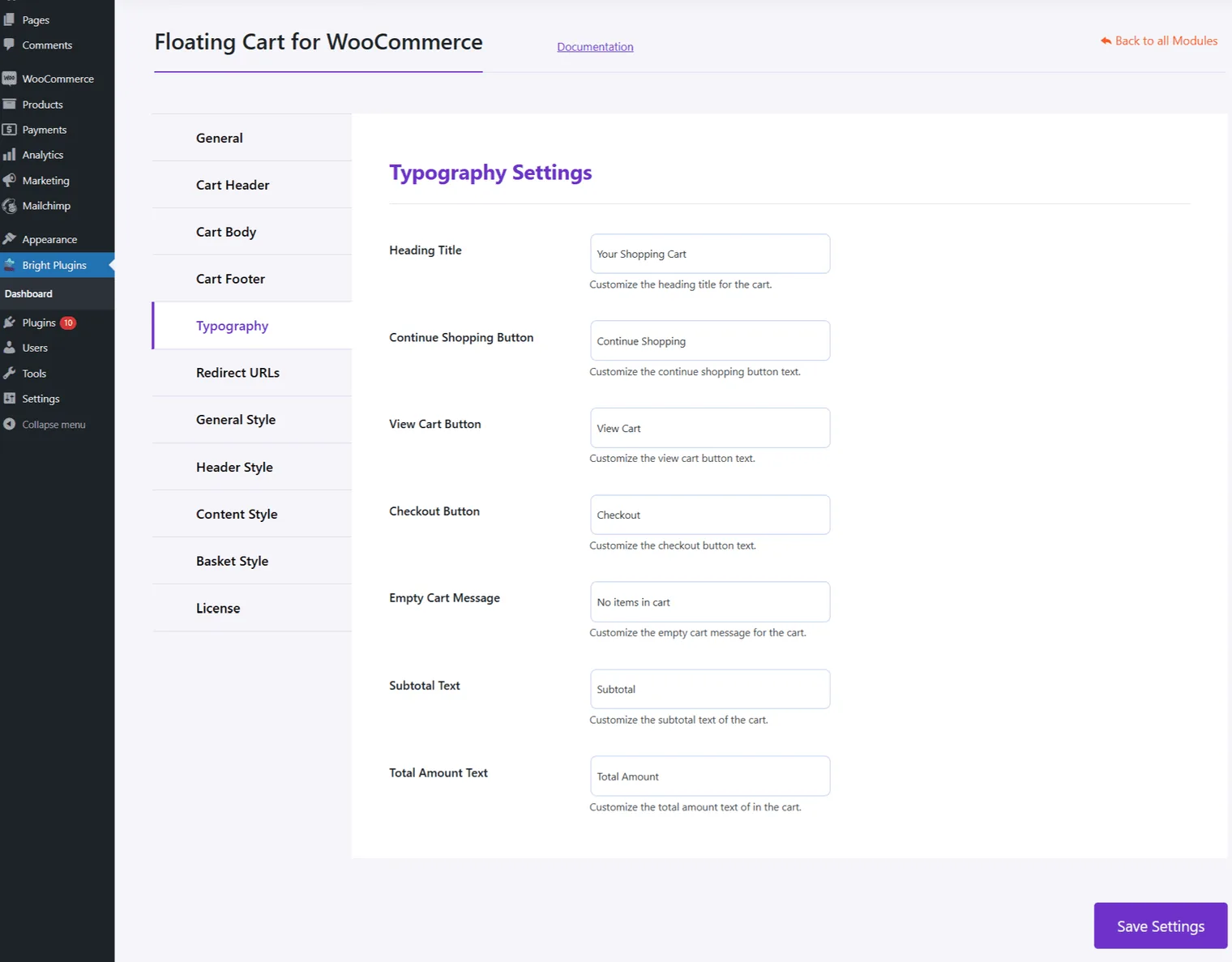
These settings help provide clarity and enhance the shopping experience by customizing the footer and text elements in the Floating Cart.
Updated on April 16, 2026 · Need help? Open a support ticket