
Your privacy choices

We use cookies to see how the site is used and, with Google and Meta, to measure our ads. Nothing is set until you choose. You can change your choice at any time under Cookie settings.

Privacy Policy

We use cookies to see how the site is used and, with Google and Meta, to measure our ads. You can change your choice at any time under Your Privacy Choices.

Your privacy choices

Choose which cookies we may use. Your choice applies on every page and lasts 12 months.

Your opt-out preference signal has been honored. Advertising stays off while your browser sends it.

NecessaryKeeps the site working: your privacy choice here, the language you are reading in, the documentation search, and Cloudflare's protection of the site.
Always on
Google Analytics and Cloudflare Web Analytics, and WooCommerce's own record of the page your visit started on: which pages are read, how the site is used, and which of them lead to an order.
Google Ads and the Meta pixel: measuring and improving our ads, including on other sites.
ThriveDesk, which runs the live chat on our support page. It is run by another company and stores an identifier in your browser.
Privacy Policy

Order Cancellation Setup Guide | Bright Plugins Docs

1 min read Updated April 16, 2026 By the Bright Plugins team

Get Cancel Order Pro

Introduction

The Order Cancel feature in BrightPlugins allows store administrators to efficiently manage order cancellation requests. This tool streamlines the process, providing options to approve, decline, or review pending requests, enhancing customer service and order management.

Cancel Requests

Viewing and Managing Requests

  • Per Page View: Adjust the number of requests displayed per page.
  • Filter by Status: Use the dropdown menu to filter requests by status:
  • Show all types
  • Approved
  • Pending
  • Declined

Search Functionality

  • Search Bar: Quickly find specific orders by entering keywords related to order details.

Request Table

  • Columns: The table displays essential information such as Order ID, Amount, Status, Request Status, and Actions available for each request.
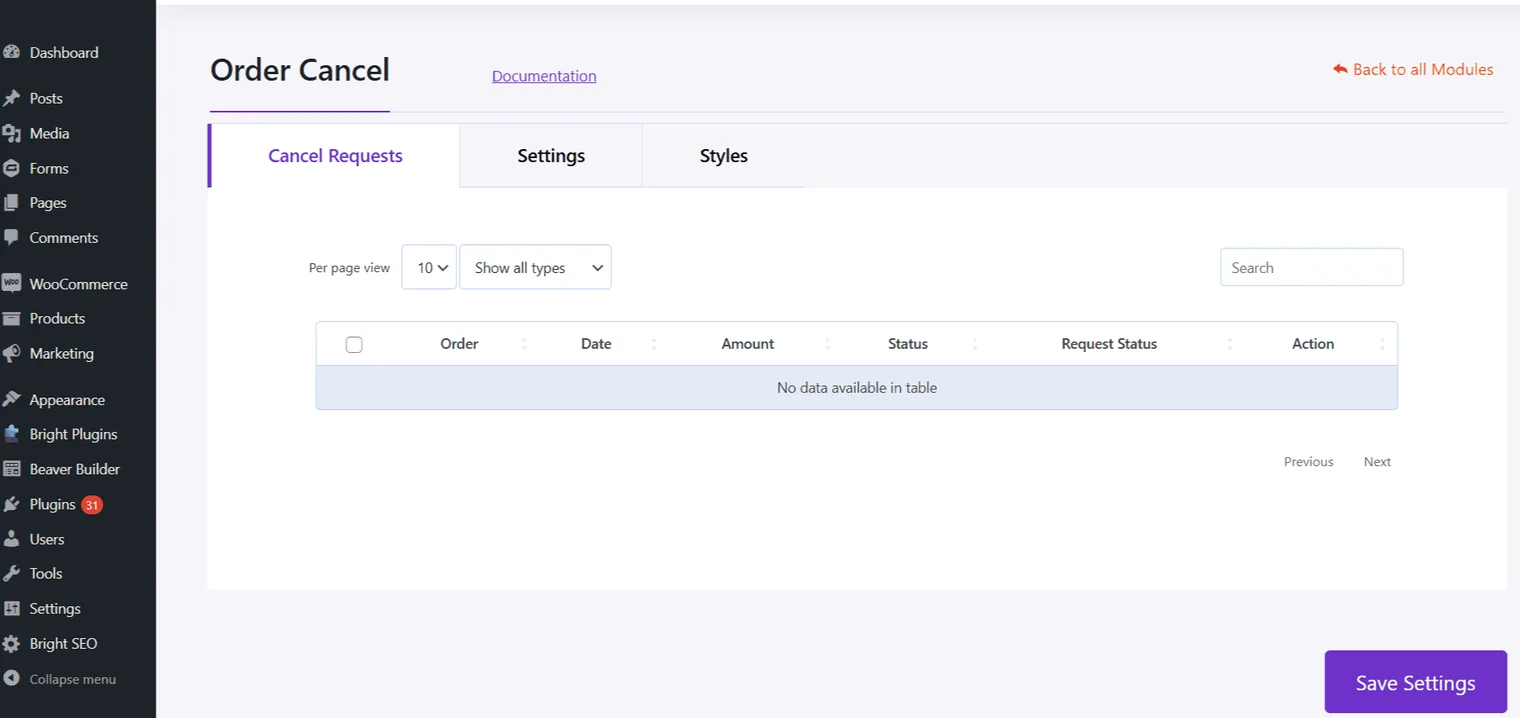
Order Cancel: Order cancel cancel requests

Settings

  • Settings Tab: Configure various options to customize how order cancellations are managed in your store.

Styles

  • Styles Tab: Customize the appearance of the cancellation interface to match your store’s branding.

Ensure you save any changes made in the settings to apply them effectively. This feature aids in maintaining a seamless and professional interaction with customers regarding their order cancellation requests.

Updated on April 16, 2026 · Need help? Open a support ticket