
Per Page View and Coupon Management
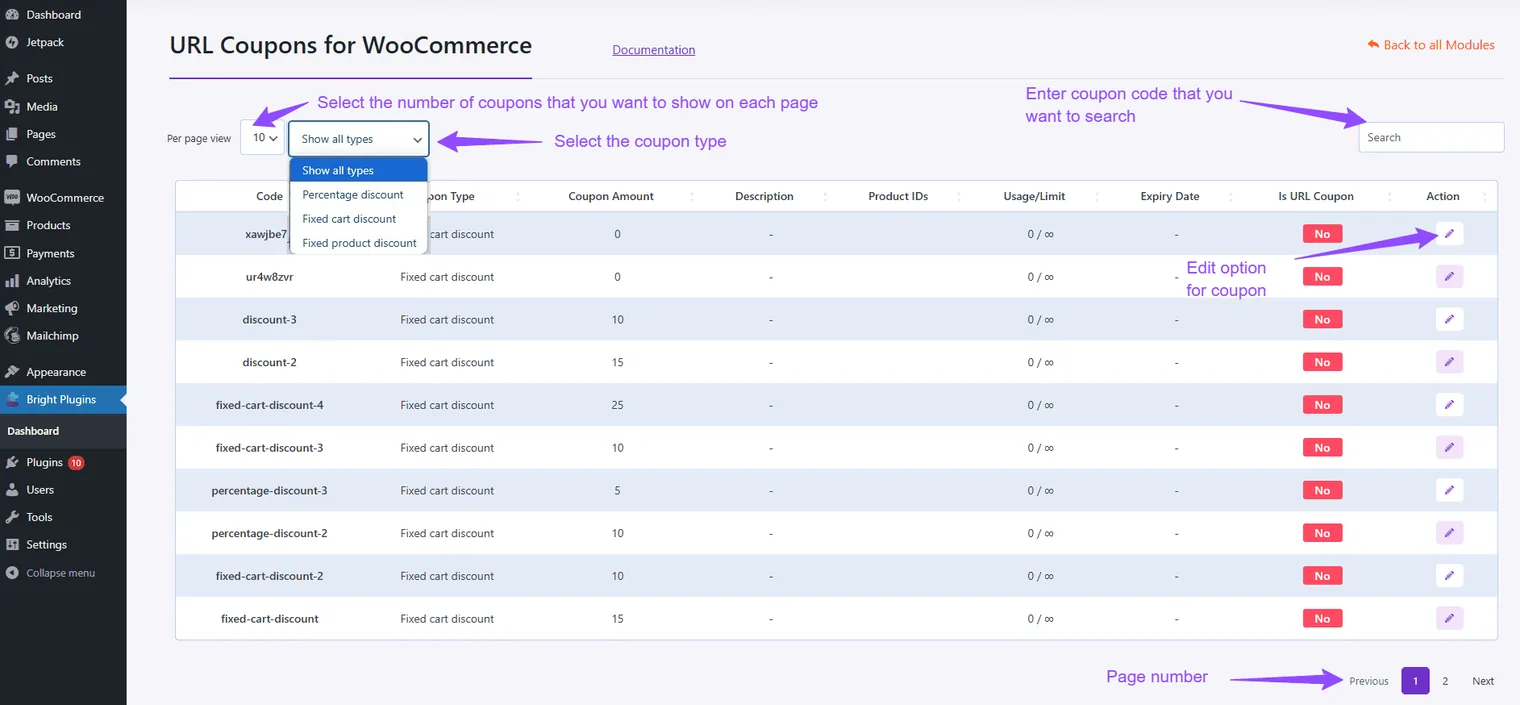
Per Page View
- Display Options:
- Choose how many coupons to display per page to control visibility in the URL coupon settings.
Show Coupon Type
- Select Type:
- Choose the coupon type to display for URL coupons, categorizing them based on your needs.
Search Coupons
- Find Quickly:
- Use the Search Bar to locate specific coupons by entering their code, making it easier to manage large lists.
Paging
- Navigate Pages:
- Use Page Numbers or Previous/Next buttons to move between pages if you have many coupons.
Updated on April 20, 2026 · Need help? Open a support ticket