
Context#
In many online stores, customers often add both available products and pre-order items to the same cart. The issue with standard WooCommerce is that the entire order is tied to the latest availability date, forcing the customer to wait. With Pre-Orders for WooCommerce, this scenario is solved automatically: the system splits the order, letting the customer receive what’s in stock right away while securing their pre-order for later.
What you can do#
- Automatic order splitting: one order with the in-stock products (processed and shipped immediately) and another with pre-order products (held until the availability date).
- Better customer experience: buyers enjoy part of their purchase today while keeping their reservation safe.
- More sales without friction: customers won’t hesitate to add pre-orders knowing their other items won’t be delayed.
How it looks in practice#
Mixed cart
The customer adds one in-stock product and one pre-order product to the cart.
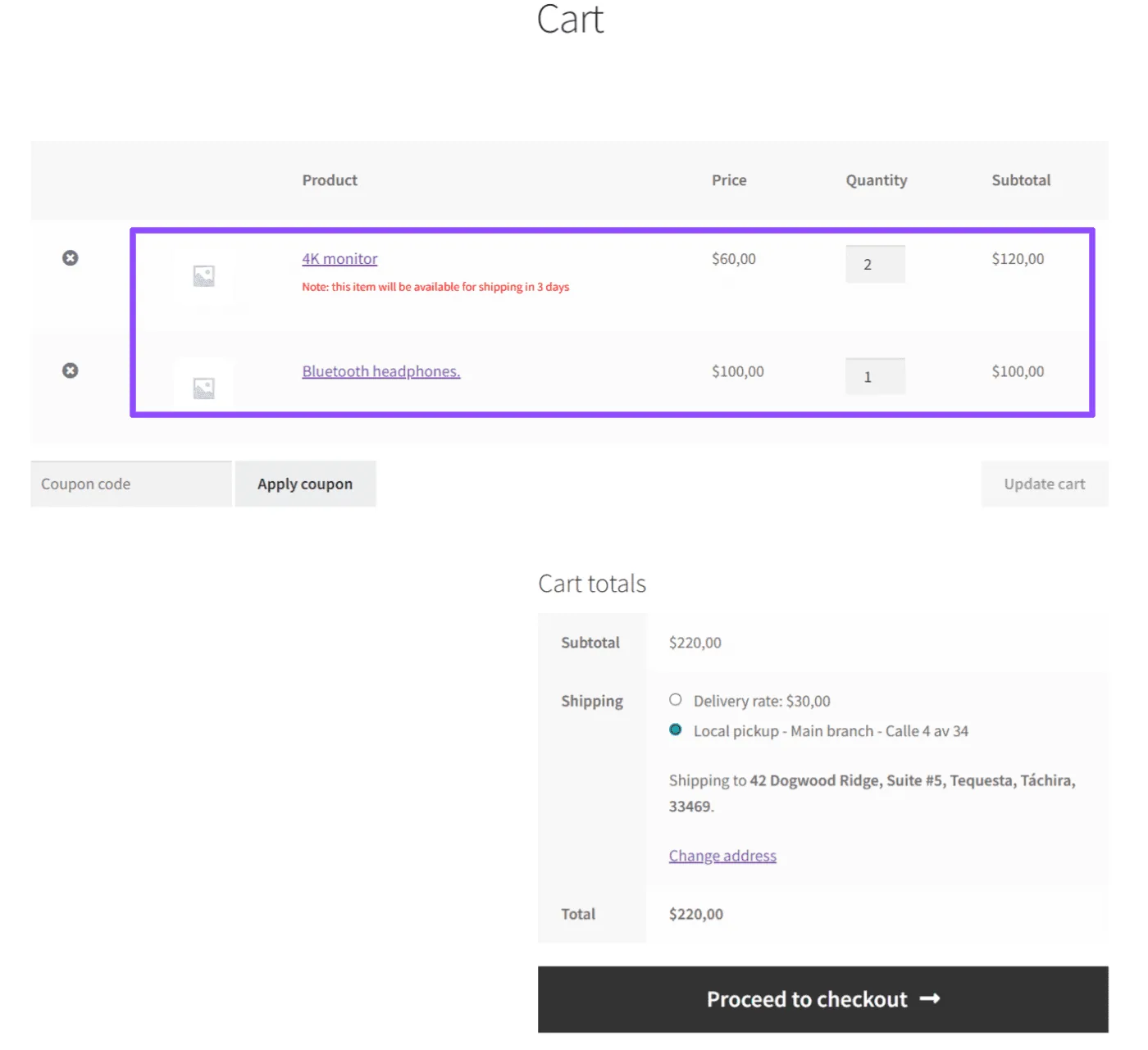
- Order A: in-stock items, processed immediately.
- Order B: pre-order items, scheduled for the defined availability date.
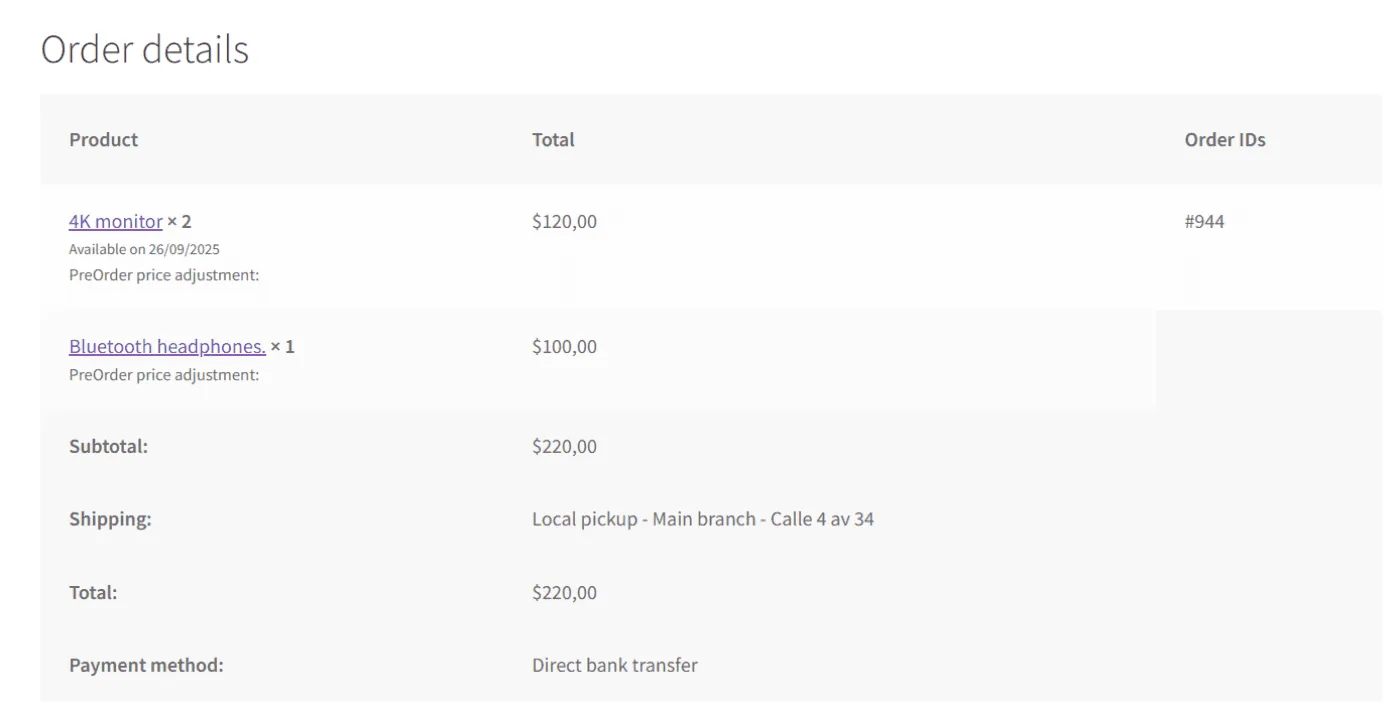
Clear communication of dates
During checkout and in the order details, the customer sees the availability date of pre-order products.
Key benefits#
- Higher satisfaction: customers receive part of their purchase instantly.
- Steady cash flow: your store continues selling without delays caused by future items.
- Fewer support tickets: expectations are clear, with separate orders and visible availability dates
Updated on April 15, 2026 · Need help? Open a support ticket