
Context#
Think about launching a new smartphone, a premium furniture collection, or a designer dress on pre-order. Many customers are interested, but they may not want to pay in full right away. If you don’t offer flexibility, you risk losing the sale.
With the Pay Later option in Pre-Orders for WooCommerce, customers can secure their reservation without immediate payment. For store owners, this means fewer abandoned carts, more confirmed reservations, and a fully automated workflow. The best part is that you can decide whether Pay Later appears as an additional payment method or becomes the only method available for all pre-orders.
What you can do with Pay Later#
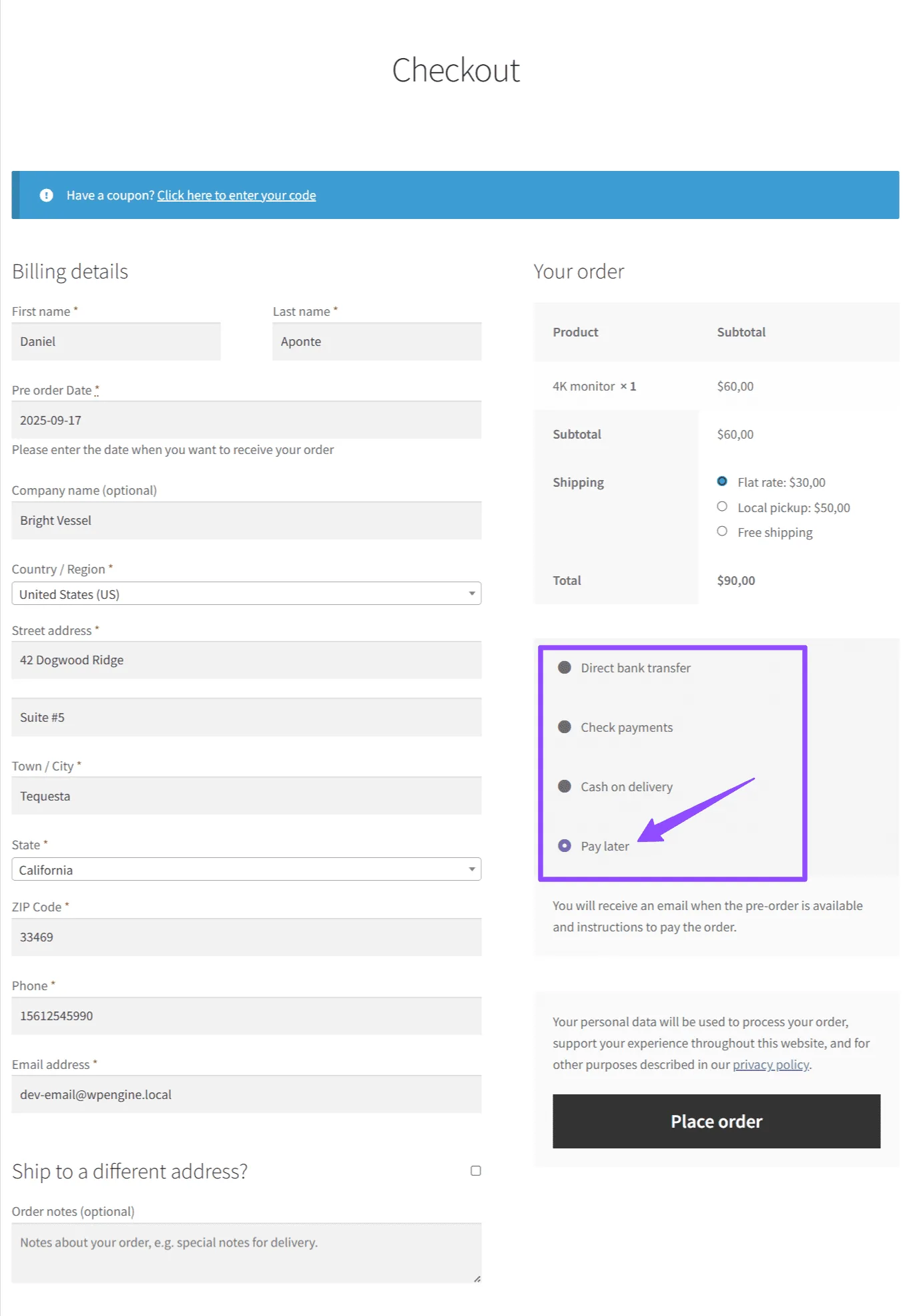
Offer it as an additional checkout option
Customers will see Pay Later alongside other payment methods (bank transfer, cash on delivery, etc.). They can reserve now and pay later, making it easier to commit to the purchase.
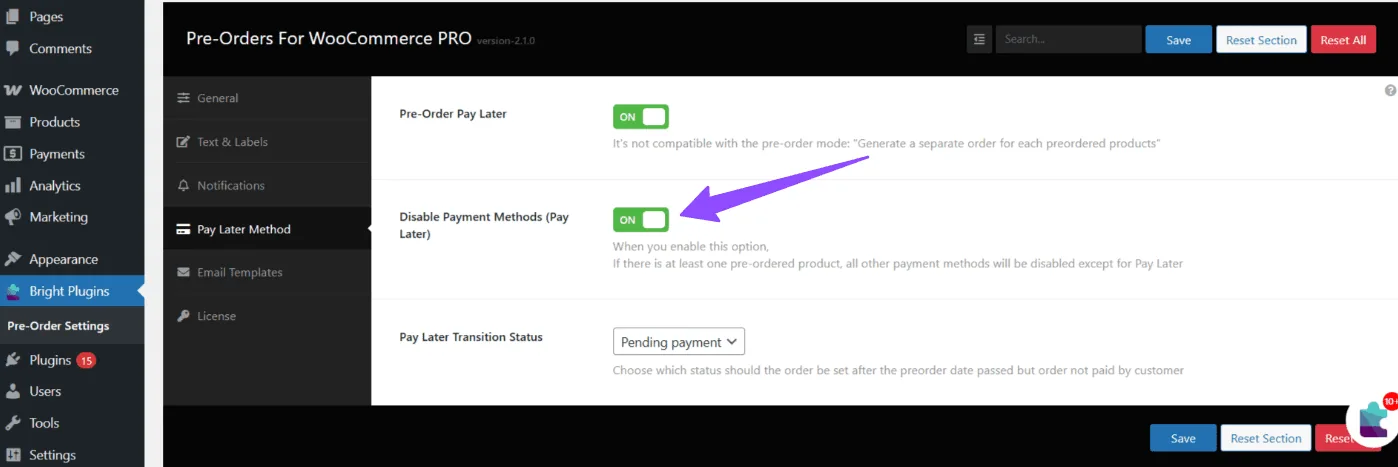
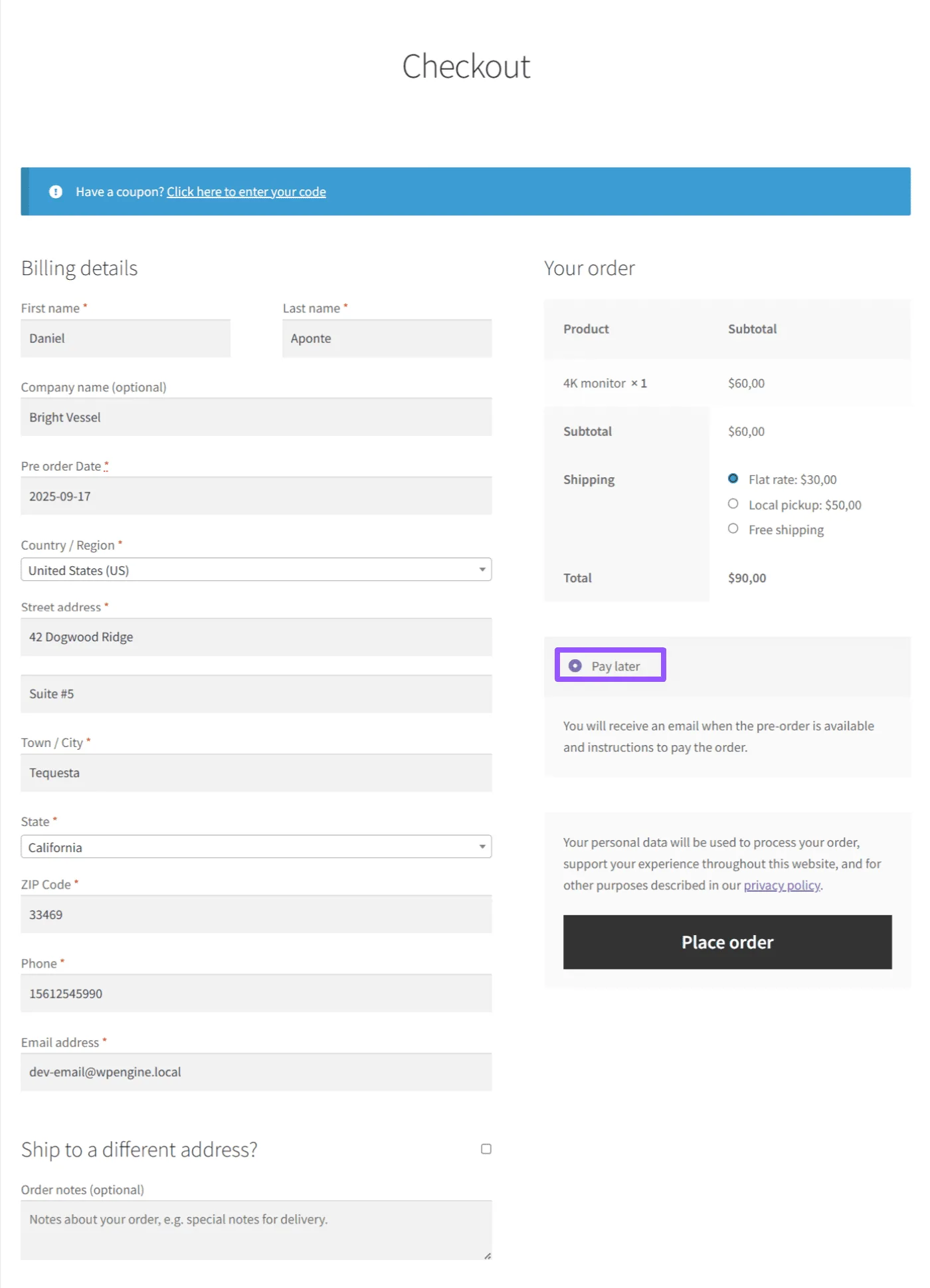
Make it the only payment method for pre-orders
With a single switch in the settings, you can disable all other payment methods and require all pre-orders to use Pay Later.
Provide clear confirmation
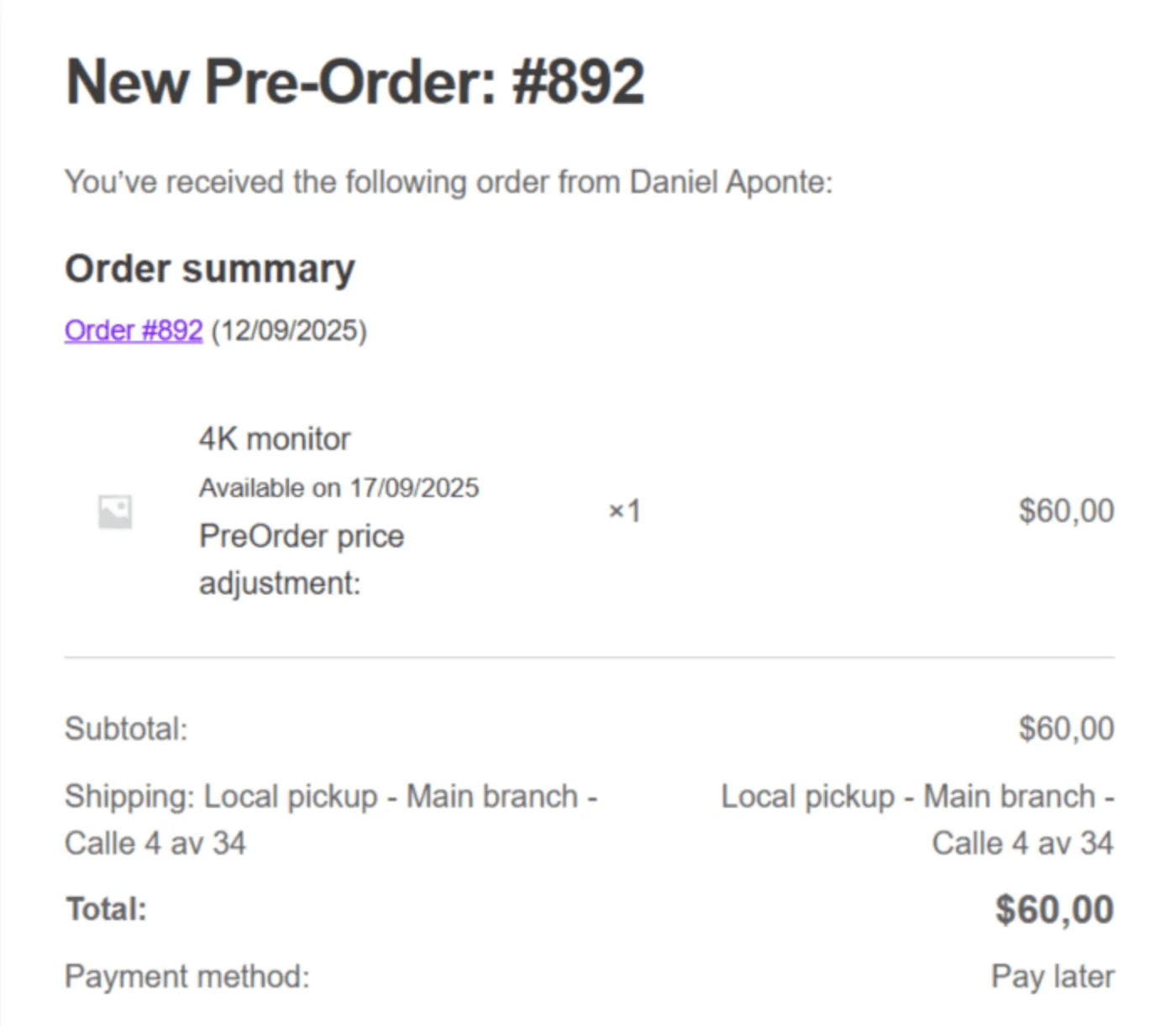
When a customer chooses Pay Later, the plugin automatically sends:
- A confirmation email showing the Pay Later method, the availability date, and the order summary.
- Clear information in the Order Details section of their account, so they always know their reservation status.
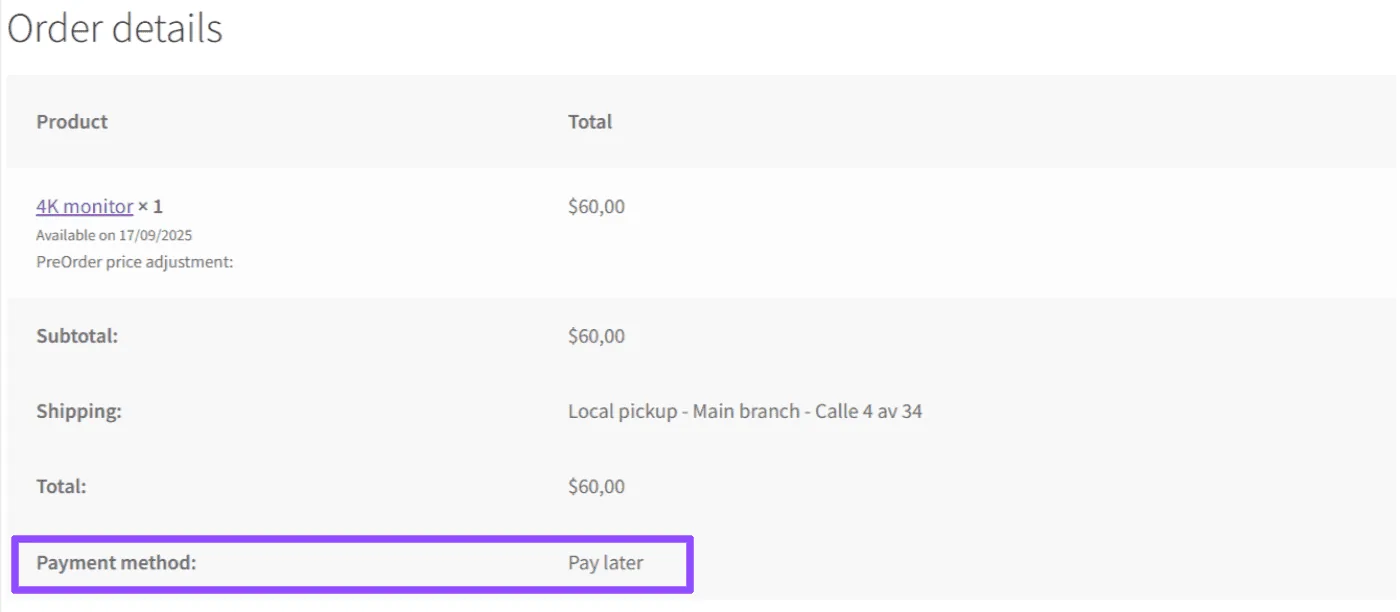
Automate the workflow effortlessly
The plugin records the order with Pay Later and lets you set the order status (e.g., Pending Payment). Automatic emails and reminders keep customers on track to complete payment. For urgency on the product page, enable the pre-order countdown to show time remaining until the availability date. The countdown appears on the product page, while checkout displays an informational notice instead of a timer.
Key benefits#
- Increase conversions by capturing orders without upfront payment.
- Offer flexibility for high-value products or exclusive launches.
- Reduce cart abandonment by removing the pressure to pay immediately.
- Stay in control: use Pay Later as a flexible option or as the only method.
- Build customer trust with consistent messaging across checkout, emails, and order details.
Updated on April 20, 2026 · Need help? Open a support ticket