
Context#
In industries such as fashion (limited collections), technology (smartphones, accessories), or entertainment (video games, books), big brands use pre-orders to create excitement and sell before the official release date.
With Pre-Orders for WooCommerce, your store can do the same: highlight pre-order products, secure revenue before launch, and clearly communicate the availability date.
What you can achieve with this use case#
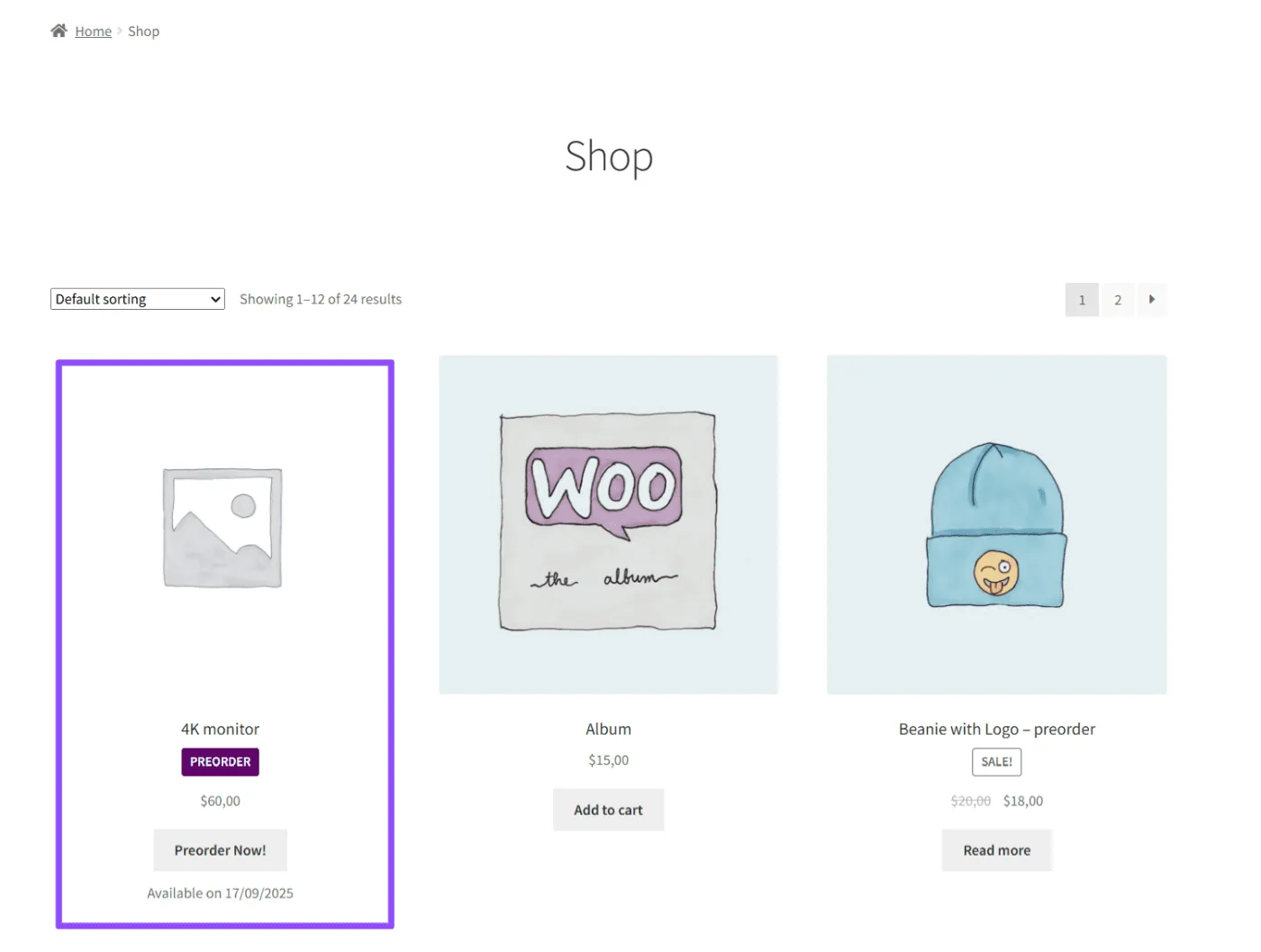
Highlight pre-order products on the Shop Page
Customers can easily identify which products are available for pre-order thanks to a PRE-ORDER badge and the availability date displayed under the price. This adds exclusivity and builds trust.
Build confidence on the Product Page
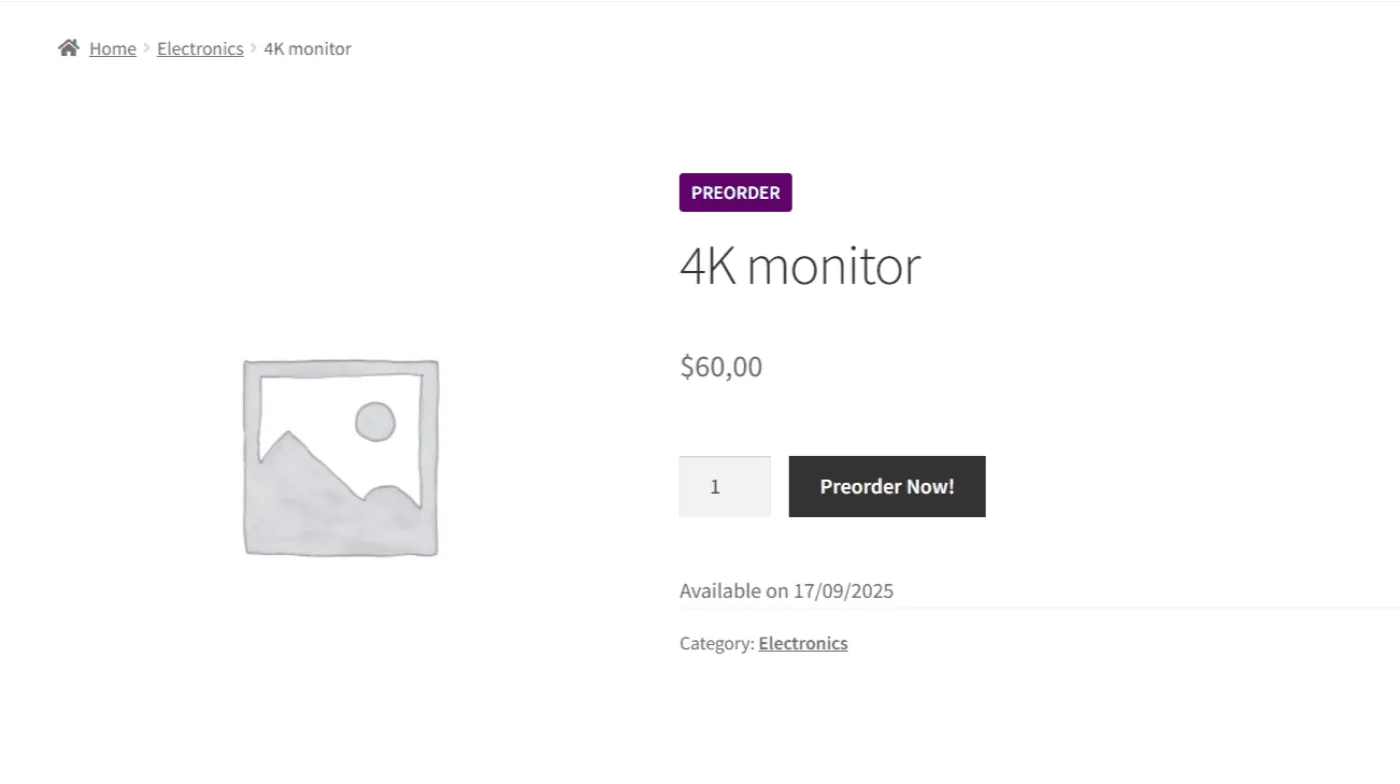
On the product page, the button changes to “Preorder Now!”, a PRE-ORDER badge is visible, and the availability date is shown clearly.
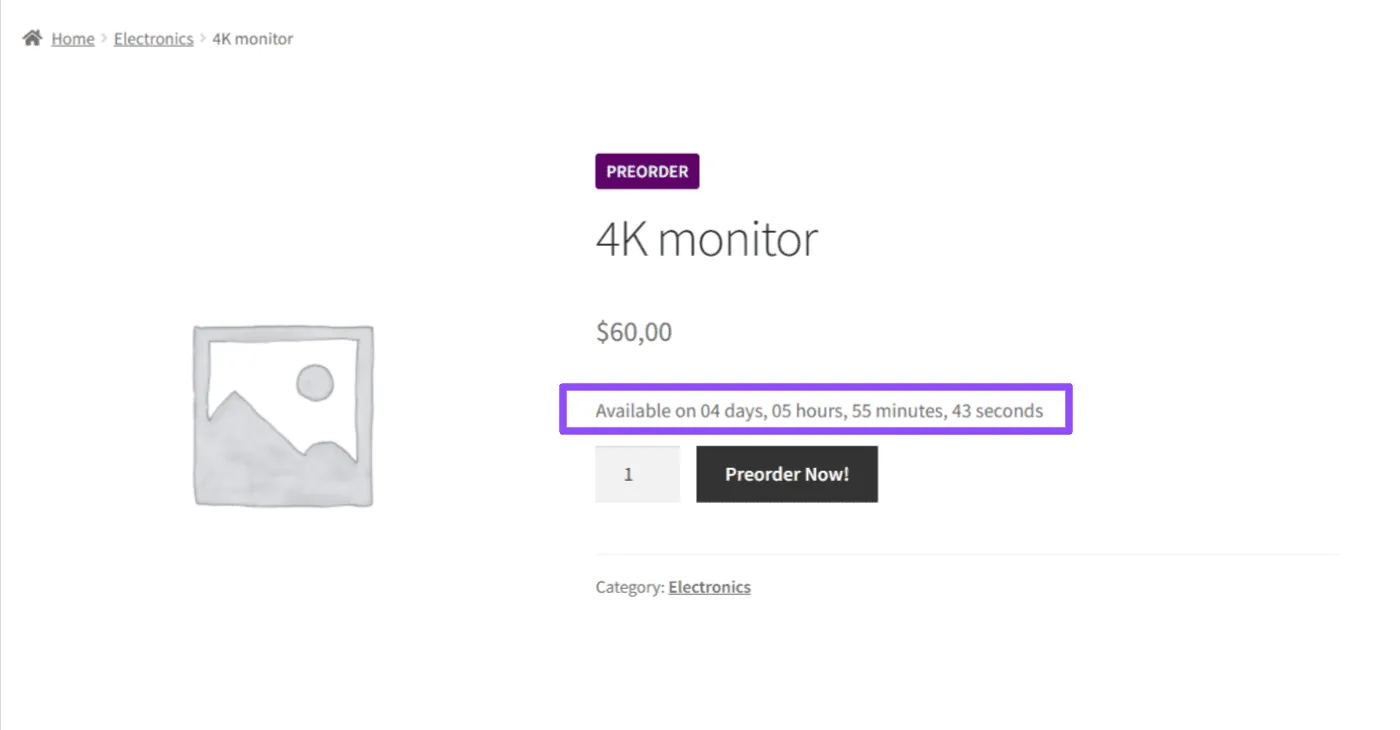
You can also enable a countdown timer to display how much time is left until the launch, creating urgency and motivating customers to order earlier.
Provide transparency in the Cart
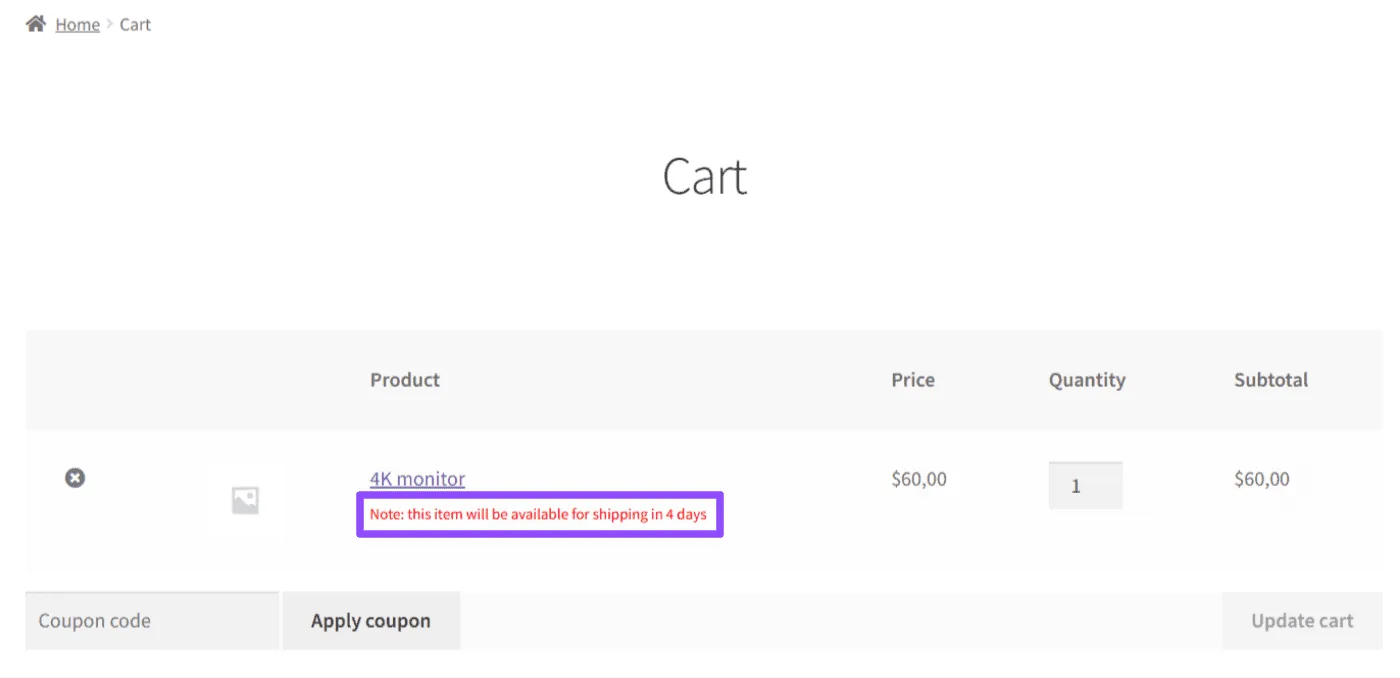
During the checkout process, customers see a clear notice that the product will be available on the date you set. This reduces uncertainty and avoids unnecessary support requests.
Keep customers informed after the purchase
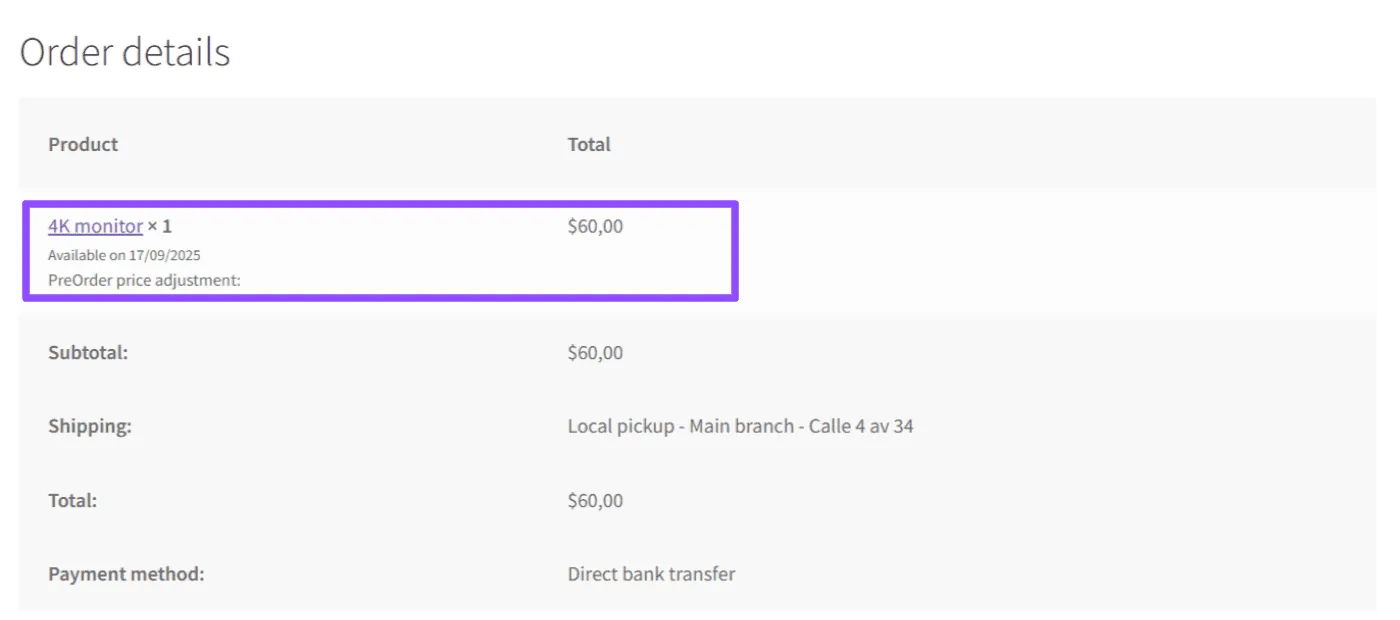
Once the order is placed, the Order Details page also displays the product’s availability date, so customers know exactly when they will receive it.
Automate the transition on launch day
When the release date arrives, the plugin automatically:
- Switches the product from Pre-Order to In Stock.
- Updates orders marked as Pre-Order to the status you define (for example, Processing).
This means the store admin does not need to manually update each product or order. The plugin handles the transition for you.
Key benefits#
- Early revenue: start selling before the official release.
- Demand validation: know in advance how many units to produce or import.
- Customer trust: clear badges, availability dates, and notices build transparency.
- Time saving: automation reduces manual work after launch.
Updated on April 15, 2026 · Need help? Open a support ticket