
Context#
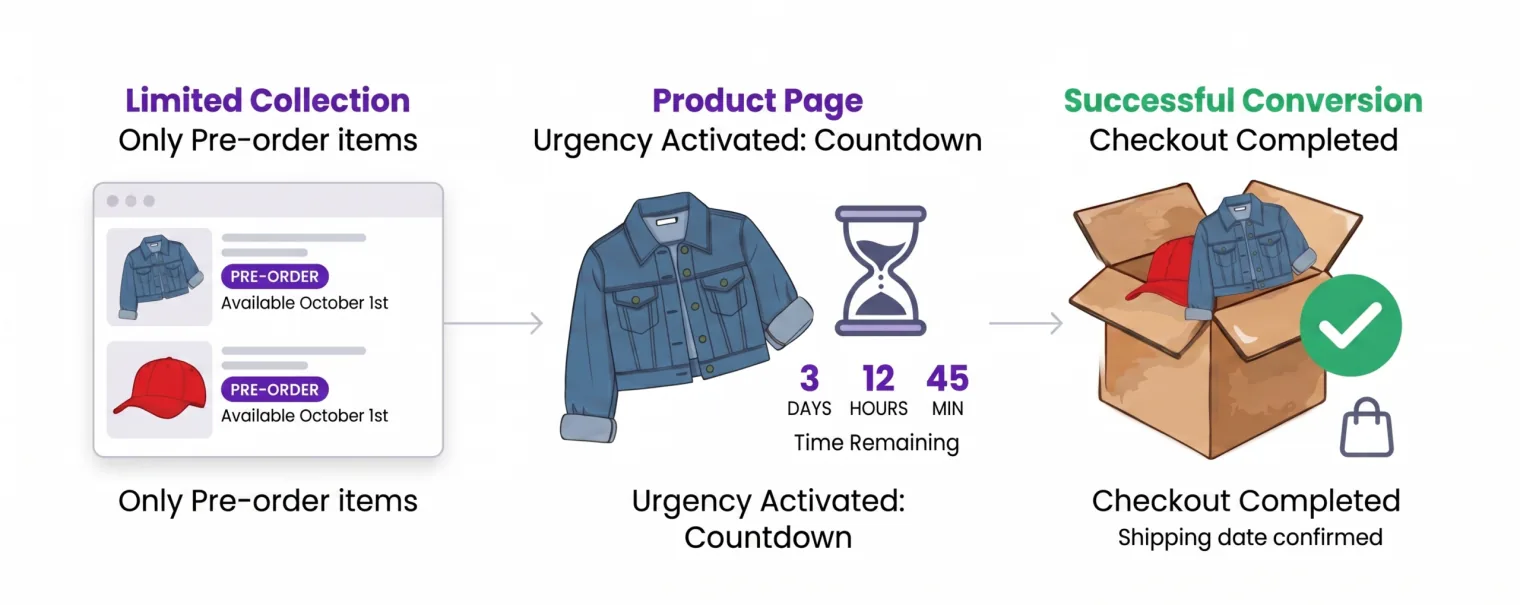
When you release a limited collection (fashion, gadgets, seasonal drops), you need one place to showcase everything and real urgency to convert early interest into sales. With Pre-Orders for WooCommerce, you can send traffic to a dedicated landing that lists only pre-order items and add a countdown on each product page to drive action.
What you can do#
Show only pre-order items on a dedicated landing
Create a page that lists just your pre-order products–perfect for ads, email, and social campaigns.
Add urgency with a countdown on product pages
Enable the pre-order countdown to show time remaining until the availability date.
Signal clearly across the store
On the Shop page, show the PRE-ORDER badge and availability date under the price; in checkout, display an informational notice so customers know when the order will ship.
Quick setup#
1) Create the landing
- Add a new WordPress page (e.g., “Pre-Order Collection”).
- Insert your pre-orders shortcode in a Shortcode block to list only pre-order items.
Example:[preorders_products] - Optional: add a short hero text and a CTA like “Reserve now before it sells out.”
Related doc: How to display all pre-order products on a separate page?
2) Enable countdown and dates
- Mark each product as Pre-Order and set its Availability Date.
- Enable the pre-order countdown in plugin settings.
- Use a clear format, e.g.
Available in %d days, %h:%i:%s.
Note: the countdown appears on the product page; checkout shows a notice, not a timer.
What customers see#
- A clean collection page with only pre-order items and PRE-ORDER badges.
- On each product page: Preorder Now button, availability date, and countdown.
- In the cart/checkout: a clear notice about the shipping date.
- After purchase: the availability date in Order Details.
Key benefits#
- Higher conversion thanks to urgency and transparent dates.
- Higher AOV by letting customers add multiple items from one landing.
- Easy promotion with a single link for campaigns.
- Low friction: customers understand what a pre-order is and when they’ll receive it.
Updated on June 23, 2026 · Need help? Open a support ticket