
How to display all pre-order products on a separate page?>
If you’re looking for pre-order products on the website backend, you’ll be pleased to know that there is a filter option available on the product list page. By utilizing this filter, you can quickly narrow down your search and display only those products which are currently available for pre-order.
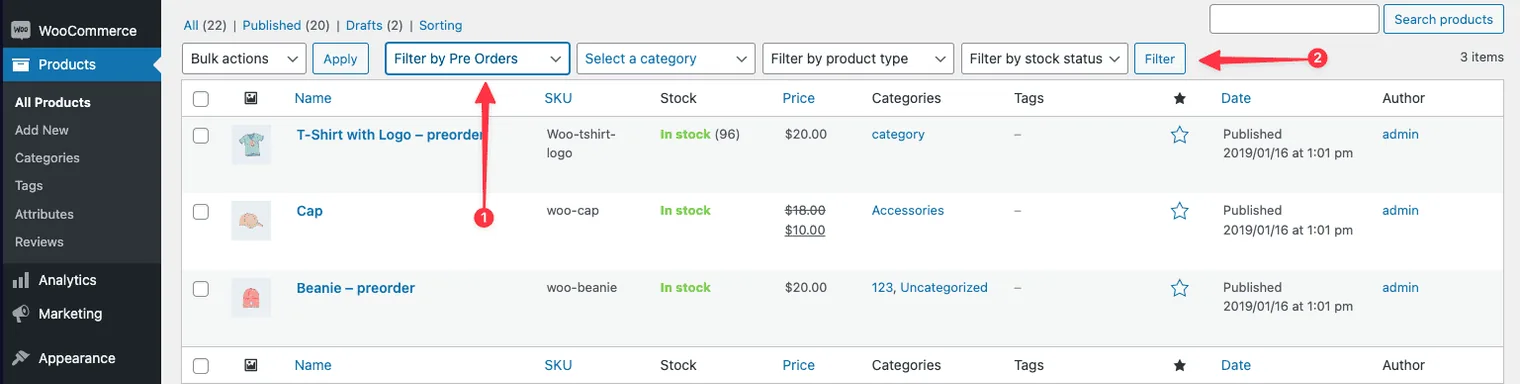
- Show active Pre-Orders: Display the pre-order products that are currently available.
- Show all Pre-Orders: Display all the pre-order products(including if their pre-order dates have already passed)
How to display all pre-order products on a separate page?>
Updated on April 20, 2026 · Need help? Open a support ticket