Customer Review Revolution: WooCommerce Review Plugin Updates and New Features

If you run a WooCommerce store, you already know that customer reviews are not a passive feature; they are among the most effective tools on your product pages for building buyer confidence. But here’s what many store owners miss: the built-in WooCommerce review system is just the starting point. The right WooCommerce review plugin can meaningfully change how you collect, display, and use customer feedback to support conversions.
In this guide, we’ll walk through what’s new in the review plugin space, which features tend to matter most for small and medium-sized stores, and how to get more out of your review strategy without slowing down your site or overwhelming your customers.
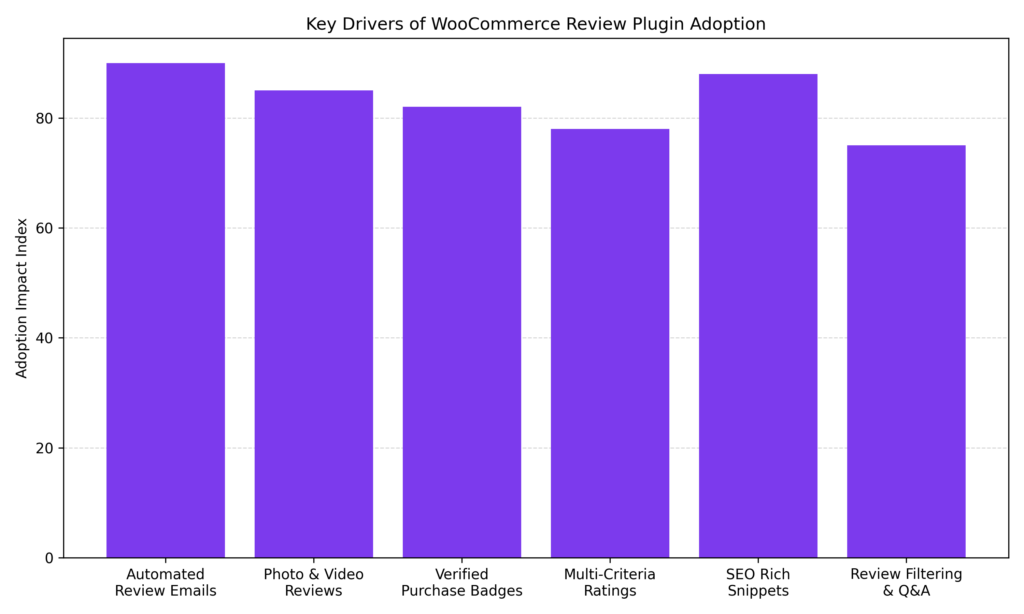
Usage trends show that automated review request emails and SEO-rich snippet schema are among the stronger drivers behind WooCommerce review plugin adoption. Media-rich reviews and verified purchase badges follow closely, often strengthening buyer trust and social proof. As review tools expand with filtering, Q&A, and multi-criteria ratings, stores are increasingly treating reviews as a structured conversion asset rather than a simple feedback feature.
Why the Default WooCommerce Review System Falls Short
Out of the box, WooCommerce gives you a basic five-star rating and a text comment field. It works, but it leaves a lot on the table. There are no automated follow-up emails to remind customers to leave a review. There is no support for photo or video uploads. Star ratings cannot be broken down by category or criteria. And there is no structured data markup to get those rich snippets showing up in Google search results.
For a store just getting started, the defaults are fine. But once you have real traffic and a product catalog you’re proud of, evaluating a dedicated review plugin is often worth the time.
How Missing Reviews Can Affect Purchase Decisions
When a shopper lands on your product page, likes the price and photos, and then scrolls down to find no reviews, that absence can create hesitation. Research from conversion rate practitioners suggests that review presence, particularly verified purchase reviews, tends to increase buyer confidence and reduce cart abandonment, though results vary considerably by product category, price point, and audience. Closing that gap is one of the practical reasons store owners evaluate dedicated review plugins.
What’s New: Key Features in Today’s WooCommerce Review Plugins
The review plugin ecosystem has evolved over the past few years. Here’s a look at the features that have become common in most serious WooCommerce implementations.
Automated Review Request Emails
Most WooCommerce store owners no longer manually follow up with customers for feedback. Today’s review plugins automatically send personalized follow-up emails, triggered a set number of days after order fulfillment. Some plugins let you configure different delays based on product type or customer segment. Customers can typically submit their review directly from the email without logging back into your store.
Plugins like Customer Reviews for WooCommerce (by CusRev) support optional coupon codes as a thank-you for leaving a review, which can also serve as a re-engagement tactic to bring shoppers back for a second purchase.
Photo and Video Review Support
Text reviews are helpful, but photos and videos from real customers can provide a different level of social proof. Shoppers browsing your product pages often want to see the item in real-world use, not just studio photography. Modern review plugins make it easier for customers to upload images and short video clips alongside their written feedback, creating richer content that can build confidence in ways that product descriptions alone often cannot.
This tends to be particularly useful for apparel, home goods, and specialty products where fit, scale, or real-world appearance factors into buyers’ decisions.
Verified Purchase Badges
Fake reviews have made shoppers more skeptical. Verified purchase labels displayed next to a reviewer’s name signal that the feedback comes from someone who actually bought the product from your store. This visual cue can carry weight with first-time buyers who have no existing relationship with your brand.
Several WooCommerce review plugins now offer integration with third-party verification services to further authenticate reviews and display trust badges accordingly.
Multi-Criteria and Detailed Rating Breakdowns
Instead of a single overall star rating, multi-criteria ratings let customers score different aspects of a product independently, such as quality, value, ease of use, or shipping speed. This can give potential buyers a more nuanced picture of what to expect.
Plugins like ReviewX and YITH WooCommerce Advanced Reviews offer this out of the box. Pairing it with a visual bar chart showing how many customers gave one star versus five stars can create a more transparent review environment that shoppers may associate with larger retailers.
Rich Snippets and SEO Schema Markup
One of the less obvious benefits of a dedicated WooCommerce review plugin is its potential impact on search visibility. When review data is properly structured with schema markup, Google may display star ratings, review counts, and price information directly in search results. These rich snippets can improve click-through rates for some stores, though eligibility depends on Google’s own guidelines and how well your schema validates.
Not all plugins handle schema equally. Look for one that generates a valid Product schema including aggregate rating data, and verify that it does not conflict with your theme’s existing structured data output. Running a URL inspection in Google Search Console after activation is a practical way to catch conflicts early.
Review Filtering, Sorting, and Q&A
As your product review counts grow, navigation becomes important. Shoppers want to quickly find reviews from people with a similar use case, and filter by rating, recency, or helpfulness. Several plugins now include a Q&A section directly on the product page, where prospective customers can post questions and receive answers from the store owner or previous buyers. This feature can help reduce support tickets, limit returns, and add fresh SEO-relevant content to your pages over time.
Review Import and Cross-Platform Syndication
If you’re migrating platforms, have reviews on Etsy, Amazon, or Google Business Profile, or are launching a new product line, review import tools can be useful. Leading WooCommerce review plugins now support importing reviews via CSV, pulling in Google reviews via Google Place ID, and syndicating on-site reviews to Google Seller Ratings. One implementation detail worth noting: if you’re importing reviews that already include structured data from another platform, check for duplicate schema output after the import, as conflicting markup can interfere with how Google renders your rich snippets. Verifying imported review dates also matters; schema validators expect a consistent date format, and mismatched formats can cause issues with rich result eligibility.
Top WooCommerce Review Plugins Worth Knowing
There are dozens of options in this space. Here’s a practical breakdown of the plugins most WooCommerce store owners are actively using and discussing.
Customer Reviews for WooCommerce (CusRev)
One of the more widely installed review plugins in the WordPress ecosystem, with tens of thousands of active installs. A reasonable starting point for stores that want solid fundamentals without a lot of configuration overhead.
Free version includes:
- Automated review request emails
- Verified purchase badges
- Q&A section on product pages
Paid tier adds:
- Discount codes for reviewers
- Email open-tracking
- Integration with multilingual plugins like WPML and Polylang
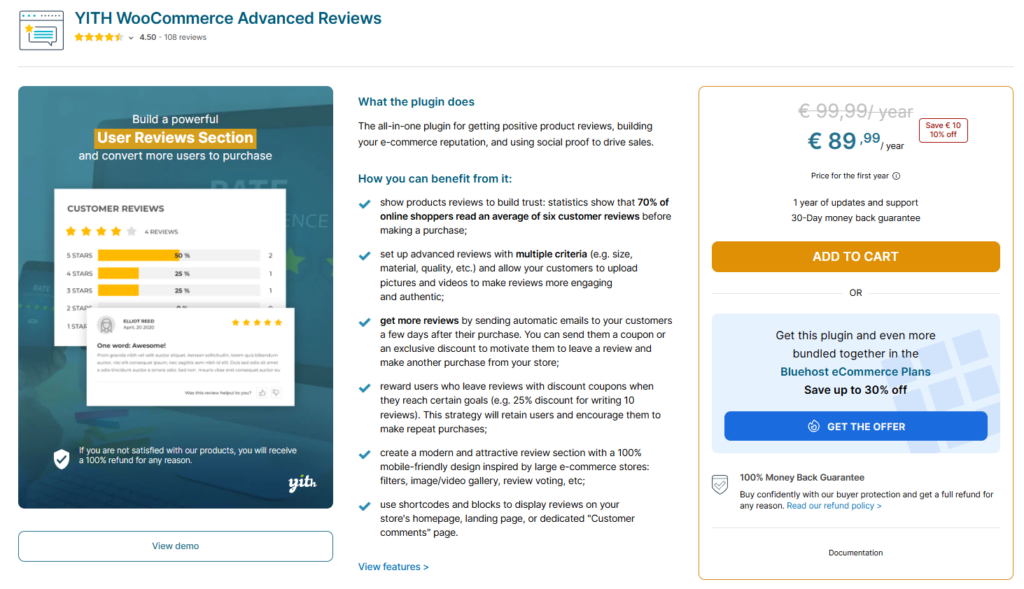
YITH WooCommerce Advanced Reviews
Designed for store owners who want more granular control over how reviews are presented. Pricing starts at $79 per year as of this writing; verify current pricing on the YITH site before purchasing. Integrates with other YITH plugins if you’re already in that ecosystem, though you’ll want to audit for plugin conflicts if your stack is large.
Key features:
- Multi-criteria ratings
- Statistical breakdown by star level
- Automated post-purchase emails
- Review moderation and owner replies from the dashboard
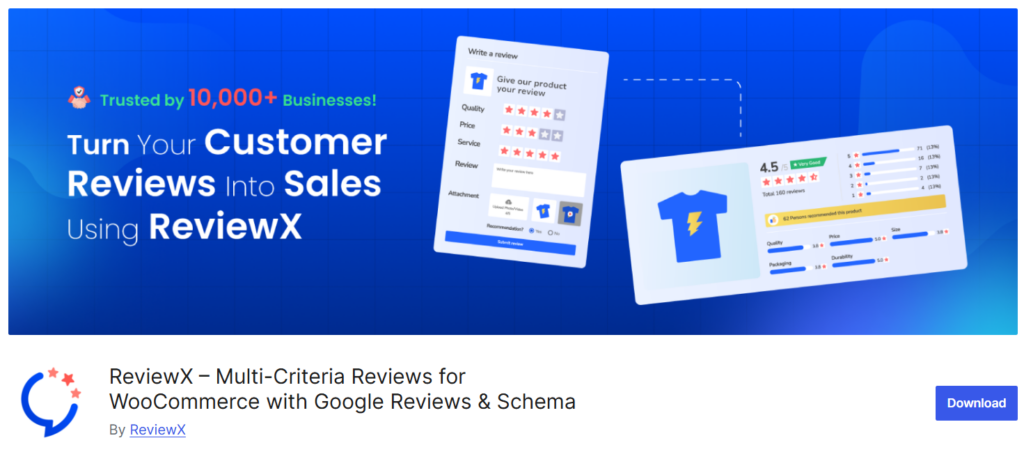
ReviewX
A solid option for stores seeking multi-point ratings and media-rich review submissions. Often noted for its visual layout options, which may suit brands that prioritize how their review section looks as much as what it says.
Key features:
- Photo and video review support
- Detailed rating breakdowns
- Customizable submission forms

WP Social Ninja
A practical choice when consolidation is the goal is pulling reviews from multiple platforms into a single on-site display. Goes beyond product reviews to serve as a broader social proof tool.
Key features:
- Pulls reviews from 30+ platforms, including WooCommerce, Google, Facebook, and Amazon
- Notification popups and customizable widget layouts
- Social feeds and chat widget support
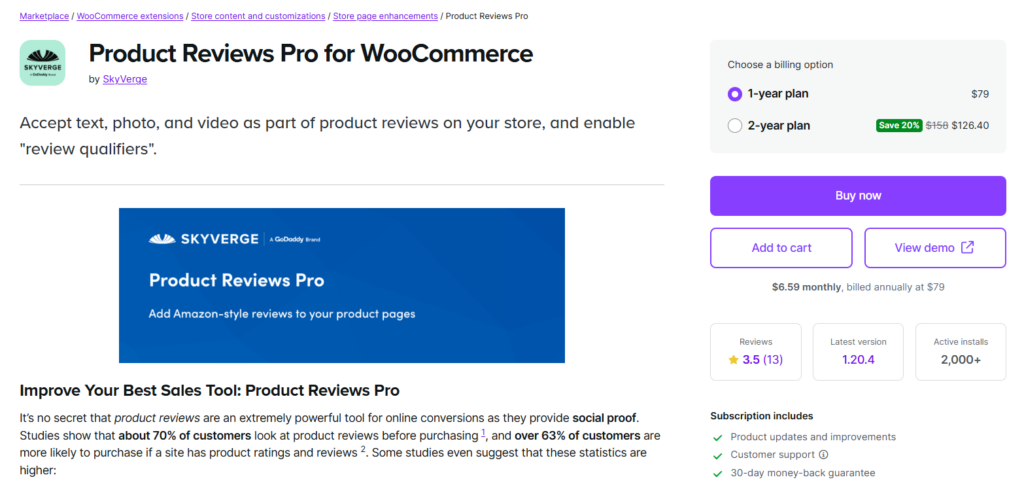
Product Reviews Pro (SkyVerge/WooCommerce)
Developed in partnership with the WooCommerce team, Product Reviews Pro upgrades the native review experience while keeping everything inside the WooCommerce dashboard. A reasonable choice for store owners who prefer first-party solutions and want to minimize compatibility risk.
Key features:
- Photo and video review support
- Product-specific Q&A
- Predefined rating criteria with dropdown menus for reviewers
How to Choose the Right WooCommerce Review Plugin for Your Store
With several options available, narrowing down your choice comes down to a few questions specific to your store’s situation.
Questions Worth Asking Before You Choose
- How many products do you sell? A store with five products has very different review management needs than one with 500 SKUs.
- What’s your review volume? If you’re just starting out, automated email collection is typically the top priority. If you have hundreds of existing reviews, import tools and display customization may matter more.
- How important is SEO to your growth strategy? If organic search is a primary channel, prioritize plugins with robust schema markup and rich snippet support, and verify that those snippets render correctly after installation.
- Do you need reviews from external platforms? If customers are leaving reviews on Google or Facebook that you want visible on-site, look for an aggregation tool.
- What’s your budget? Many options have free tiers. Premium plans typically range from $59 to $99 per site per year at the time of writing; check current pricing before purchasing.
Common Implementation Mistakes to Avoid
- Installing a review plugin that conflicts with your theme’s existing star rating output, causing duplicate schema errors. Always check Search Console’s Rich Results report a few days after activation.
- Enabling every available feature at once can add unnecessary page weight and slow load times. Start with core features and enable additional ones incrementally.
- Forgetting to configure automated review request timing. Sending emails too soon (before confirmed delivery) or too late (weeks after the customer has forgotten the product) tends to reduce response rates.
- Neglecting spam protection settings, which can allow low-quality or fraudulent reviews to accumulate.
Best Practices for Getting More (and Better) Reviews
The plugin is only part of the equation. Getting customers to actually leave reviews and leave useful ones requires a thoughtful approach to the experience you create around the ask.
Make the Process as Easy as Possible
Every extra step between a customer and the submission of a review is a potential drop-off point. Use clean, concise review forms. Allow customers to rate directly from the email without logging in. Keep required fields minimal: name, rating, and a short comment are typically enough to start. Add photo upload as an option, not a requirement.
Time Your Emails Strategically
The timing that tends to work best varies by product type. For physical goods, three to seven days after confirmed delivery can perform reasonably well, long enough that the customer has used the item, short enough that the experience is still fresh. For digital products or services, triggering the email shortly after the transaction is complete often performs better. Test both and let your response-rate data guide the decision.
Respond to Reviews When You Can
Responding to reviews, both positive and negative, signals to future shoppers that there’s a real person behind the store. A measured, helpful response to a negative review can increase buyer confidence by demonstrating accountability and follow-through. Most review plugins support owner replies directly from the dashboard.
Use Reviews as a Feedback Loop
Don’t collect reviews solely for display. The patterns in customer feedback are often more candid than what analytics dashboards surface. If multiple reviews mention slow shipping or confusing sizing, that’s actionable data. Treat your review section as a live pulse check on your customer experience, not just a conversion element.
Performance and Design: What to Keep in Mind
Review plugins add functionality, but they can also add weight to your product pages if not configured carefully. Page speed matters for both user experience and search rankings.
- Choose a plugin that lazy-loads review content below the fold.
- Avoid plugins that load large JavaScript libraries or multiple external fonts unnecessarily.
- Simpler widgets that inherit your theme’s styles are often the more sustainable choice in the long term.
Test for performance after installation. Use a tool like PageSpeed Insights or GTmetrix to measure your product page load time before and after activating the plugin. If the score drops noticeably, check the plugin’s settings for unnecessary asset loading. Many plugins load all assets globally, even though only product pages need them.
Monitor cart conversions over time. After enabling a new review plugin, tracking your add-to-cart rate and checkout completion rate over the next 30 days can help you determine whether the change has a measurable effect. If conversions are flat or declining, the display placement or review volume may need to be adjusted before the benefit becomes apparent.
Choose the Right Plugin and Start Growing Trust
The WooCommerce review plugin space has matured, and small to medium-sized store owners now have access to review tools that were once found mainly in enterprise-level implementations. From automated collection emails and photo uploads to verified purchase badges and rich snippet schema, today’s plugins handle considerably more than displaying star ratings.
If you’re still relying on WooCommerce’s default review system, it’s worth assessing whether a dedicated plugin would be a better fit for your store at this stage. The right tool, one that matches your store’s size, budget, and traffic level, can help reduce purchase hesitation and support a more consistent buyer experience over time. Start with one well-configured plugin, get the fundamentals working correctly, and add complexity only where your data justifies it.