Advanced Product Options: WooCommerce Customizer Plugin Updates
If you run a WooCommerce store that sells personalized or configurable products, a well-chosen product option plugin can meaningfully change the way customers shop. Instead of back-and-forth emails asking for custom sizes, colors, or engraving text, shoppers can configure everything right on the product page. The right plugin can turn a basic product listing into an interactive experience that reduces friction, builds purchase confidence, and creates room for higher-order value.
The WooCommerce ecosystem has seen a wave of updates to product customization tools over the past year. Whether you are selling handmade jewelry, custom apparel, personalized gifts, or configurable furniture, there are now product option plugins built for a wide range of use cases. This guide covers what has changed, what to look for, and how to think through the right choice for your store.
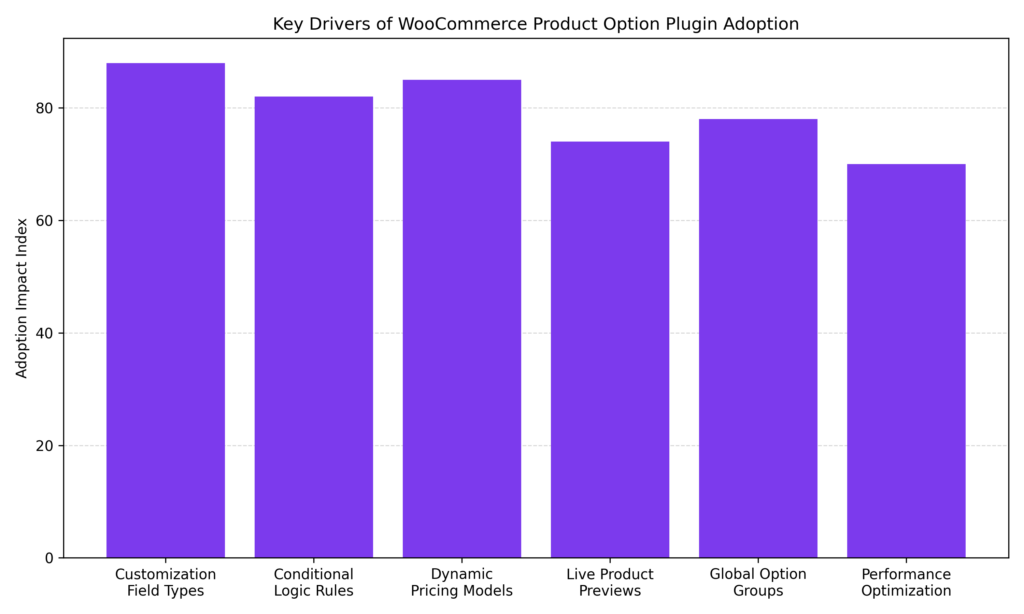
Feedback from WooCommerce developers and store owners suggests that expanded field types and dynamic pricing models are among the stronger drivers behind product option plugin adoption. Conditional logic and global option groups follow closely, helping stores manage complex configurations more efficiently. As plugins continue improving performance and live product preview capabilities, product customization is becoming a meaningful differentiator for stores offering personalized or configurable products.
Why Product Customization Is Worth Configuring Carefully
Standard WooCommerce product variations work well for simple choices like size or color. They tend to fall short the moment a customer needs to add custom text, upload a logo, select a date, or combine multiple options. That gap is where a dedicated product option plugin can add real value, provided it is set up thoughtfully.
Stores that offer well-implemented product customization often see directional improvements in a few areas:
- Average order values can increase when priced add-ons are presented clearly alongside the base product
- Return rates may decrease when customers configure exactly what they want before buying
- Product pages can stand out in categories where competitors offer little customization
- Upsell and cross-sell opportunities can be built directly into the configuration flow
That said, these outcomes depend heavily on how options are configured and presented. Poorly designed customization forms can slow page load times, confuse shoppers, and hurt conversions just as easily as they help.
Key Updates Across WooCommerce Product Option Plugins
The past year has brought meaningful updates to several product option plugins across the WooCommerce ecosystem. Developers have focused on improving usability, performance, and compatibility with modern themes and checkout flows. These updates influence how store owners configure product options and manage customization features. Understanding these changes helps ensure your store remains efficient, flexible, and easy for customers to navigate.
More Field Types Available
Earlier product option tools typically offered a limited set of field types: text boxes, dropdowns, and checkboxes. Many current plugins now support 20 or more distinct field types, reducing the need for custom development in many common scenarios. Field types now commonly available include:
- Text and paragraph fields for names, messages, or instructions
- Radio buttons and checkboxes for discrete selections
- Color swatches and image selectors for visual options
- File upload fields for customer-supplied artwork or photos
- Date and time pickers for scheduled or event-based products
- Range sliders for measurement or quantity-based inputs
- Font pickers and text overlay fields for print personalization
- Product selector fields that can surface related items as purchasable add-ons
The practical benefit is that a single well-chosen plugin can often handle multiple customization scenarios without adding additional tools on top.
Conditional Logic Has Become More Capable
Conditional logic, the ability to show or hide fields based on prior selections, has matured considerably in recent plugin updates. Several tools now support nested AND/OR condition groups, allowing more complex rules without requiring code.
A common implementation example: a store selling custom awards can show an engraving text field only when a customer selects both a metal material and a personalization finish. Without conditional logic, that field would appear for every variation, including those where it does not apply.
A few plugins have extended this to work with WooCommerce’s native product attributes and variations, not only fields created within the plugin itself. This is worth verifying during evaluation, since many tools still limit conditions to their own field types only, which can create workarounds that are harder to maintain.
Dynamic Pricing Models Have Expanded
Earlier product option plugins typically supported flat per-option fees. Current tools often support a broader range of pricing structures:
- Flat fee per selected option
- Percentage adjustments relative to the base product price
- Per-character pricing for engraving, embroidery, or print applications
- Per-file pricing for upload-based customizations
- Quantity-multiplied pricing for configurable bulk products
- Formula-based fields for stores with more complex pricing logic
When price totals update in real time as customers make selections, it tends to reduce uncertainty at checkout. Shoppers can see the cost impact of each choice before committing. Implementation note: real-time price display requires the plugin to hook into WooCommerce’s price calculation correctly. It is worth testing this with your active theme and any caching plugins before going live, since conflicts can cause displayed prices to lag or show incorrect totals.
Live Product Previews
Some product option plugins now include live visual preview functionality, allowing customers to see a representation of their configured product update as they make selections. This is most relevant for apparel, print products, phone cases, engraved items, and similar goods, where the final appearance varies based on choices made.
Preview implementations vary. Some tools offer simple image swapping based on swatch selection. More advanced options allow customers to upload artwork and preview its position on a defined printable area, with the ability to resize and reposition it. The latter typically requires a bundled add-on or a premium plan tier rather than being included in a base plugin price.
Global Option Groups and Import/Export
The ability to define option groups once and apply them across products or categories has been available for several years, but recent updates have made it more practical. Store owners can now create a set of fields, such as gift packaging options or engraving fields, and assign them to an entire product category rather than configuring each product individually.
Several plugins have also added import and export functionality for option groups, which is useful when duplicating configurations across staging and production environments or managing multiple stores with overlapping setups.
Performance and Compatibility Updates
Performance has been an area of active development. Some plugin teams have moved to custom database tables for storing option data, which can reduce query overhead compared to storing field data in WordPress’s standard postmeta table. Others have refactored JavaScript to load conditionally rather than on every product page, which can help preserve page speed scores.
On the compatibility side, updates have addressed support for WooCommerce’s block-based cart and checkout, High-Performance Order Storage (HPOS), and WPML multilingual setups. These are worth confirming during evaluation if your store uses any of them, since compatibility gaps in these areas can cause silent failures that are difficult to diagnose after launch.
How to Evaluate a Product Option Plugin for Your Store
With several capable options in the market, the right choice typically comes down to matching plugin capabilities to actual store requirements rather than selecting the tool with the longest feature list.
Start With Your Product Types
Different product categories tend to have different configuration needs:
- Personalized gifts and print products typically need file upload fields, text overlay previews, and per-character pricing
- Food, catering, and restaurant products often work well with image-based option selectors and clear per-item add-on pricing
- Custom apparel and accessories commonly require color and image swatches, conditional sizing logic, and multi-layer customization support
- Service-based or configurable products may need formula pricing and multi-step configuration flows
Identifying which field types and pricing models your products actually require narrows the field considerably and helps avoid paying for features that will go unused.
Free vs. Premium Tiers
Most of the well-maintained product option plugins offer a free version with basic functionality and a premium tier that unlocks conditional logic, dynamic pricing, file uploads, and global assignment. The free versions are generally suitable for stores with simple, static add-ons and no pricing complexity.
For stores where customization is a meaningful part of the product offering, premium tiers typically in the $69 to $129 per year range tend to provide the features needed to handle that complexity without requiring custom code. Whether the investment makes sense depends on order volume and how central customization is to the store’s value proposition.
Ease of Configuration
A plugin that requires hours of setup for each product is often configured inconsistently or abandoned. When evaluating tools, look for a drag-and-drop field builder with a live admin preview, clear field labeling, and documentation that covers common scenarios rather than just feature lists.
Support responsiveness is also worth researching before purchasing. Plugin review pages on WordPress.org and the WooCommerce marketplace often include honest accounts of how teams handle reported issues and how long resolutions typically take.
Best Practices for Configuration and Ongoing Management
Installing a product option plugin is only the starting point. The way options are configured, organized, and maintained plays a major role in the overall shopping experience. Clear option layouts help customers make faster decisions, while poorly structured fields can create confusion. Proper configuration also helps maintain site performance and ensures the customization process remains smooth and reliable.
Prioritize clarity over completeness. It can be tempting to surface every possible option on a product page. In practice, long option forms often reduce conversions rather than improve them. Use conditional logic to show only the fields relevant to each customer’s prior selections, and consider whether every option needs to appear on the product page at all, or whether some should be handled post-purchase.
Keep asset loading lean. Large swatch images and unoptimized scripts can add meaningful load time to product pages. After configuration, test page speed using Google PageSpeed Insights or a similar tool. If scores drop after plugin activation, check whether the plugin offers asset-loading controls or if images need to be resized.
Test pricing calculations thoroughly before launch. Dynamic pricing that updates in real time can conflict with caching plugins, currency switchers, and tax calculation settings. Test each pricing rule against your actual store configuration, including logged-in and logged-out states, before enabling it for customers.
Monitor cart behavior after making changes. When introducing new option sets or changing existing ones, watch add-to-cart and checkout completion rates for a few weeks. If drop-off increases at the product page stage, the option configuration is worth revisiting.
Directions the Category Is Moving
A few development trends are worth tracking as the product option plugin category continues to evolve. More plugins now support conditional logic, allowing fields to appear based on customer selections. Integration with inventory systems and dynamic pricing tools is also becoming more common. Additionally, performance optimization and compatibility with modern WooCommerce themes remain a growing focus for developers.
AI-Assisted Configuration Flows
Some developers are beginning to explore AI-assisted guidance within product configurators, where the interface suggests options or narrows choices based on prior customer inputs. This is still early-stage in the WooCommerce context, but the direction is toward reducing decision fatigue in complex configurations rather than simply presenting more options.
Visual Preview and AR Integration
Live preview functionality is gradually becoming more common, and a small number of plugin teams have flagged augmented reality integration as a longer-term roadmap item. AR previews, which would allow customers to visualize configured products in their own environment using a smartphone camera, are already available in some dedicated product design tools and may migrate into general product option plugins over time.
Deeper WooCommerce Block Compatibility
WooCommerce’s ongoing transition toward block-based templates for product pages, cart, and checkout is pushing plugin developers to ensure their fields render and function correctly in block contexts. Stores planning to migrate to block templates should verify that their current blocks are compatible with any product option plugin before switching, as gaps in this area remain common.
Popular WooCommerce Product Option Plugins
WooCommerce store owners have access to a wide range of plugins that extend product customization capabilities beyond the platform’s default variation system. These plugins allow merchants to add advanced fields, dynamic pricing, file uploads, conditional logic, and visual selection tools directly on product pages. Choosing the right plugin depends on the types of products you sell and the level of flexibility your configuration process requires. The following plugins are among the most commonly used tools for creating configurable WooCommerce products.
WooCommerce Product Add-Ons
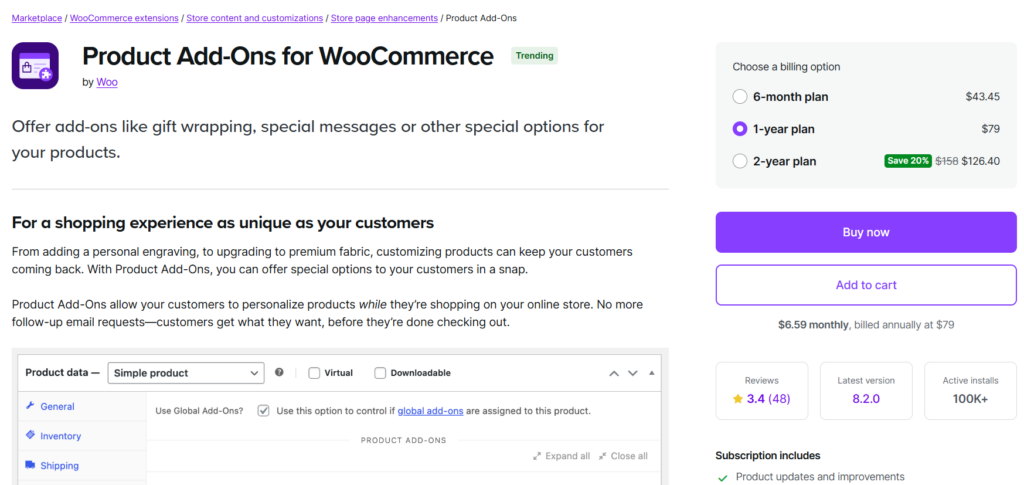
WooCommerce Product Add-Ons is the official extension developed for the WooCommerce ecosystem. It allows store owners to attach customizable fields to products and charge additional fees based on customer selections.
- Add text boxes, checkboxes, dropdowns, and radio fields
- Support flat fees and percentage-based price adjustments
- Allow customers to upload files or images
- Apply add-on groups globally across multiple products
- Integrates directly with core WooCommerce features
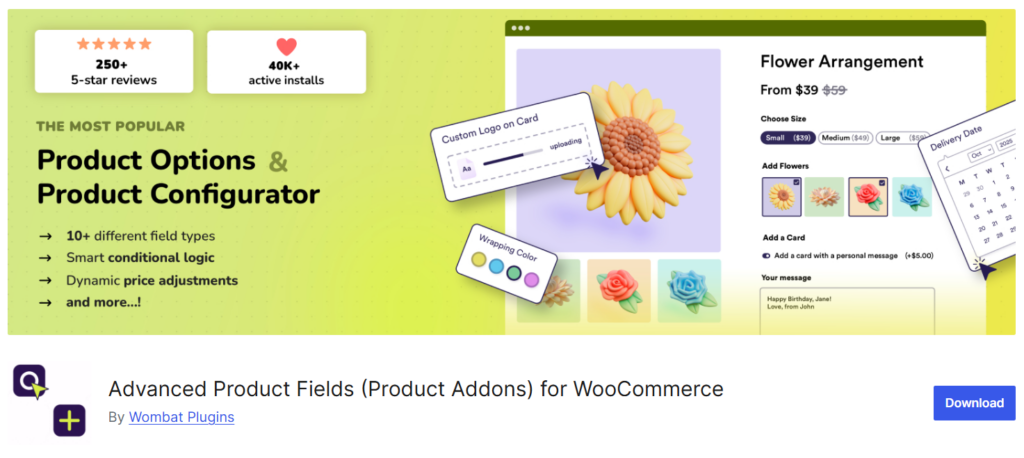
Advanced Product Fields for WooCommerce
Advanced Product Fields for WooCommerce provides flexible customization options that let merchants build structured product forms without coding. It works well for personalized and made-to-order products.
- Multiple field types, including color swatches and image buttons
- Conditional logic to show or hide fields dynamically
- Real-time pricing updates on product pages
- Global option groups for faster configuration
- Compatible with WooCommerce variations
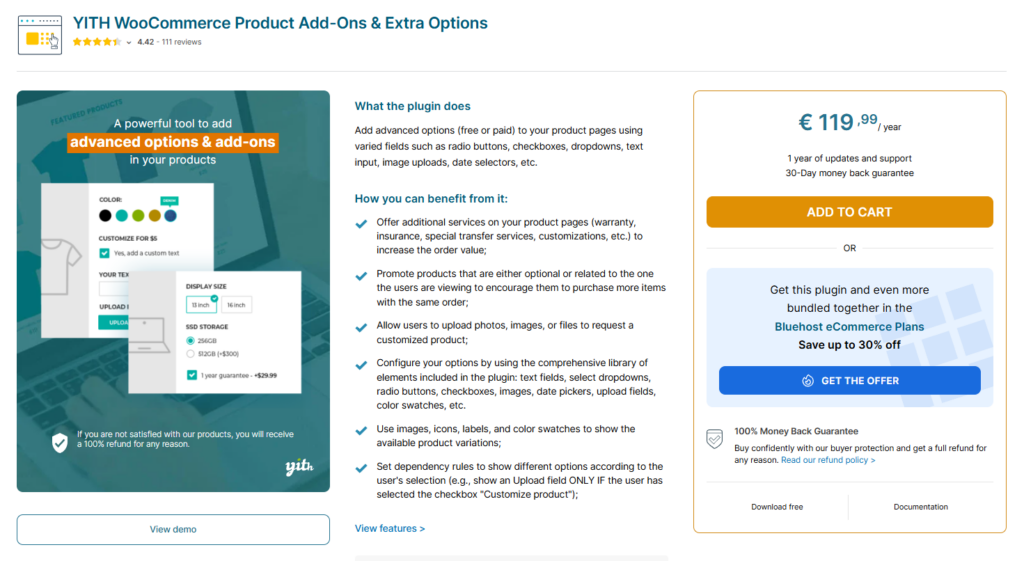
YITH WooCommerce Product Add-Ons & Extra Options
YITH WooCommerce Product Add-Ons & Extra Options provides a flexible interface for building custom product forms. It is commonly used for gift personalization, engraving fields, and product upgrades.
- Text input, checkbox, radio, and select fields
- Image and color swatch selectors
- Conditional display rules for options
- Price adjustments per option
- Import and export option groups
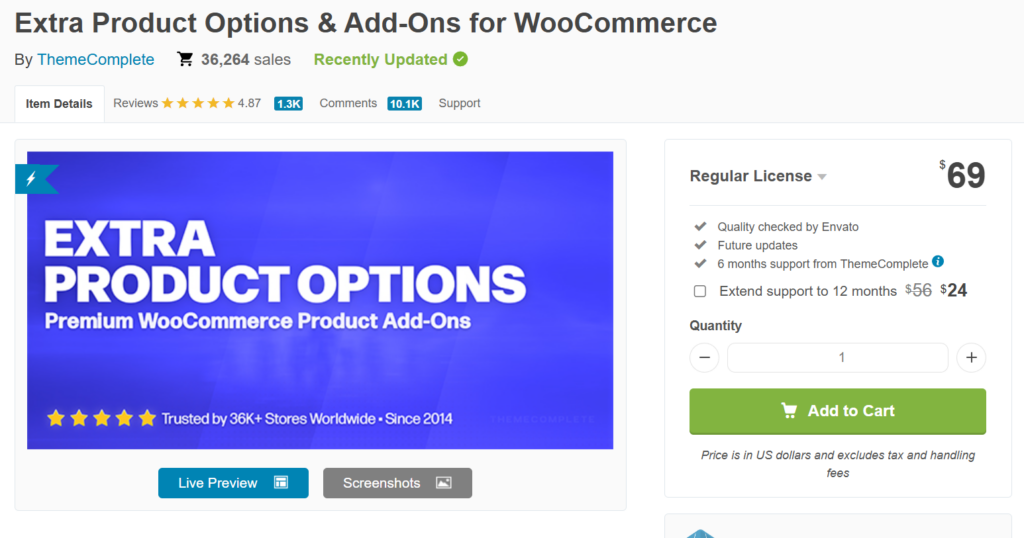
Extra Product Options for WooCommerce
Extra Product Options for WooCommerce is a widely used plugin that enables advanced product configurators with complex pricing rules and visual option selectors.
- Drag-and-drop field builder
- Conditional logic and nested rule groups
- Dynamic pricing formulas
- Support for image swatches and upload fields
- Global option sets for multiple products
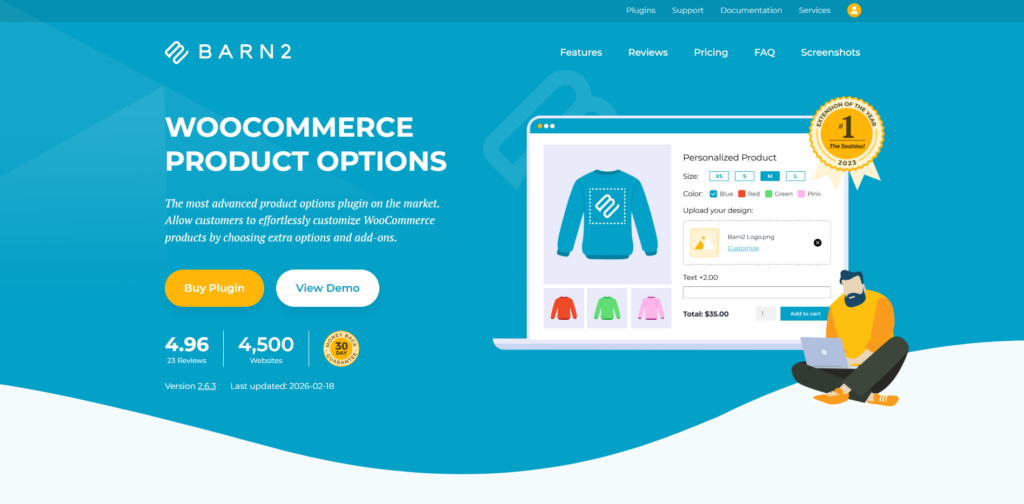
WooCommerce Product Options by Barn2
WooCommerce Product Options by Barn2 is designed for stores that need structured customization workflows with flexible pricing models.
- Over 15 configurable field types
- Image swatches and color selectors
- Conditional logic for complex forms
- Price adjustments, including percentages
- Global option assignments
Making the Right Choice for Your Store
Product option plugins for WooCommerce have become more capable, better-performing, and more varied in their feature sets over the past year. Stores that need to offer meaningful product customization have a broader range of capable options to choose from, and the tooling has matured enough that most common use cases can be handled without custom development.
The practical guidance remains consistent: match the plugin to your actual product types, configure options with the customer’s experience in mind rather than completeness, and test thoroughly before launch. Well-handled customization can support higher-order values and better-informed purchases. Handled poorly, it adds friction that works against both of those goals.