
Context#
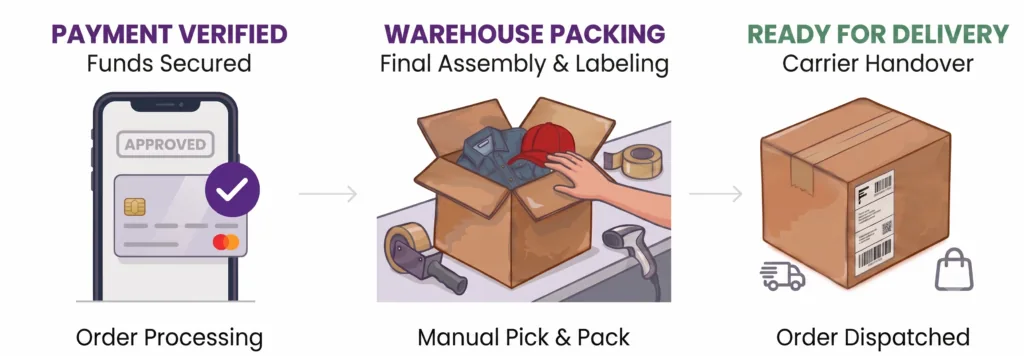
Setting up a structured WooCommerce fulfillment pipeline is crucial because generic “Processing” and “Completed” statuses lack daily operational visibility. The warehouse team needs real visibility into which orders have guaranteed funds to start packing without checking payment gateways or bank accounts. With Custom Order Status Manager, financial verification is completely isolated from physical warehouse tasks.
Flow at a Glance#
- Processing ➔ Packing: Automatic (30 minutes technical delay to protect server execution and stability).
- Packing ➔ Ready for delivery: Manual (The warehouse operator finalizes the physical packaging).
- Ready for delivery ➔ Completed: Hybrid. Manual via support team confirmation after physical delivery, or Automatic if the courier’s API is integrated to notify delivery at destination.
What This Use Case Achieves#
- Zero Financial Leaks: The warehouse never processes an order without previously credited and verified payment.
- Role Isolation: Inventory operators prepare orders blindly, without requiring administrative access to bank accounts or payment gateways.
- Clean Traceability: The customer visualizes the real progress of their order preparation directly from “My Account.”
Step-by-Step Configuration#
- Structure: Create the custom statuses
PackingandReady for deliveryin WooCommerce. - Sequence: Arrange the consecutive logic of the workflow:
Processing➔Packing➔Ready for delivery➔Completed. - Automation Rule:
- Rule Type:
Time-Based Status Change. - From / To: From
ProcessingtoPacking. - Time in Status:
30 Minutes(Prevents simultaneous processing or race condition errors on the site).
- Rule Type:
Daily Operation and Notifications#
- Money Intake: The gateway charges online or the administrator approves an offline payment. The order changes to
Processing. - At 30 Minutes: The plugin automates the jump to
Packing. The system triggers the email: “We are preparing your order”. - Physical Dispatch: The warehouse packs the items and manually changes the status to
Ready for delivery. The system triggers the email with tracking details. - Flow Closure: The order moves to
Completedeither Manually by the support team upon verifying physical delivery, or Automatically via the shipping carrier’s API integration.
Troubleshooting and Metrics#
- Stuck in Processing: Verify that the
Enable Rulecheckbox is marked and that the server’s scheduled tasks system (WP-Cron) is functioning correctly. - Key Metrics: Average time spent in
Packing(warehouse efficiency) and the delivery success rate in the final stretch.
Updated on April 16, 2026 · Need help? Open a support ticket