Why Unlicensed Plugins Put Your WooCommerce Store at Risk
Running a WooCommerce store takes real investment money, time, and effort to build something customers can trust. So when a “free” version of a premium plugin appears in a search result promising to save $79 a year, the temptation to click is understandable. That temptation is exactly what cybercriminals and shady redistributors count on.
Unlicensed plugins, often called nulled plugins, are premium WordPress tools whose license verification has been removed, allowing them to be installed without a valid purchase. What they do not advertise is the hidden payload many carry: malware, backdoors, and code that can compromise your store, your customers, and what you have built.
Here is what WooCommerce store owners should understand before making that mistake.
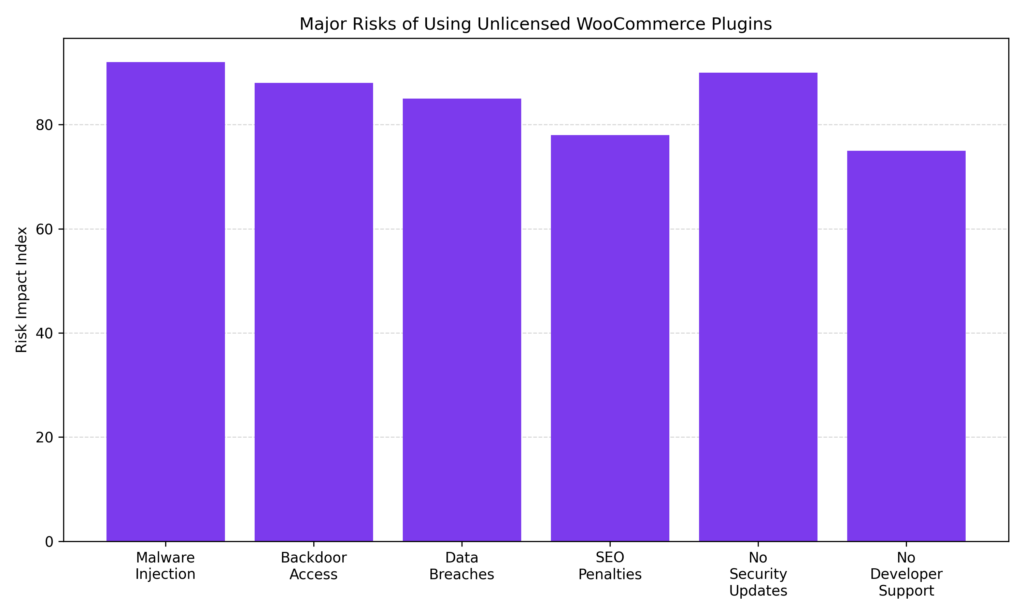
Malware injection and the absence of security updates are among the more serious risks associated with unlicensed WooCommerce plugins. Backdoor access and data breaches can follow, exposing both store infrastructure and customer information. SEO penalties and the lack of developer support further increase operational risk, making legitimate plugin licensing a relevant part of WooCommerce security management.
What Are Unlicensed Plugins, Exactly?
A nulled or unlicensed plugin is a modified copy of a paid product. Someone purchases the original, removes or bypasses the license validation code, and redistributes it often through third-party websites, file-sharing platforms, or so-called “GPL clubs.”
The plugin may look completely normal after installation. The interface looks right. The features work. Nothing seems off. That is part of what makes it risky.
It is worth distinguishing nulled plugins from free plugins available on the official WordPress.org repository. Free plugins are legitimate; the developer chose to release them at no cost. Nulled plugins are unauthorized copies of paid tools and carry distinct risks.
The Real Cost of “Free”: Security Risks That Can Affect Your Store
Malware Hidden Inside the Code
One of the more immediate threats from unlicensed plugins is malware. The people distributing these files are not doing it out of generosity; embedding malicious code in a plugin installed across thousands of websites can be an effective attack strategy.
Common payloads include:
- Backdoors that give attackers persistent access to your site, even after cleanup
- Credential harvesters are designed to collect customer passwords, emails, and payment details
- Spam link injectors that embed hidden links to third-party sites inside your content
- Redirects that send visitors to phishing sites or malware-distribution pages
The code is often obfuscated, written to obscure its purpose and resist detection without specialized tools. Even store owners with technical backgrounds may not spot it on a casual review.
Backdoors Are Particularly Difficult to Address
A backdoor is a hidden entry point that allows an attacker to regain access to your site on command, even after password changes or a backup restoration. Once planted, attackers can return weeks or months later and resume activity.
For a WooCommerce store processing real transactions, this can be serious. An attacker with sustained access may harvest credit card data, redirect payments, create rogue admin accounts, or deploy ransomware.
Your Customers’ Data Is at Stake
WooCommerce stores collect sensitive information, such as names, addresses, phone numbers, email addresses, and sometimes payment details. Customers trust store owners to handle that data responsibly. When unlicensed plugins introduce vulnerabilities, that trust is put at risk.
A breach involving customer data can trigger:
- GDPR violations and associated fines
- PCI DSS compliance failures if payment data is exposed
- Notification obligations requiring disclosure to affected customers
- Chargebacks and payment processor investigations that may freeze your merchant account
The damage can extend beyond legal exposure. Customers who discover their data was compromised due to pirated software are unlikely to return and may share that experience with others.
No Updates Means Growing Vulnerabilities Over Time
One of the less visible but equally serious problems with unlicensed plugins is the absence of official updates.
Legitimate premium plugins receive regular updates for practical reasons. When a security researcher identifies a vulnerability or when WordPress and WooCommerce release a new version that changes platform behavior, developers push an update through the licensed update channel.
Nulled plugins are cut off from that channel. Without a valid license, there is no way to receive official updates. That typically means:
- Known security vulnerabilities go unpatched
- Compatibility breaks as WordPress and WooCommerce evolve
- Features stop working, sometimes at inopportune times, like during a holiday sale
- Technical debt accumulates, making future fixes more difficult and expensive
A single unpatched vulnerability can be enough for an attacker. The longer a nulled plugin remains on a site, the more potential exposure accumulates.
SEO Consequences Can Be Difficult to Reverse
Many WooCommerce store owners invest meaningful time and resources into SEO. Unlicensed plugins can erode that investment. Security issues, malware, or performance problems introduced by compromised plugins may lead to search engine penalties, lost rankings, and reduced customer trust.
When malicious code takes hold, common outcomes include:
- Hidden spam links are injected into pages, pointing to unrelated or harmful sites
- Malicious redirects are increasing bounce rates and damaging user experience signals
- Google blacklisting, which can trigger warnings in search results
- Manual actions from Google’s webspam team that may de-index pages entirely
Recovery from a Google blacklist takes time. Cleanup is required before submitting a reconsideration request, and review timelines can stretch for weeks during which organic traffic and sales may decline significantly.
No Support When Things Go Wrong
When you purchase a legitimate plugin, you are buying more than code; you are buying access to the developer’s support team, documentation, and expertise. That tends to matter more than store owners expect until something breaks.
With an unlicensed plugin, there is no support channel. No ticket system, no live chat, no developer who can help troubleshoot. If the plugin causes a conflict, breaks checkout, or corrupts the database, resolution falls entirely on you.
For store owners without a dedicated developer on staff, this is a real operational risk. A broken checkout during high-traffic periods, with no path to emergency support, can translate directly into lost revenue.
Legal Exposure Worth Considering
While WordPress plugins are released under the GPL, which permits code distribution, using nulled plugins carries legal risk.
Redistributing plugins in ways that strip license validation, remove developer attribution, or bundle unauthorized code can raise concerns about copyright infringement. Developers have the right to pursue action, and some do. Beyond developer-initiated claims:
- Hosting providers may suspend accounts where pirated software is detected
- Domain registrars may respond to DMCA complaints
- Payment processors may investigate if fraudulent activity traces back to a store
Enforcement is not universal, but the exposure is real, and reputational damage, if it becomes public, can be lasting.
Note: The information in this section is general in nature and does not constitute legal advice. Store owners with specific concerns should consult a qualified attorney.
How to Tell If a Plugin Might Be Nulled
If you are unsure whether a plugin on your site is legitimate, watch for these indicators:
- The license key field is missing, disabled, or shows as invalid
- The plugin has not received updates despite new versions being available from the developer
- The plugin came from somewhere other than the developer’s official site or a verified marketplace
- The file size or code structure looks unusual compared to the official version
- A security scanner flags suspicious or obfuscated code inside the plugin files
If any of these apply, treat the plugin as potentially compromised until you can verify its source.
Practices That Can Help Keep Your Store Safer
Strong plugin security typically comes down to consistent habits rather than large budgets. A few practices tend to make the most difference.
Source plugins from trusted places. Purchase directly from the developer’s website or from verified marketplaces like WooCommerce.com or Envato. The official WordPress.org plugin directory is a reliable source for free plugins.
Keep everything updated. Enable auto-updates where practical, and check your plugins dashboard regularly. An up-to-date plugin is typically more secure.
Run regular security scans. Tools like Wordfence, Sucuri, or MalCare can scan for known malware signatures, modified files, and suspicious code. Scheduling automated scans reduces the risk of issues going undetected.
Use a staging environment before installing new plugins. Testing on a staging copy of your store before going live helps protect customers from exposure to untested code.
Audit installed plugins periodically. Remove plugins you are no longer using. Inactive plugins still represent a potential attack surface, and an outdated, inactive nulled plugin can be a straightforward entry point for attackers.
Choose a security-focused host. A managed WordPress host with server-level malware scanning, firewall protection, and rapid incident response adds a meaningful layer of protection.
Monitor cart and checkout performance. Unexpected drops in conversion rates, unusual redirects during checkout, or unexplained customer complaints about payment issues can sometimes indicate a compromised plugin affecting the store’s behavior.
Legitimate Alternatives to Unlicensed Plugins
If budget is a real constraint, there are practical ways to manage plugin costs without taking on unnecessary risk.
Many premium plugin developers offer free versions with core functionality that may meet your needs. Others offer annual plans that spread costs over time or bundle multiple tools at a discount. Some WooCommerce-specific plugins are available legitimately through hosting provider bundles or developer programs.
Industry estimates suggest that spending $50 to $150 per year on a legitimate plugin license is typically far less than what a single security incident can cost in cleanup fees, lost sales, legal exposure, and customer trust that may take time to rebuild.
Examples of Legitimate WooCommerce Plugins Often Targeted by Nulled Distributions
To understand why nulled plugins pose a risk, it helps to look at the types of premium plugins that are frequently redistributed without licenses. Many are widely used within the WooCommerce ecosystem and power key parts of an online store checkout, marketing, subscriptions, performance optimization, and analytics.
Because these plugins are popular, they are common targets for pirated redistribution. Store owners searching for “free downloads” may unknowingly install compromised versions that contain malicious code or have disabled update mechanisms.
The following are examples of legitimate plugins commonly used by WooCommerce store owners. Installing from official sources helps ensure you receive security updates, developer support, and reliable performance.
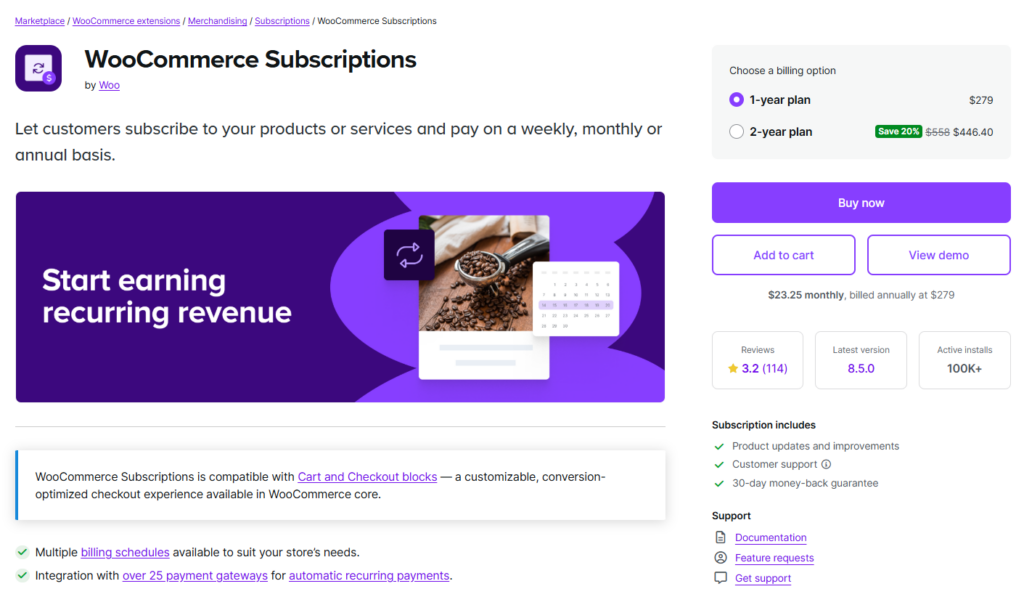
WooCommerce Subscriptions
Allows businesses to sell products or services on a subscription basis with flexible billing schedules. Because it manages payments and customer accounts, using a licensed version is important for security and compatibility.
- Recurring billing schedules
- Automatic subscription renewals
- Support for multiple payment gateways
- Customer self-service account management
- Detailed subscription reports
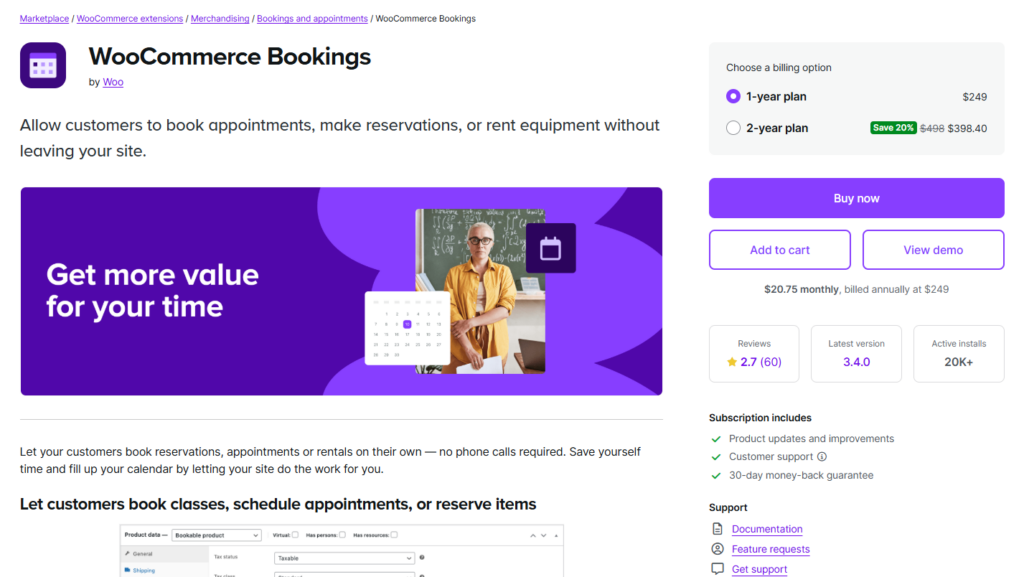
WooCommerce Bookings
Enables store owners to sell appointments, reservations, and time-based services through WooCommerce. Useful for businesses like consultants, hotels, and rental services.
- Bookable products with flexible time slots
- Automatic availability management
- Customer booking calendars
- Google Calendar integration
- Time- and duration-based pricing rules
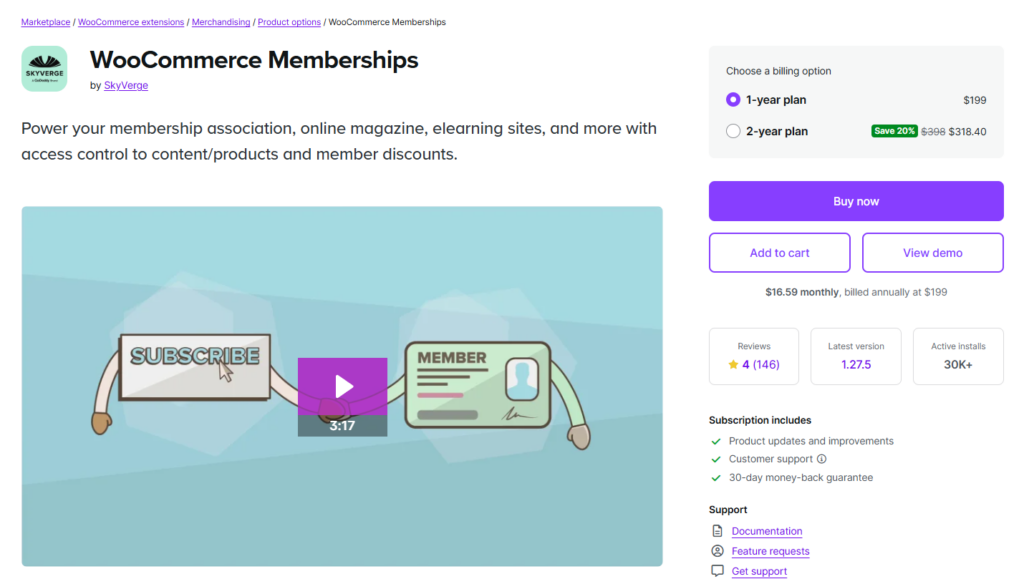
WooCommerce Memberships
Allows store owners to build membership programs that restrict or grant access to content, products, and discounts.
- Content and product restriction by membership tier
- Member-only discounts
- Tiered membership plans
- Drip content scheduling
- WooCommerce Subscriptions integration

Elementor Page Builder
One of the more widely used WordPress page builders, allowing store owners to design pages without coding using a drag-and-drop visual editor.
- Visual drag-and-drop page editing
- WooCommerce product page templates
- Responsive design controls
- Large widget library
- Theme builder capabilities
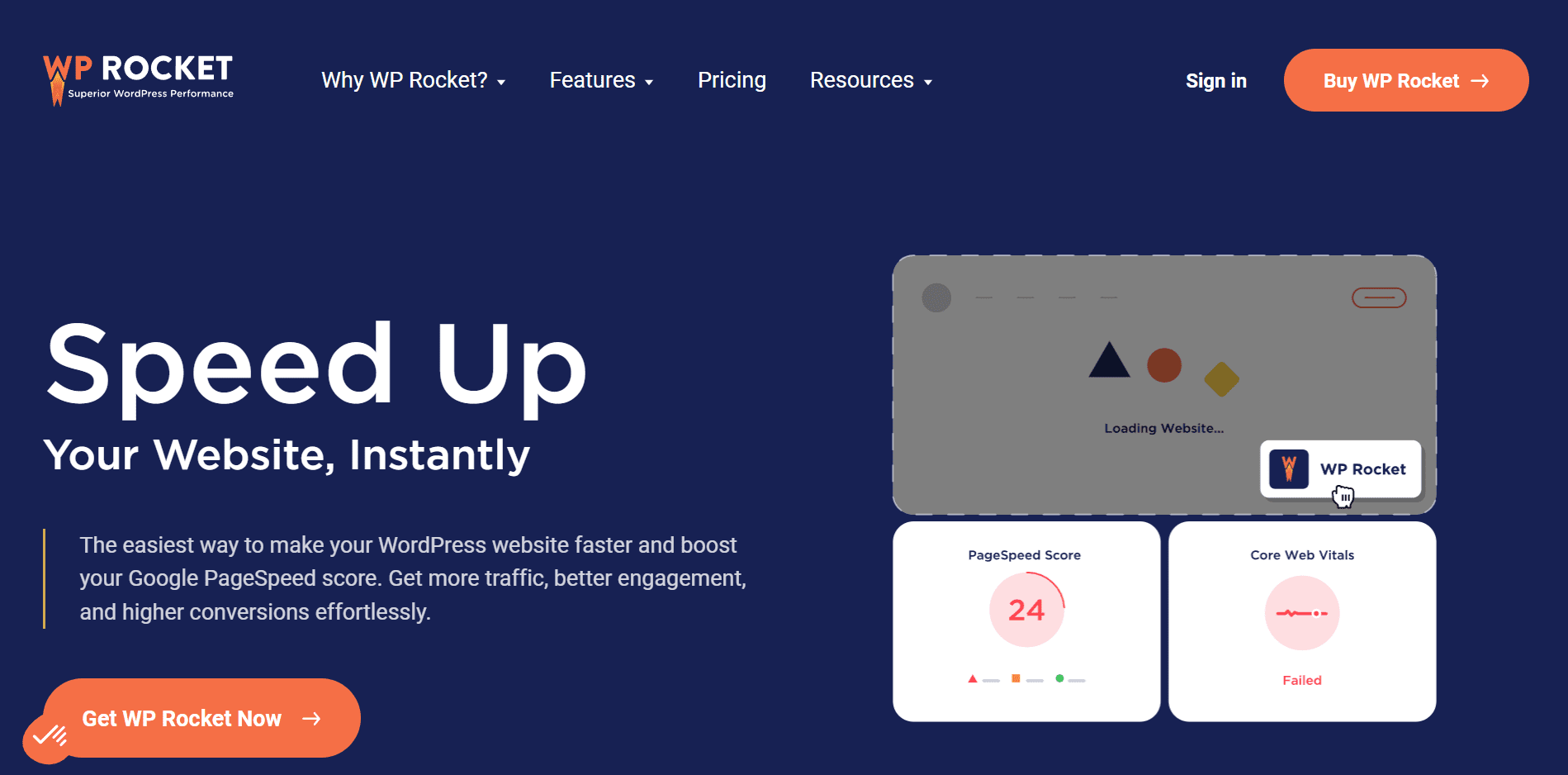
WP Rocket
A premium performance plugin designed to improve page speed and loading times. Faster performance can improve customer experience and support conversion rates.
- Page and browser caching
- Lazy loading for images and videos
- Database optimization tools
- CSS and JavaScript file minification
- WooCommerce compatibility settings
Protecting What You Have Built
A WooCommerce store represents more than a website; it reflects your business operations, brand reputation, and the trust customers place in you when they choose to purchase from you. Every product page, checkout process, and customer interaction depends on the reliability of your platform. The tools and plugins you install become part of that foundation.
Unlicensed plugins may appear to offer short-term savings, but they can introduce risks that quietly undermine store stability. Some nulled or pirated plugins have been found to contain hidden malware, backdoors, or modified code that may expose sensitive data. Others stop functioning after a WooCommerce or WordPress update, leading to broken features, slower performance, or checkout failures that affect sales.
Without legitimate licenses, official updates, patches, and developer support are not available. This leaves stores exposed to known exploits that can be straightforward targets for attackers. Over time, a single compromised plugin may contribute to data breaches, SEO penalties, search engine blacklisting, or extended site downtime.
Investing in legitimate tools tends to result in more consistent updates, more reliable support, and a more stable store environment overall. Treating your plugin stack as a core part of your WooCommerce infrastructure and keeping it properly licensed is a practical way to protect your customers, your revenue, and the long-term credibility of your business.