
The WooCommerce Deposits plugin allows you to split payments into two stages:
- An initial deposit (paid upfront).
- The remaining balance (paid later, according to your configuration).
This system gives store owners flexibility to manage cash flow while providing customers with an easier way to secure products or services.
Payment Flow#
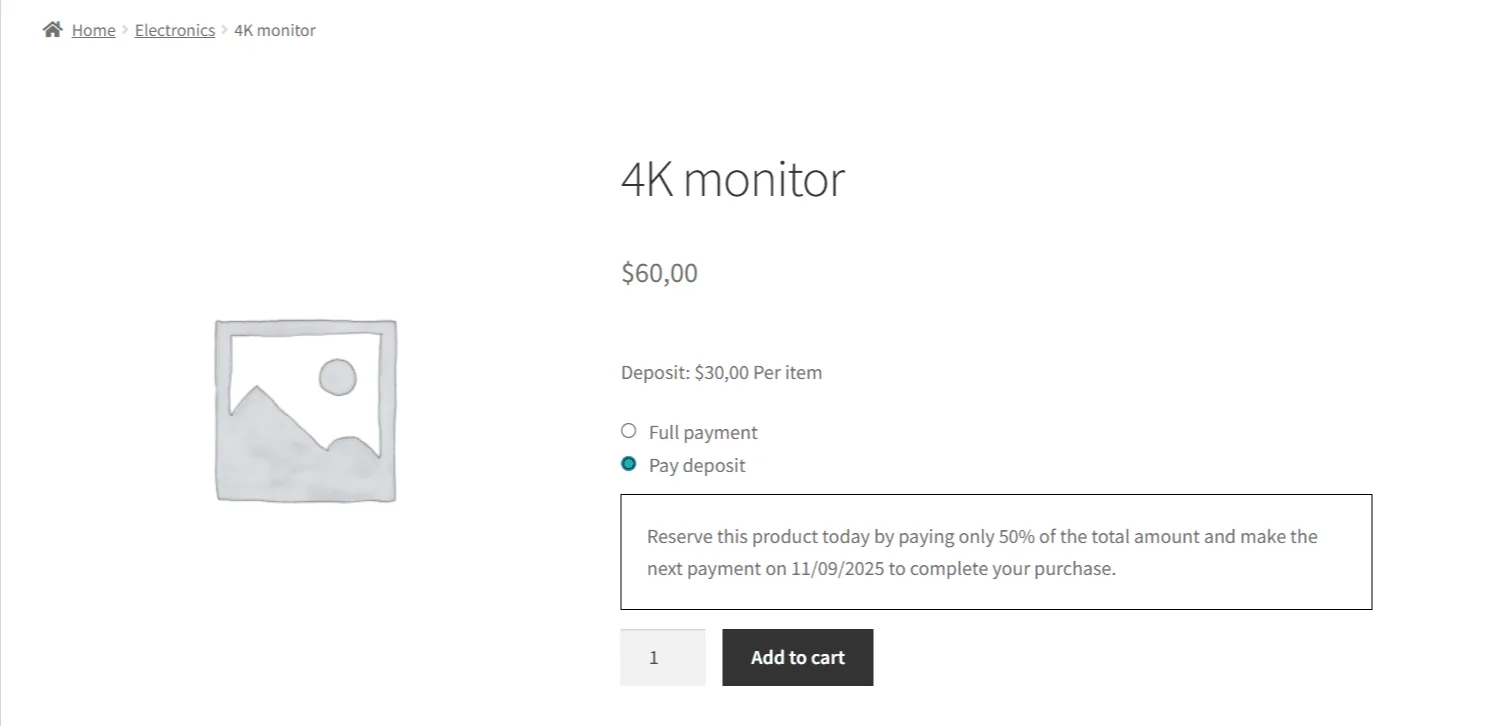
Customer selects Deposit option
On the product page, customers can choose to pay the deposit or, if enabled, the full payment.
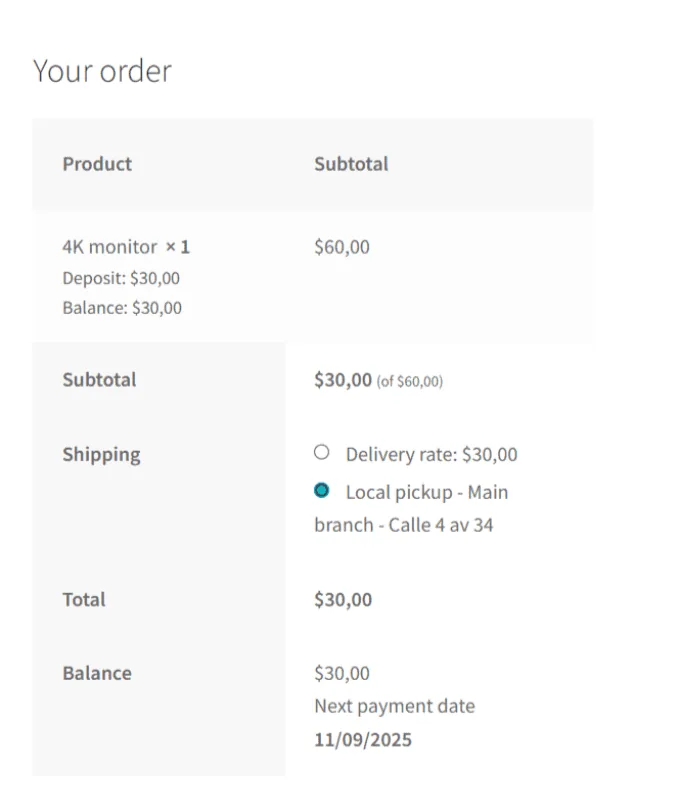
Deposit is charged at checkout
The customer pays the deposit amount at checkout. The order status updates accordingly.
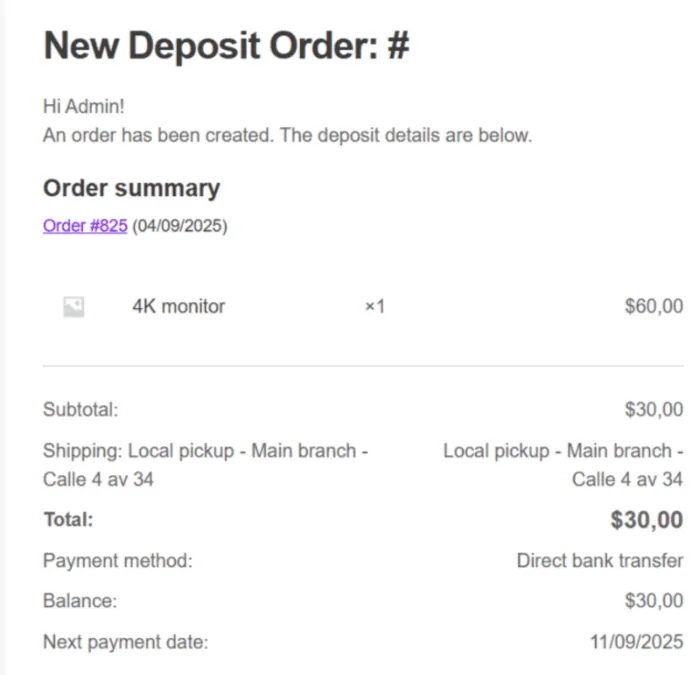
Order confirmation
After payment, the customer and admin receive order confirmation emails. These emails clearly indicate:
- Deposit amount paid
- Balance remaining
- Due date (if configured)
Balance payment
The remaining balance can be paid later:
- Automatically when due (depending on payment gateway support).
- Manually by the customer via their account.
- Triggered by an admin reminder email.
Example#
- Product Price: $60
- Deposit Type: 50% (percentage)
- Initial Payment: $30 at checkout
- Remaining Balance: $30, due later
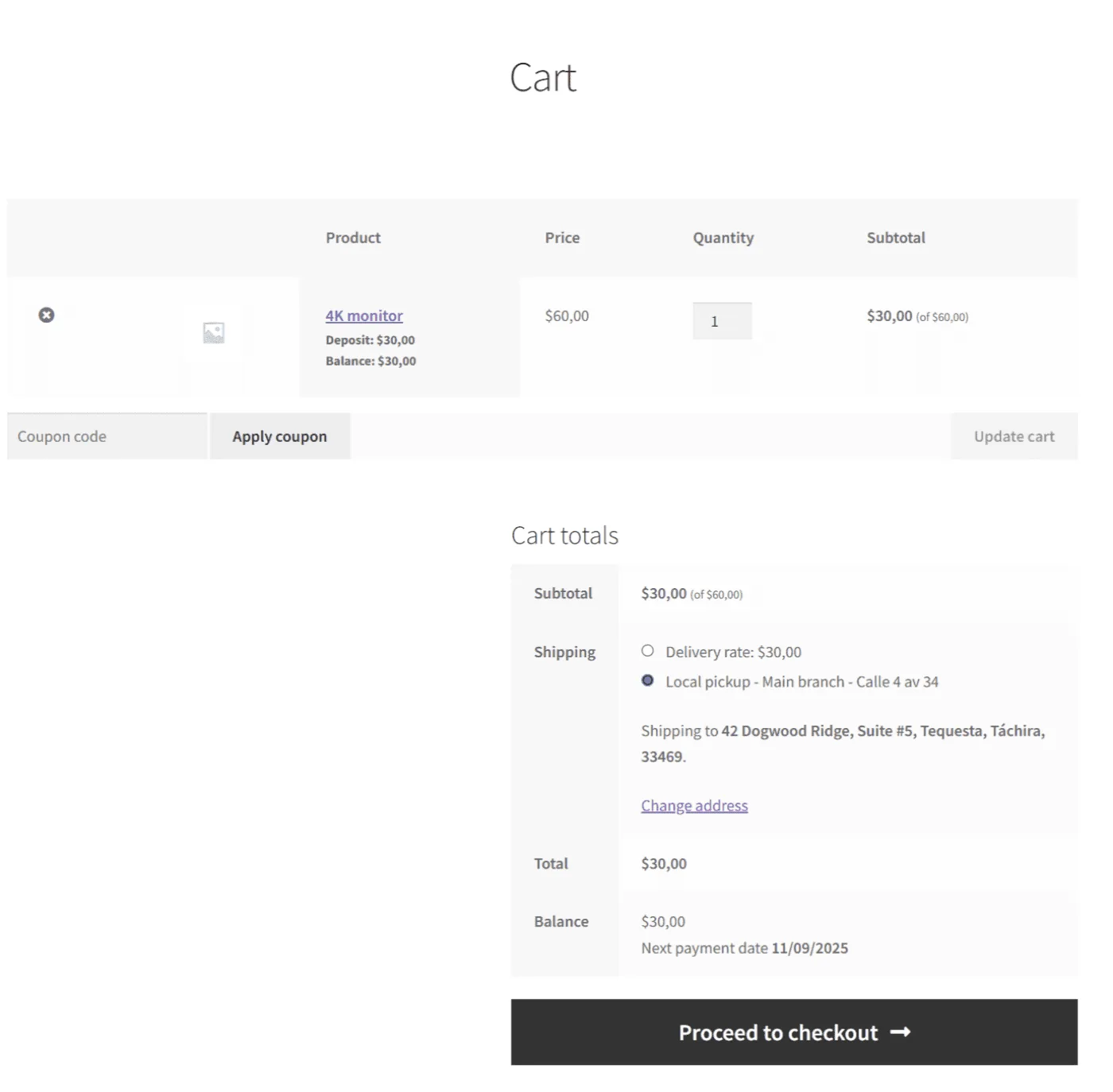
This way, the product is reserved with a partial payment, and the store owner can plan for the rest.
Notes#
- Deposits can be mandatory or optional.
- Deposit type can be percentage or fixed amount.
- In the Pro version, you can configure advanced options such as:
- Deadlines and reminders
- Additional fees and tax handling
- Customizable email templates
Updated on April 16, 2026 · Need help? Open a support ticket