
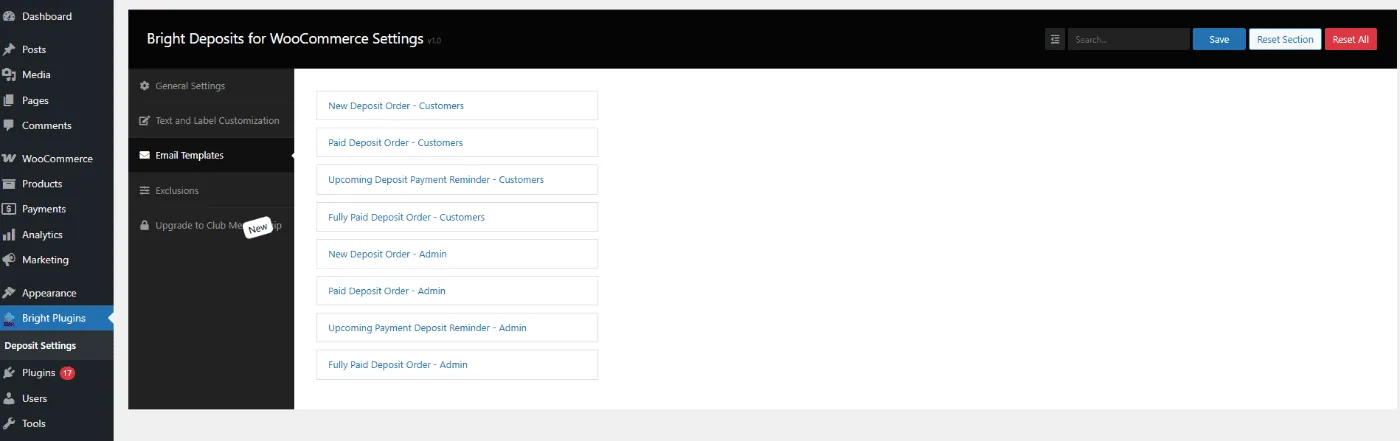
Path: WooCommerce → Bright Plugins → Deposit Settings → Email Templates
Scope: Free
What it does
Registers dedicated deposit email templates for Customers and Admin, editable via the standard WooCommerce email screen.
Settings
- Template list (exact names in your build):
- New Deposit Order – Customers / Admin
- Paid Deposit Order – Customers / Admin
- Upcoming Deposit Payment Reminder – Customers
- Upcoming Payment Deposit Reminder – Admin
- Fully Paid Deposit Order – Customers / Admin
- Per template (WooCommerce email screen): Enable/Disable, Subject, Email heading, Additional content, Email type, Preview/Test.
Behavior & limits
- Templates trigger on their corresponding events (e.g., new deposit order, reminder before due date, fully paid).
- Reminder timing depends on Days to pay installment / Days before due in General Settings.
- These templates do not auto-charge balances; they inform and remind.
- Use Preview/Test to verify layout and copy across screen sizes.
Related usage
- Keep Customers Informed with Branded Emails
- Set Payment Deadlines for Big Events
Updated on April 16, 2026 · Need help? Open a support ticket