
Path: WooCommerce → Bright Plugins → Deposit Settings → General Settings
Scope: Free
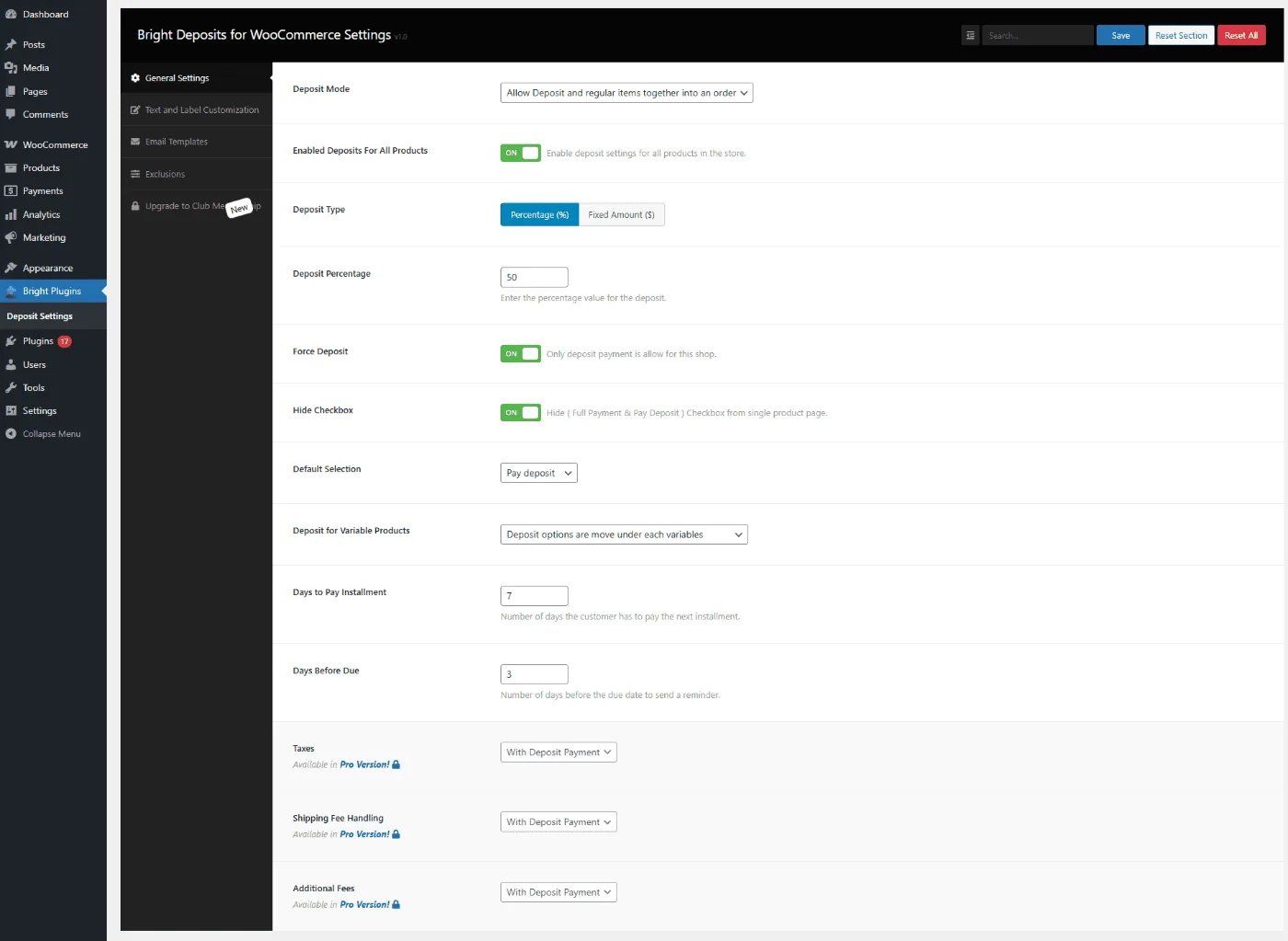
What it does
Enables deposits across the entire store so every product can be purchased with a deposit—no need to edit items one by one.
Settings
- Enable Deposits for All Products
- Deposit Type: Percentage (%) or Fixed amount ($)
- Deposit Percentage / Fixed Amount
- Force Deposit
- Hide Checkbox
- Default Selection (Pay deposit vs Pay in full)
Behavior & limits
- When enabled, all products follow these global rules.
- With Force Deposit + Hide Checkbox, customers only see the deposit path.
- Use Exclusions to keep specific items outside the deposit system when needed.
Related usage
- Apply Deposits to All Products in Your Store
- Exclude Discounts or Promotions from Deposits
Updated on April 17, 2026 · Need help? Open a support ticket