
Summary
BOGO Deal lets you create Buy One Get One and quantity-based promotions in WooCommerce using simple rules, a product promo card, and automatic cart discounts.
What is BOGO Deal?#
BOGO Deal is a Bright Plugins Pro module for WooCommerce that helps you run BOGO-style and quantity-based offers without coupons. You define which products customers must buy and what they receive in return, and the plugin applies the discount automatically in the cart.
img – BOGO Deal – Rules tab – rules list overview
What you can do with BOGO Deal#
You can create offers such as:
- Buy 1 Get 1 Free – Same Product
- Buy X Get Y Free (cross-sell)
- Buy N Get % Off
- Buy N Get $ Off (fixed discount)
You can manage multiple promotions from one Rules screen and enable only the campaigns you want running.
How BOGO rules work (simple logic)#
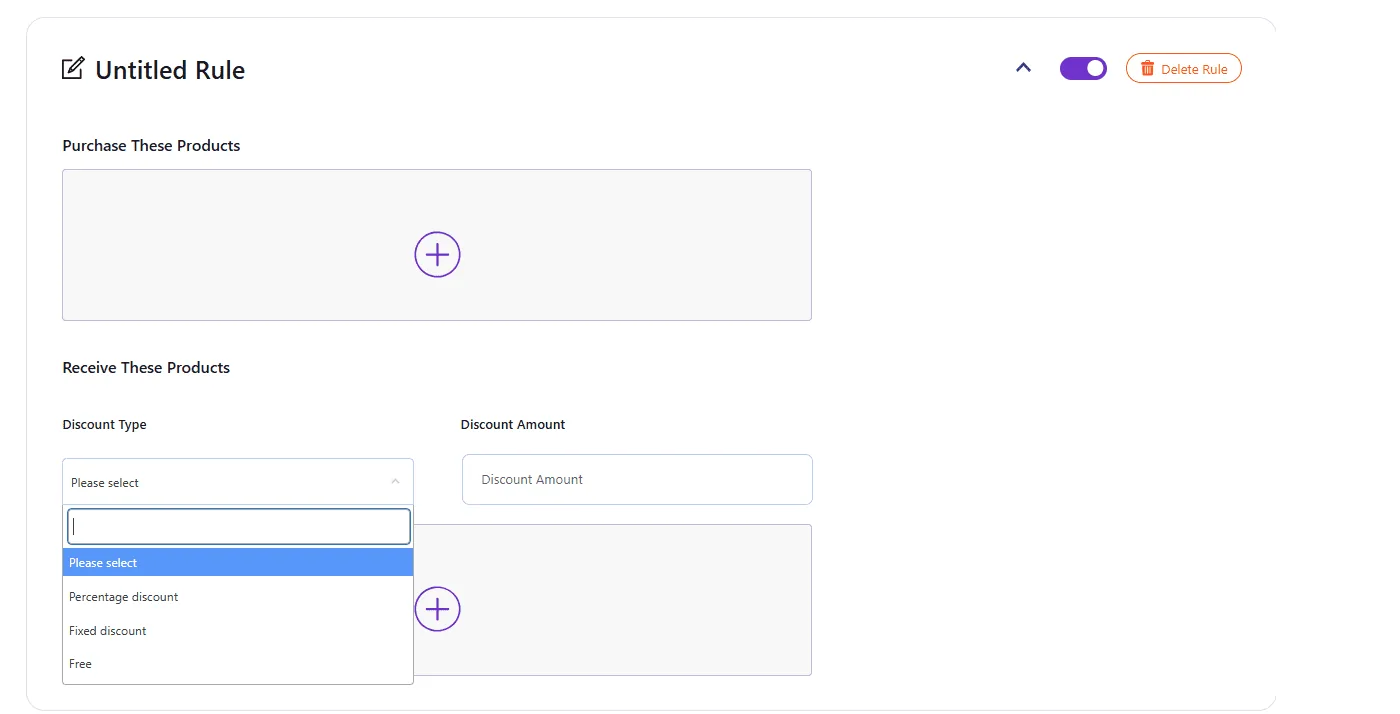
Purchase These Products (Triggers)#
This section defines the product(s) and quantity required in the cart to activate the deal.
Receive These Products (Rewards)#
This section defines which product(s) customers receive and how the discount is applied.
Discount types available#
- Free
- Percentage discount
- Fixed discount
Basic workflow#
- Open Bright Plugins Pro → BOGO Deal.
- In the Rules tab, click Add Rule.
- In Purchase These Products, select the trigger product(s) and set the required quantity.
- In Receive These Products, select the reward product(s) and choose the discount type.
- Customize the design in Styles.
- Customize the wording in Text and Labels.
- Click Save Changes and test the offer on the frontend.
Updated on April 17, 2026 · Need help? Open a support ticket