
Summary
This cross-sell BOGO deal gives customers a different product for free when they buy a main item. It’s ideal for accessories, bundles, and complementary products.
Context#
Buy X Get Y Free helps you increase perceived value and introduce related products without using coupons. It works especially well when Product B complements Product A.
What you can achieve#
- Promote a bundle-like offer with a simple rule.
- Increase average order value and product discovery.
- Display a clear cross-sell message on the product page.
img – Product page – BOGO card – Buy X Get Y Free cross-sell
How this use case is configured#
Purchase These Products (Trigger)#
- Go to Bright Plugins Pro → BOGO Deal → Rules.
- Click Add Rule.
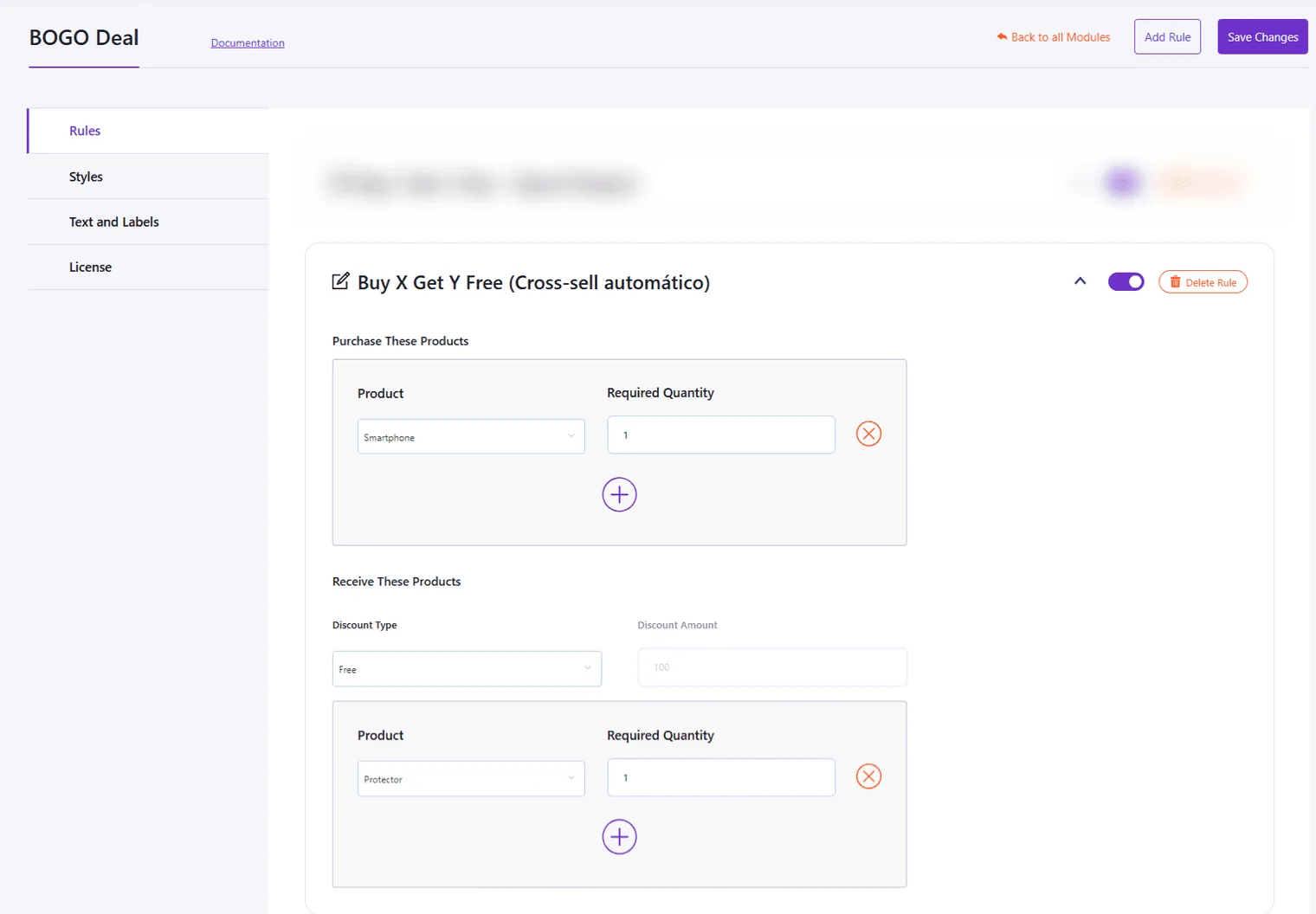
- In Purchase These Products:
- Product: select Product A (the main product).
- Required Quantity: set to 1 (or the quantity you want to require).
Receive These Products (Reward)#
- In Receive These Products:
- Discount Type: select Free.
- Product: select Product B (the reward product).
- Required Quantity: set to 1 (or your desired reward quantity).
img – Receive These Products – discount type free – Product B selected – required quantity 1
Enable and save#
- Turn the rule toggle ON.
- Click Save Changes.
img – BOGO Rule header – rule name and enable toggle
Expected result#
When a customer adds Product A to the cart:
- The BOGO card communicates the free reward.
- Product B becomes free automatically once trigger conditions are met.
- The cart clearly shows the discount applied to the reward item.
Key benefits#
- Encourages customers to try related products.
- Simple cross-sell strategy managed from one rule.
- No coupon codes or manual pricing needed.
- Clear offer display on product and cart pages.
Updated on April 17, 2026 · Need help? Open a support ticket