
Summary
This classic 2×1 promotion is perfect for boosting a featured product, clearing stock, and running simple high-impact campaigns without coupons.
Context#
Buy 1 Get 1 Free for the same product is the most recognized BOGO offer. Customers understand it instantly, and it works well for short campaigns, seasonal sales, or stock movement.
What you can achieve#
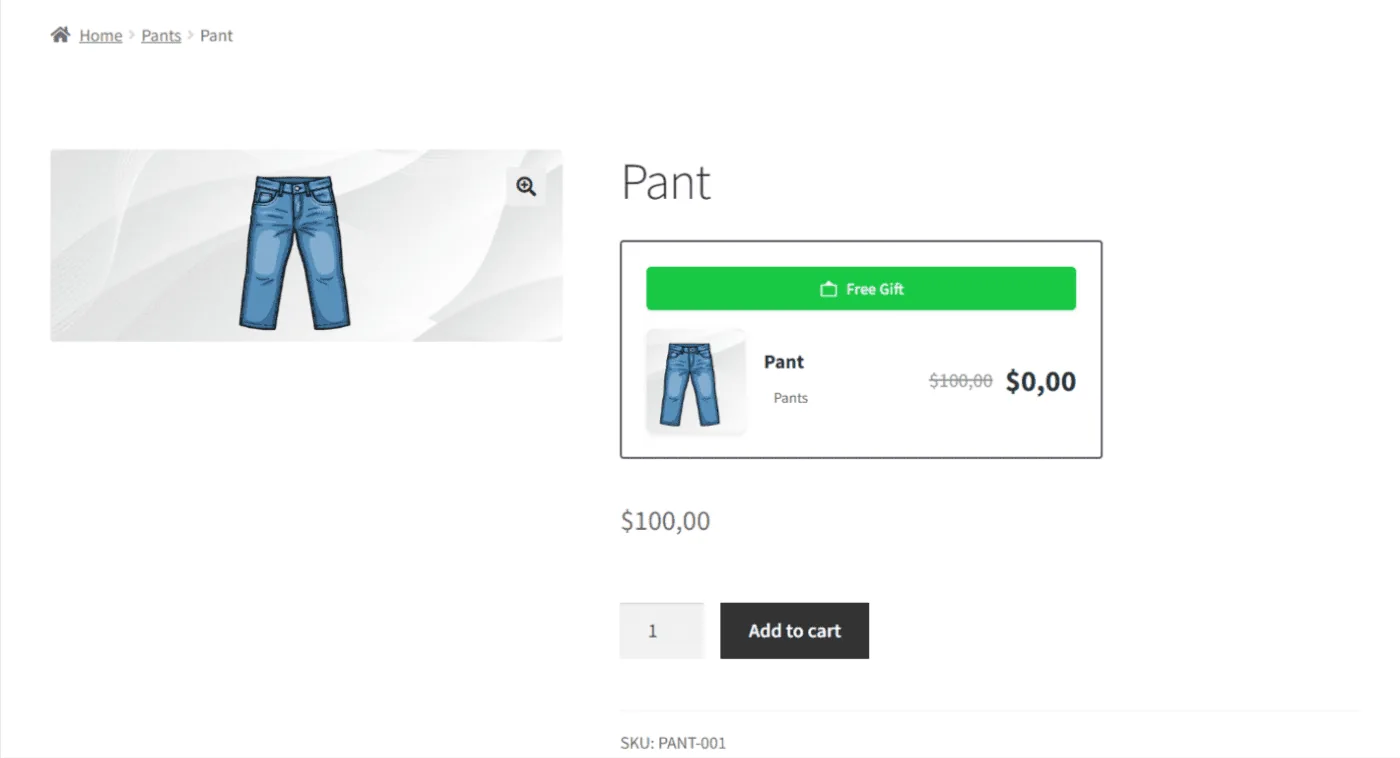
- Show a clear Buy 1 Get 1 Free message on the product page using the BOGO card.
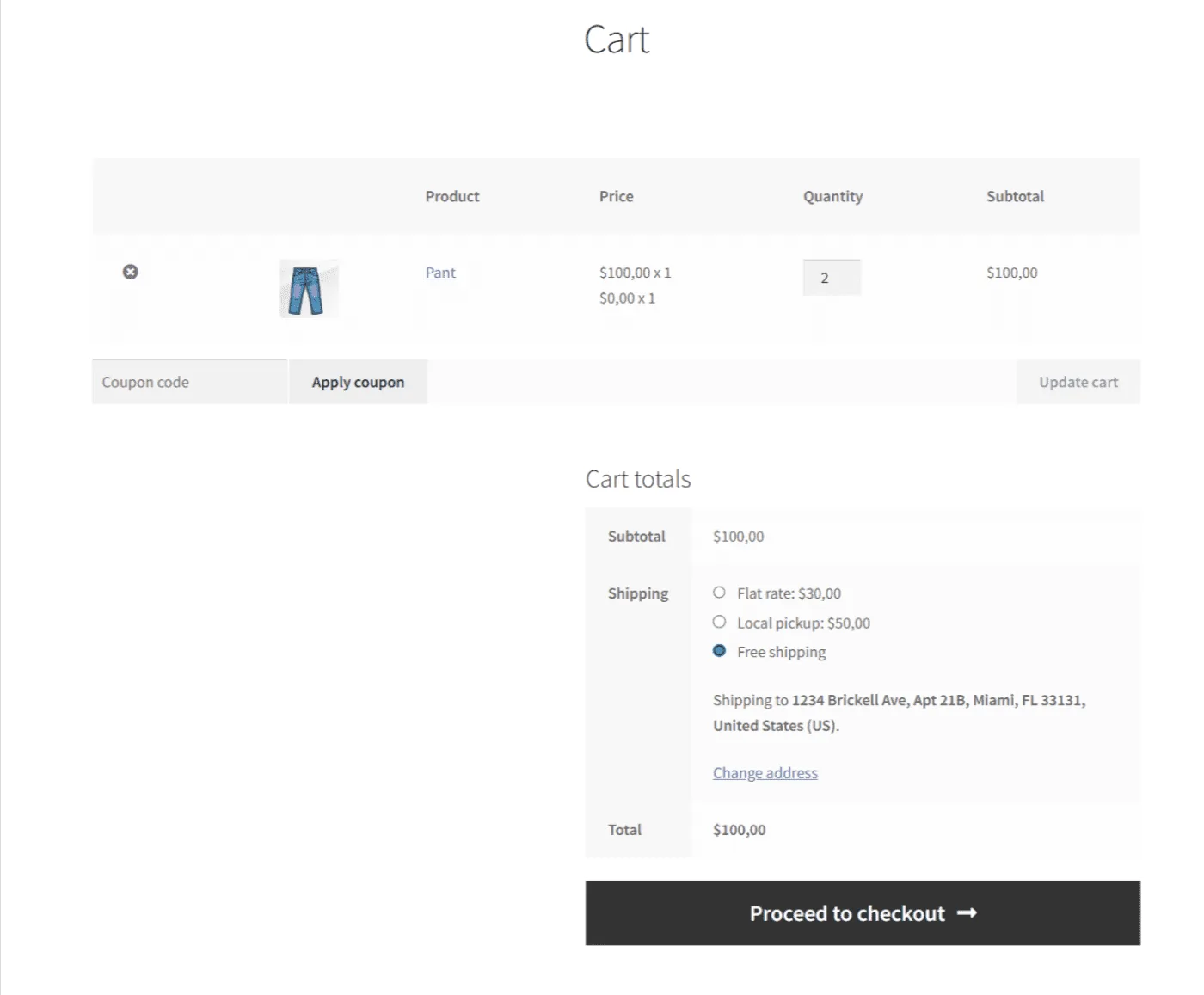
- Apply the free item automatically in the cart when conditions are met.
How this use case is configured#
Purchase These Products (Trigger)#
- Go to Bright Plugins Pro → BOGO Deal → Rules.
- Click Add Rule or expand an existing rule.
- In Purchase These Products:
- Product: select the target product.
- Required Quantity: set to 1.
img – Purchase These Products – same product selected – required quantity 1
Receive These Products (Reward)#
- In Receive These Products:
- Discount Type: select Free.
- Product: select the same product used in the trigger.
- Required Quantity: set to 1.
img – Receive These Products – discount type free – same product selected – required quantity 1
Enable and save#
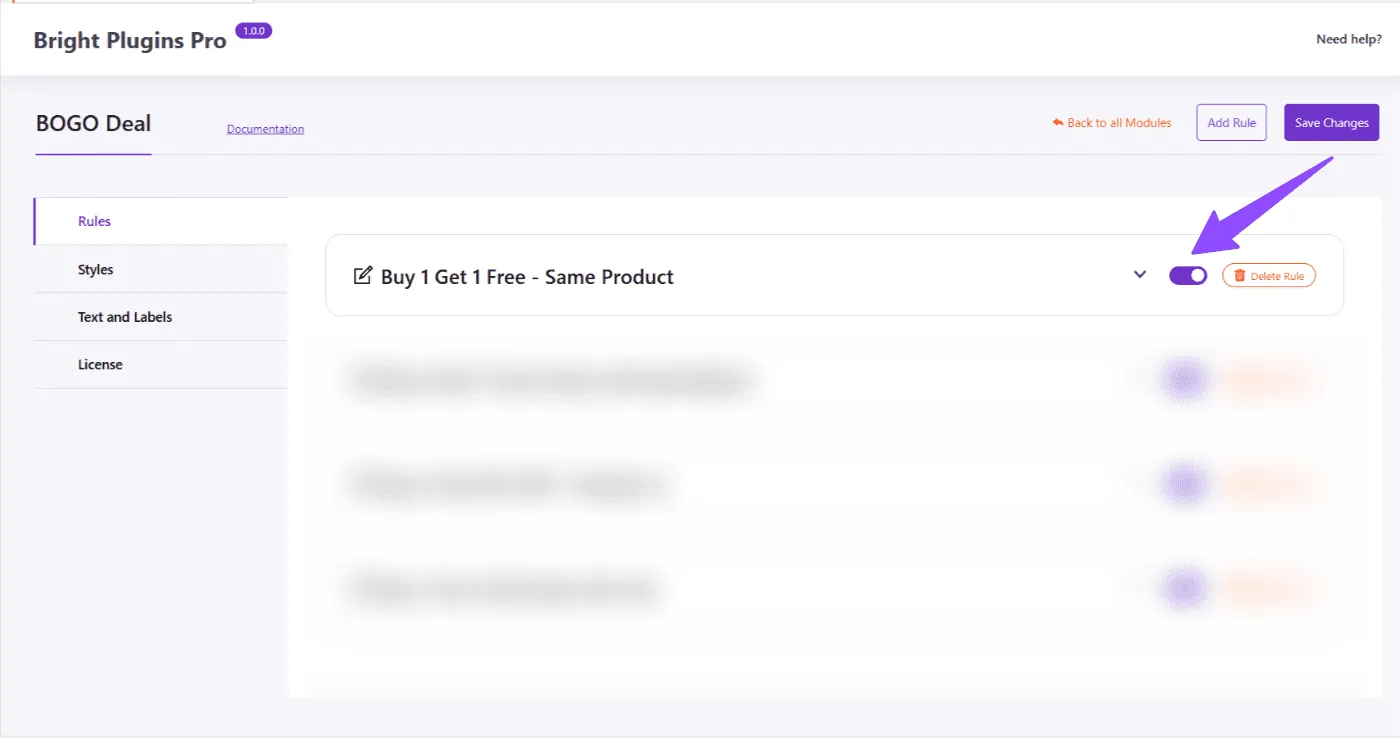
- Make sure the rule toggle is ON.
- Click Save Changes.
Expected result#
When a customer adds 2 units of the same product to the cart:
- The BOGO card appears on the product page.
- The cart shows one item free, and only one unit is charged.
Key benefits#
- Easy for customers to understand.
- No coupon codes required.
- Fast setup for short campaigns.
- Clear display on product and cart pages.
Updated on April 16, 2026 · Need help? Open a support ticket