
Improve Customer Experience with a WooCommerce Cancel Order Button
In modern eCommerce, providing customers with self-service options can help create smoother shopping experiences while potentially reducing operational overhead. For WooCommerce store owners, implementing order cancellation functionality allows customers to cancel their orders under specific conditions, which may help reduce support intervention needs and streamline order management processes.
When customers can manage their own order cancellations, this often provides more control over their transactions, particularly useful when they make purchasing errors or have legitimate reasons to modify their orders. This guide examines the practical considerations for implementing cancel order functionality, including technical approaches, potential challenges, and strategies for effective deployment.
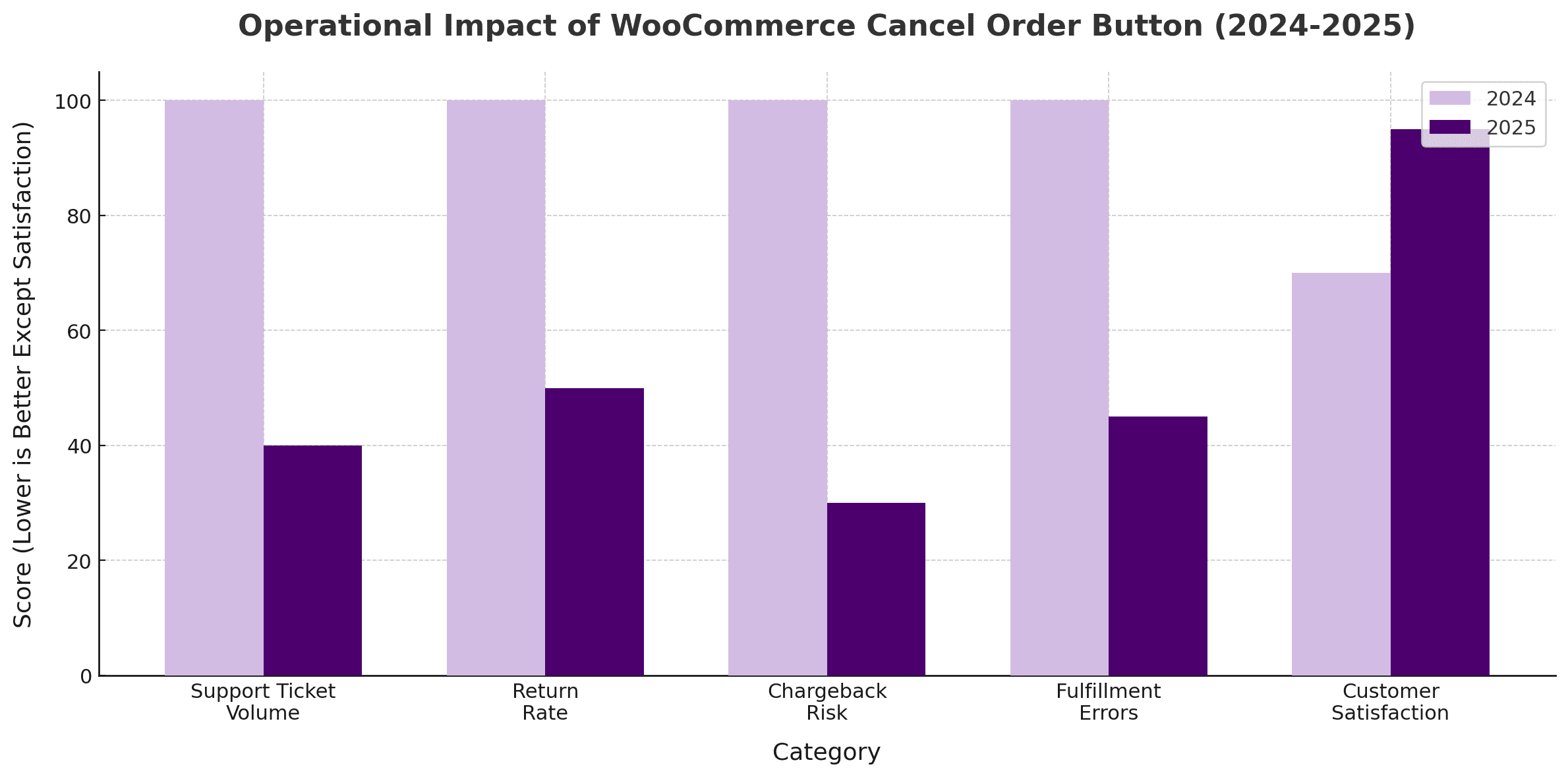
The cancel order button can help reduce operational burden by giving customers more control over their orders, which may result in fewer support requests, returns, chargebacks, and fulfillment issues. This self-service functionality often empowers customers to manage their orders independently, potentially eliminating the need to contact support for cancellation requests. The reduction in chargebacks is particularly noteworthy, as it typically indicates customers are canceling unwanted orders proactively rather than disputing charges later. However, implementation success can vary depending on factors like order processing speed, inventory management systems, and customer communication preferences.
Why Give Customers the Option to Cancel Orders?
Order cancellations typically occur for various practical reasons in eCommerce operations. Shoppers may accidentally select the wrong size, input the wrong shipping address, or change their mind after placing an order. Customers can feel frustrated if your store doesn’t provide an easy way to cancel orders. This often results in more support tickets, negative feedback, and operational complications that may hurt your store’s reputation and increase costs.
Adding the Customer Cancel Order for WooCommerce Plugin can help solve these problems by giving customers direct access to cancel orders without contacting support. This may simplify the order management process and help prevent order disputes or chargebacks due to unmet expectations. When implemented properly, it can build customer trust and show that your store values transparency and flexibility.
Common Challenges Without Self-Service Cancellation
- Support Resource Impact: Customer service teams often spend considerable time processing straightforward cancellation requests that could potentially be automated, which may divert resources from more complex customer issues.
- Increased Support Ticket Volume: Customers who cannot cancel orders typically must contact customer support for help, which can lead to a surge in support requests
- Customer Experience Friction: If canceling an order requires multiple emails or waiting for assistance, frustration may build quickly
- Payment Dispute Risk: If customers can’t cancel their order directly, some may bypass your support team and initiate a chargeback with their bank
- Brand Reputation Concerns: Poor cancellation policies can potentially lead to negative reviews on various platforms
- Fulfillment Inefficiencies: Without easy cancellation options, items that should have been canceled are sometimes shipped out, creating avoidable expenses
- Inventory Management Issues: Orders that remain active when customers want to cancel can potentially distort stock levels
Key Benefits of a WooCommerce Cancel Order Button
Adding order cancellation plugin capabilities may create a smoother shopping experience for customers while potentially making backend operations more efficient. Customers often value the ability to correct mistakes or cancel accidental purchases without having to reach out to support. This feature can help build trust by giving shoppers more control over their transactions, potentially reducing anxiety during the buying process.
From a business standpoint, offering an easy cancel option may help reduce customer service workload and operational costs. It can minimize the chances of costly returns or chargebacks and help maintain more accurate inventory levels by preventing unwanted orders from shipping.
Additional Benefits May Include:
- Reduced Disputes: Quick order cancellations may reduce the likelihood of customers filing payment disputes
- Customer Retention: When shoppers know they can easily cancel purchases if needed, they may be more likely to shop with confidence
- Order Accuracy: Canceling incorrect orders before processing can help ensure that only accurate orders move forward
- Operational Efficiency: Automating cancellations may free staff to focus on more critical tasks
- Transparency: Giving customers cancellation options can promote a more open shopping environment
- Faster Resolution: Instant cancellations may prevent frustration and create smoother post-purchase experiences
How the WooCommerce Cancel Order Button Works
Cancel order plugins simplify the cancellation process by adding a clear and accessible cancel button directly to the customer’s “My Account” page under the “Orders” tab. Customers no longer need to email support or submit help requests; they can log in, view their recent orders, and click “Cancel Order” if the order is eligible. Once clicked, the system automatically updates the order status, reverses the inventory, and sends notifications to the customer and store admin.
This automation can help reduce friction, save time, and create smoother post-purchase experiences. Depending on your store’s setup, plugins may integrate with other order management processes, such as stock control and refund workflows. Many plugins allow customization of the button’s appearance, placement, and conditions.
When Customers Can Typically Cancel Orders
By default, WooCommerce limits cancellations to specific order statuses to prevent operational issues. However, plugins often allow store owners to define when the cancel option is available:
- Pending Payment: Orders awaiting payment can typically be canceled instantly, preventing further processing
- On Hold: Customers may often cancel orders for manual payments or checks while the order awaits approval
- Processing (Optional): Some stores allow cancellations during the early processing stage, especially if the order hasn’t yet shipped
Technical Consideration: Store owners can typically adjust these settings to align with their fulfillment workflows, ensuring cancellations only happen when appropriate for their business operations.
Common Features of Cancel Order Buttons
- Real-Time Order Status Check: The button typically appears only when an order is eligible for cancellation
- Instant Cancellation: With one click, customers can often cancel qualifying orders immediately
- Automatic Inventory Updates: Stock levels typically adjust automatically after a canceled order
- Automated Notifications: Both the store admin and the customer usually receive email updates confirming the cancellation
- Customizable Design: Store owners can often change the button text, color, and placement
- System Integration: Most solutions work with WooCommerce workflows, refunds, and reporting features
Best Plugins to Add a Cancel Order Button in WooCommerce
Choosing the right plugin to add a WooCommerce Cancel Order Button can help ensure a smooth cancellation process. Several reliable plugins make it relatively easy to integrate this feature without complex coding. These tools typically automate the cancellation workflow, send notification emails, and update order statuses in real time.
Here are some of the available plugins to add a cancel order option:
1. Customer Cancel Order for WooCommerce
Bright Plugins’ Customer Cancel Order for WooCommerce offers a flexible way for customers to cancel pending or on-hold orders from their account, improving store management efficiency.
Key Features:
- Supports cancellations for pending and on-hold orders
- Sends automated cancellation confirmation emails to the admin and the customer
- Provides easy customization of cancellation options and statuses
- Seamlessly integrates with WooCommerce core without coding
2. ShopMagic for WooCommerce
ShopMagic for WooCommerce is an automation plugin that helps store owners manage order-related workflows, including automated canceled order emails.
Key Features:
- Automatically cancel order email notifications
- Offers customizable email templates
- Triggers workflows when orders are canceled
- Integrates with WooCommerce order management
- Supports additional automation actions beyond cancellations
3. FunnelKit
FunnelKit enhances WooCommerce sales funnels and supports managing canceled order emails, improving post-cancellation communication.
Key Features:
- Supports customized canceled order email notifications.
- Improves communication after order cancellations
- Seamlessly integrates with sales funnels and checkout flows
- Offers advanced automation for email follow-ups
- User-friendly interface for setting up automation
4. Wholesale Suite Plugin
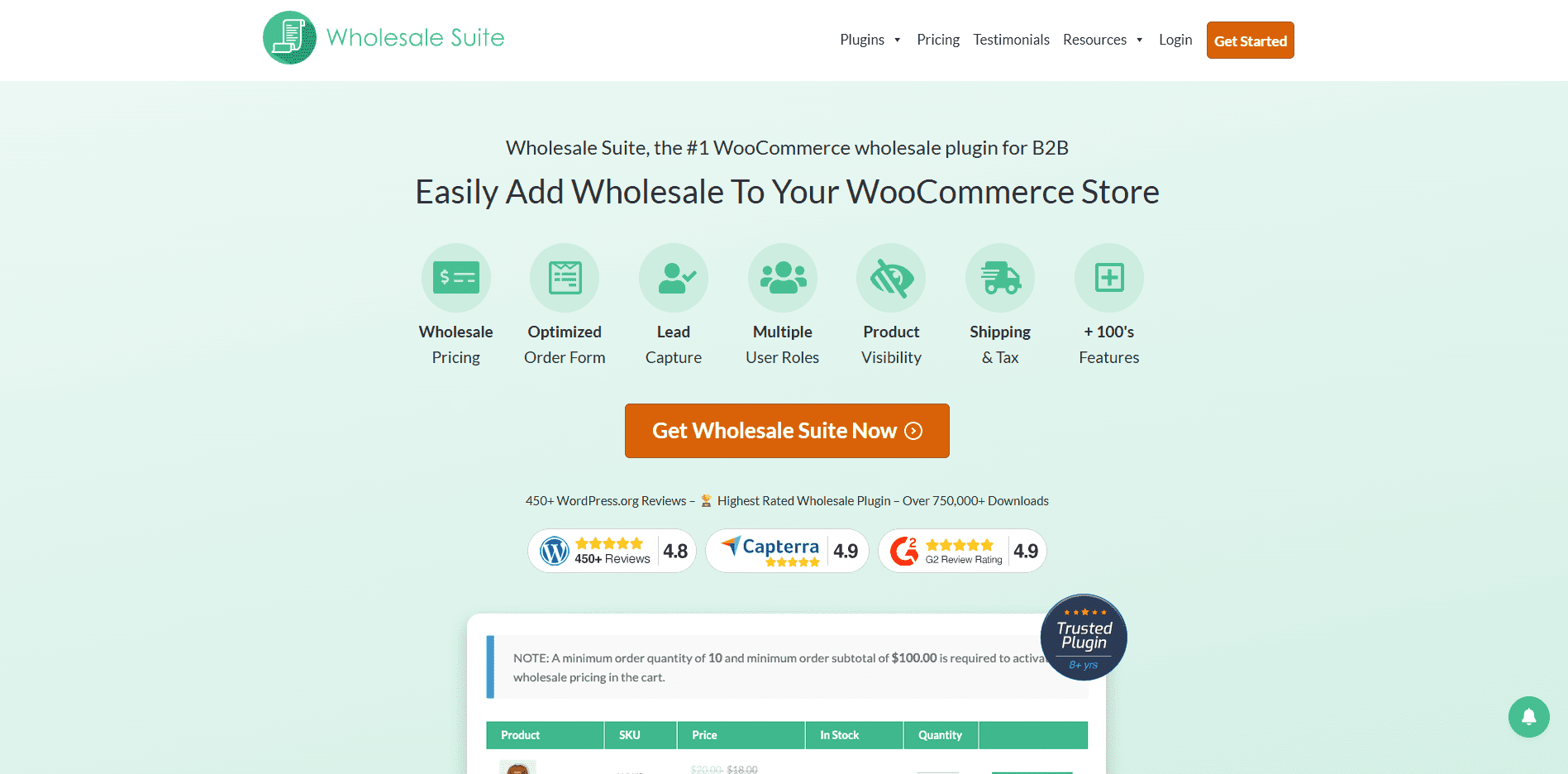
Wholesale Suite Plugin offers B2B order management features, allowing wholesale customers to cancel their orders directly.
Key Features:
- Allows wholesale customers to cancel orders easily
- Reduces support tickets for B2B transactions
- Provides a user-friendly order management interface
- Integrates seamlessly with WooCommerce wholesale pricing tools
- Customizable settings for wholesale order cancellations
5. Order Cancellation & Returns for WooCommerce
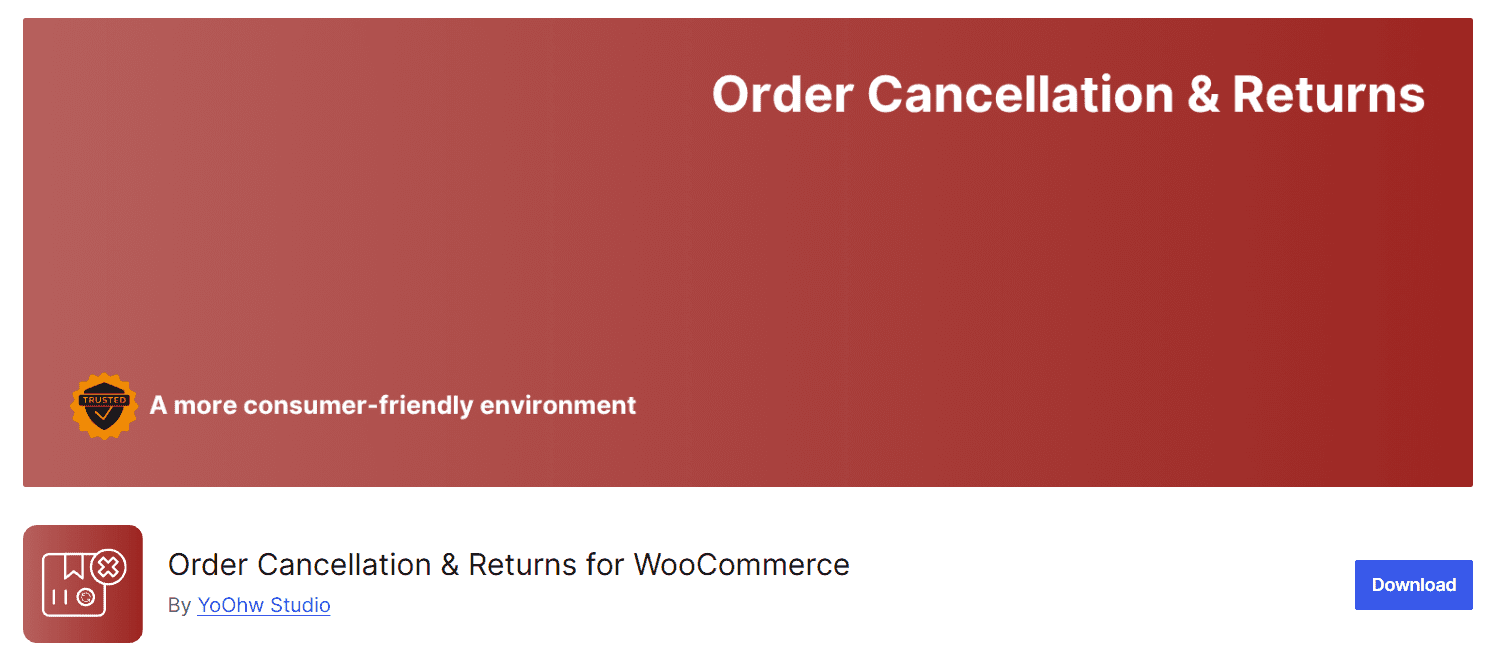
A free plugin that lets customers easily request order cancellations or returns from their account page, with optional premium features for advanced management.
Features:
- Customer-initiated cancellations and returns from the account dashboard
- Admin approval workflow for requests
- Automated email notifications for both parties
- Simple setup with intuitive management
- Premium upgrade for advanced options like reason collection and partial cancellations
Best Practices for Using a WooCommerce Cancel Order Button
Automating the cancel order functionality is important for ensuring customer satisfaction and store efficiency. Setting clear guidelines on when and how customers can cancel orders helps prevent confusion and manage expectations. For example, you may allow cancellations before shipping, protecting your store from fulfillment disruptions while offering customers flexibility.
Additionally, providing real-time updates and notifications can help streamline the process. When a customer cancels an order, both parties should typically receive automated emails confirming the action. Keeping the interface intuitive and straightforward may also encourage more self-service actions, potentially reducing the need for customer support involvement.
Additional Best Practices to Consider:
- Set Clear Policies: Clearly define your store’s cancellation window (e.g., before an order is marked as shipped or within a specific time frame after purchase)
- Automate Notifications: Use automated email triggers to confirm cancellations and inform customers of order status changes
- Simplify the User Interface: To minimize confusion, the cancel button should be prominently displayed on the customer’s “My Account” page.
- Use Conditional Logic: Configure the button to appear only when specific conditions are met, such as the Pending or On Hold order status.
- Protect Your Fulfillment Workflow: Remove canceled orders from fulfillment queues immediately to avoid accidental shipping.
- Offer Follow-Up Options: Consider suggesting related products or offering incentives for future orders after a cancellation.
How to Inform Customers About the Cancel Order Feature
Simply adding cancel order functionality isn’t enough; customers need to know it exists and understand how to use it. Clear communication about this feature can help build trust and prevent confusion. Proactively informing customers about their ability to cancel orders may help reduce post-purchase anxiety and empower them to manage their transactions confidently.
There are multiple ways to promote and explain your cancellation policy. Detailed instructions in various locations help customers encounter this information naturally during their shopping journey.
Ways to Inform Customers:
- Update FAQs or Help Center: Include a dedicated section explaining how and when customers can cancel their orders, with step-by-step guidance
- Order Confirmation Emails: Include a line or link in the order confirmation email reminding customers of their cancellation options
- Account Dashboard Notices: Use banners, tooltips, or messages near the “Orders” section to highlight the Cancel Order Button
- Announcements: If launching the feature for the first time, consider using site-wide notifications to inform customers
- Checkout Information: Add a brief note during checkout letting customers know they can easily cancel before processing begins
- Marketing Communications: Announce new features in email newsletters or social channels to keep your customer base informed
Impact of a Cancel Order Button on Store Metrics
Adding cancel order functionality may impact your store’s key performance indicators in various ways. Allowing customers to cancel their orders can enhance the post-purchase experience, influencing customer satisfaction and long-term loyalty. When shoppers feel they have control over their transactions, they may be more likely to trust your store and return for future purchases.
From an operational standpoint, the cancel order option may help reduce the workload on your support team, potentially minimize return management costs, and help maintain more accurate inventory levels. Allowing cancellations before shipment can potentially prevent costly shipping errors and may reduce the frequency of returns and refunds.
Metrics to Monitor
While specific improvements vary by store, some industry observations suggest that self-service cancellation may influence customer satisfaction, support ticket volumes, return rates, chargeback risks, fulfillment accuracy, and repeat purchase behaviors. However, results depend on numerous factors, including implementation approach, customer base, and existing processes.
Technical Implementation Considerations
Understanding the technical complexity behind the cancel order functionality is crucial for successful implementation. These considerations exist because WooCommerce operates as a complex system with multiple interconnected components that must work harmoniously.
Why These Technical Factors Matter
Order Status Integration: WooCommerce uses a finite state machine for order statuses, where each status represents a specific business state with defined transitions. When you allow cancellations, you create new transition paths that bypass everyday workflows. This matters because:
- Third-party plugins may expect specific order status sequences
- Reporting and analytics depend on predictable status flows
- Automated fulfillment systems trigger actions based on status changes
- Audit trails must accurately reflect what happened and when
Inventory Synchronization Complexity: Stock management becomes challenging during cancellations because:
- Variable products have multiple SKUs that must be handled individually
- Inventory reduction happens immediately upon order creation, but restoration during cancellation requires careful handling.
- Race conditions can occur when multiple customers attempt to purchase limited stock simultaneously
- External inventory systems (ERPs, warehouse management) may have API delays or different update frequencies
- Bundled or grouped products require complex calculations to determine which individual items to restore
Payment Gateway Integration Challenges: Different payment processors handle cancellations through distinct mechanisms:
- Credit cards distinguish between “voiding” (canceling an authorization) and “refunding” (returning captured funds)
- PayPal has multiple payment types (Express, Standard, Credit), each with different cancellation APIs
- Bank transfers often require manual intervention that can’t be automated
- Digital wallets (Apple Pay, Google Pay) have unique requirements and limitations
- Some gateways charge fees for certain types of cancellations or refunds
Email System Dependencies: Notification reliability is critical because:
- Failed email delivery can leave customers unaware of the cancellation status
- Email templates must handle various cancellation scenarios (customer vs admin-initiated, partial vs full)
- SMTP server limitations can cause delays during high-volume periods
- Email deliverability depends on proper SPF/DKIM configuration to avoid spam filters
Testing Recommendation
Always test cancellation functionality thoroughly in a staging environment before deploying to production. This includes testing with different product types, order statuses, and payment methods to identify potential issues. Create test scenarios that simulate real-world edge cases, such as canceling orders during peak traffic or low inventory levels.
Long-term Management and Optimization
Cancel order functionality isn’t a “set it and forget it” feature; it requires ongoing attention because it sits at the intersection of multiple critical business systems. Understanding why these maintenance tasks matter helps prevent costly issues down the road.
Why Ongoing Management Is Necessary
Software Maintenance Requirements: Plugin compatibility issues arise frequently because:
- WooCommerce releases major updates 2-3 times per year, often changing core APIs that plugins depend on
- WordPress security updates can affect how plugins interact with the database or user permissions
- Third-party integrations (payment gateways, shipping providers, analytics tools) regularly update their APIs
- PHP version updates on hosting servers can break older plugin code that wasn’t designed for newer language features
- Outdated plugins become security vulnerabilities that hackers specifically target
The Importance of Regular Functionality Testing: Automated systems can fail silently, creating problems that only surface during customer interactions:
- Email delivery services may change their requirements without notice, causing cancellation notifications to stop working
- Payment gateway API changes can prevent proper refund processing, leading to customer complaints
- Database performance degradation over time can cause cancellation buttons to load slowly or time out
- Inventory synchronization issues may not be apparent until customers report receiving items they thought they canceled
- Template changes or theme updates can break the visual placement of cancel buttons
Policy Review Necessity: Business requirements evolve, making static cancellation policies inadequate:
- Seasonal demand changes may require different cancellation windows (shorter during peak periods, longer during slow periods)
- New product types (digital goods, custom products, perishables) may need different cancellation rules
- Customer feedback often reveals edge cases that weren’t considered in the initial implementation
- Competitive pressures may require more flexible cancellation policies to match industry standards
- Regulatory changes (consumer protection laws) can mandate specific cancellation rights
Performance Monitoring Rationale: Cancel order features interact with multiple system components that can impact site performance:
- Database queries increase when checking order eligibility for cancellation on every account page load
- Email queue processing during high cancellation volumes can overwhelm server resources
- Inventory updates require database locks that can slow down other operations
- Payment gateway API calls during cancellation can introduce latency
- Caching systems may not properly invalidate after order status changes, showing stale data
Data Analysis Value: Cancellation patterns reveal important business insights that inform broader improvements:
- High cancellation rates for specific products may indicate unclear descriptions or sizing issues
- Cancellation timing patterns can reveal checkout process problems that cause buyer’s remorse
- Seasonal cancellation trends help with inventory planning and promotional timing
- Payment method-specific cancellation rates may indicate gateway usability issues
- Geographic cancellation patterns might reveal shipping cost or delivery time problems
Maintenance Schedule Recommendation:
- Weekly: Monitor cancellation success rates and email delivery statistics
- Monthly: Test cancellation functionality across different scenarios and review customer feedback
- Quarterly: Analyze cancellation data for business insights and update policies if needed
- Before major updates: Test cancellation functionality in the staging environment after WooCommerce or plugin updates
- Annually: Comprehensive review of cancellation policies against industry standards and regulatory requirements
Building Better Customer Experiences
Customer experience in modern eCommerce often depends on providing shoppers with appropriate self-service options. Allowing customers to cancel orders when circumstances require it can help reduce friction and may build long-term trust in your brand. Order cancellation functionality empowers shoppers to manage their transactions more effectively, potentially improving satisfaction and strengthening store reputations.
When considering implementation, choose solutions that align with your business requirements and technical environment. Successful implementation depends on careful planning, thorough testing, and clear communication with customers, whether using plugin-based solutions or custom development.
For stores ready to explore cancellation functionality, solutions like those mentioned in this guide can provide starting points for implementation. The key is selecting an approach that fits your operational workflow while providing genuine value to customers and your business operations. Success typically comes from matching the technical solution to your needs rather than pursuing features for their own sake.