
Context#
Some customers already know the exact variation they want–such as a specific color, size or style–and prefer to complete the purchase immediately without extra steps.
For variable products, One Click Checkout lets customers select their variation and use Buy Now to go straight to Checkout with the correct product configuration.
This reduces friction, avoids cart abandonment, and speeds up the buying decision for shoppers who already know what they want.
What you can achieve with this use case#
Faster checkout for variable products#
Once the customer selects a valid variation, they can skip the cart step completely.
Lower abandonment rate#
Buyers who already know the color or size they want don’t need to navigate through extra screens.
A cleaner and more decisive buying flow#
Especially effective for fashion, furniture, configurable products, and digital goods with variation options.
How it works on the Product Page#
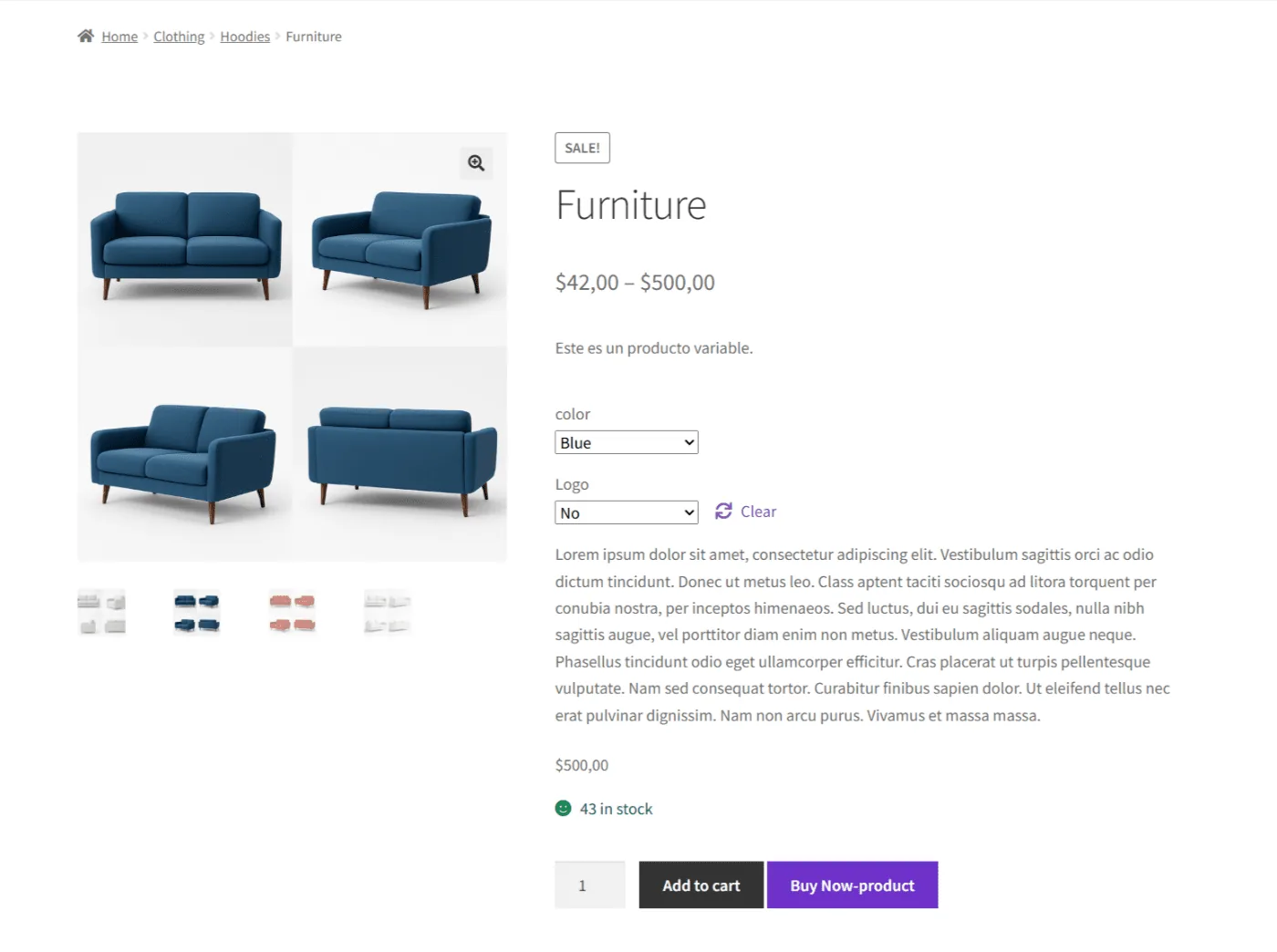
The Buy Now button appears only after the customer selects a valid combination of variations (e.g., Color + Logo).
This ensures the product added to Checkout is correctly configured and ready to purchase.
Recommended plugin configuration#
1. Enable Buy Now on the Product Page#
To activate quick purchases for variable products:
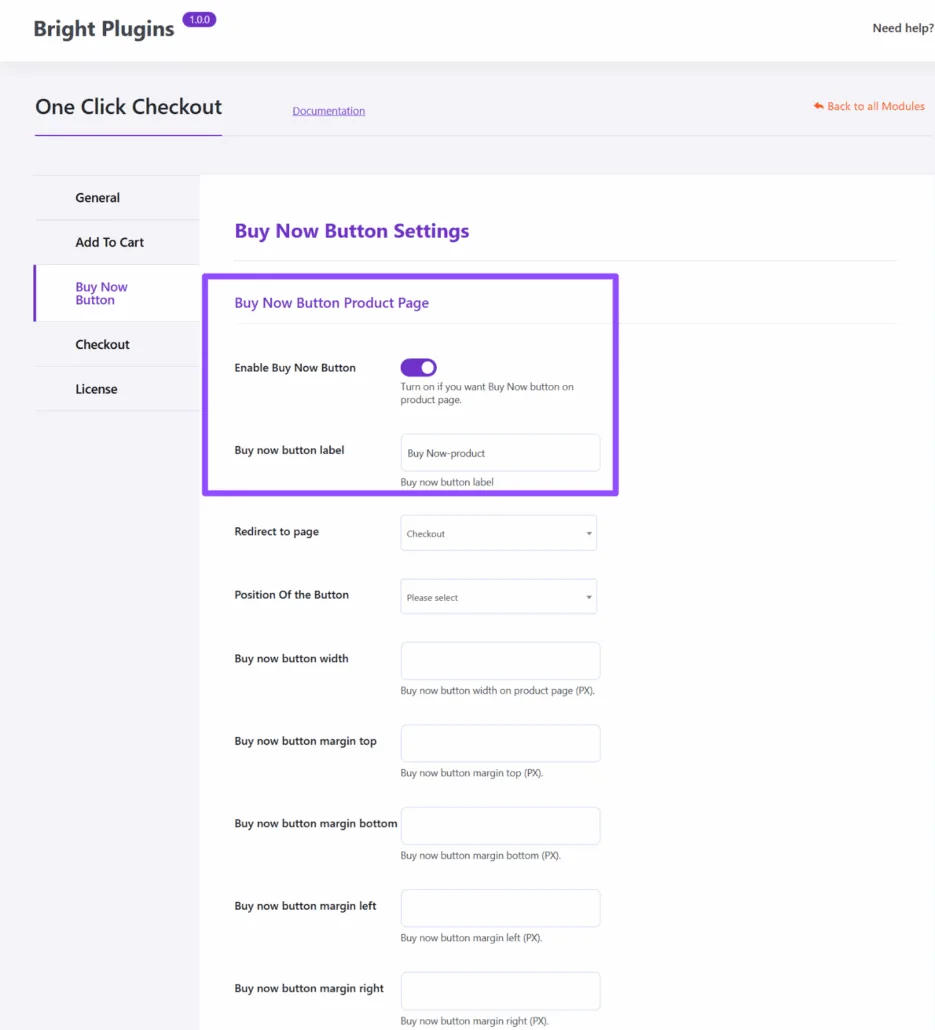
One Click Checkout → Buy Now Button
Enable: Show Buy Now Button on Product Page
With this enabled, customers will see the Buy Now button only after choosing the correct attributes.
Buy Now Button settings#
2. Set the redirect destination to Checkout#
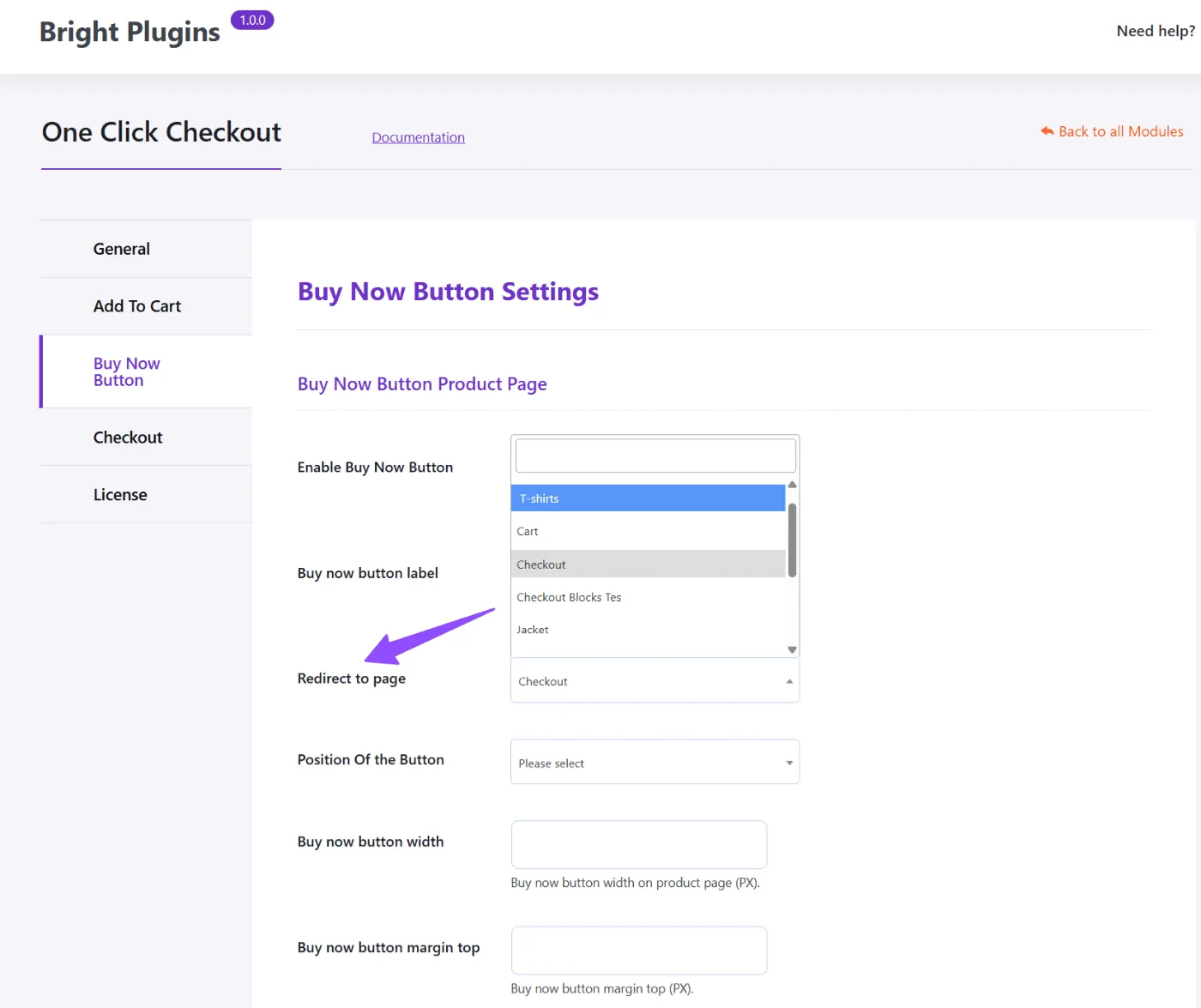
For variable products, the ideal redirect is Checkout, so the purchase happens immediately after selecting the variation.
Choose:
Redirect to page → Checkout
Redirect destination example#
Example scenario#
A clothing shop sells a product with multiple variations:
Color (Blue, Red, Gray), Logo (Yes/No), and different prices depending on the combination.
The customer:
- Selects Color: Blue
- Selects Logo: No
- Sees the Buy Now button appear
- Clicks Buy Now
- Is redirected to Checkout instantly with the exact variation they selected
No cart page.
No extra steps.
Just a fast, clear, and decisive buying flow.
Key benefits#
Perfect for variable products
Reduces checkout friction
Ensures the correct variation is purchased
Ideal for apparel, furniture, accessories, and digital products
Updated on April 16, 2026 · Need help? Open a support ticket