
Context#
In many online stores, some customers already know what they want and prefer to complete the purchase immediately.
This behavior is common with digital products, low-price items, services, flash deals or impulse buys.
With One Click Checkout, you can offer a direct Buy Now action that sends the user straight to the page you choose (Checkout, Cart, My Account, or a custom URL).
This reduces friction and increases conversions.
What you can achieve with this use case#
Faster purchasing flow#
Customers can buy an item in one click, skipping unnecessary steps.
Higher conversions from the Shop Page#
Simple products can be purchased instantly without opening the product page.
Better experience for returning customers#
If you redirect to My Account or Checkout, the purchase becomes even faster and more convenient.
How it works on the Shop Page#
When the Buy Now button for the Shop Page is enabled, simple products display a second button next to “Add to cart”.
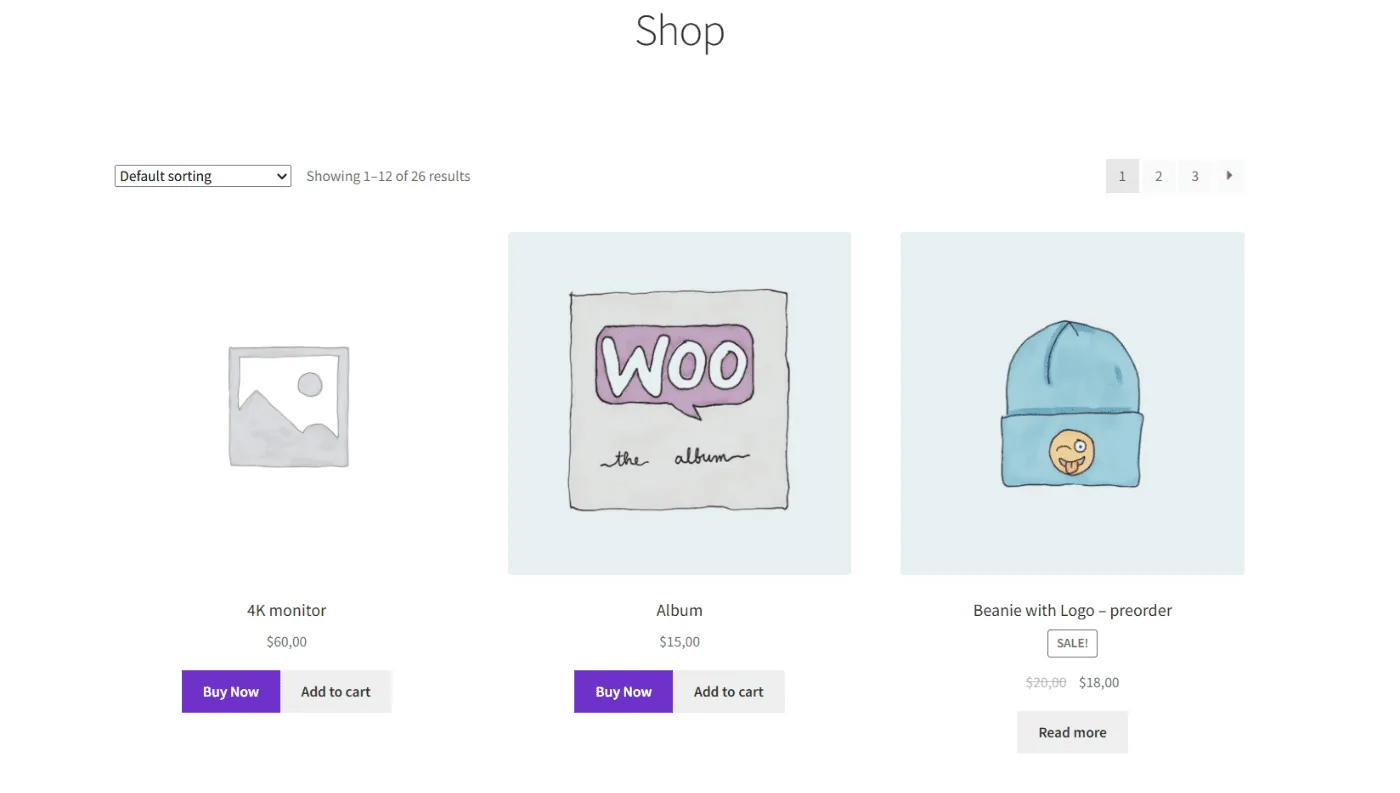
Clicking Buy Now immediately adds the product to the cart and redirects the user to the destination you configured.
No variation selection is needed because the feature works only with simple products.
How it works on the Product Page#
The product page displays both options:
- Add to cart
- Buy Now (uses your redirect destination)
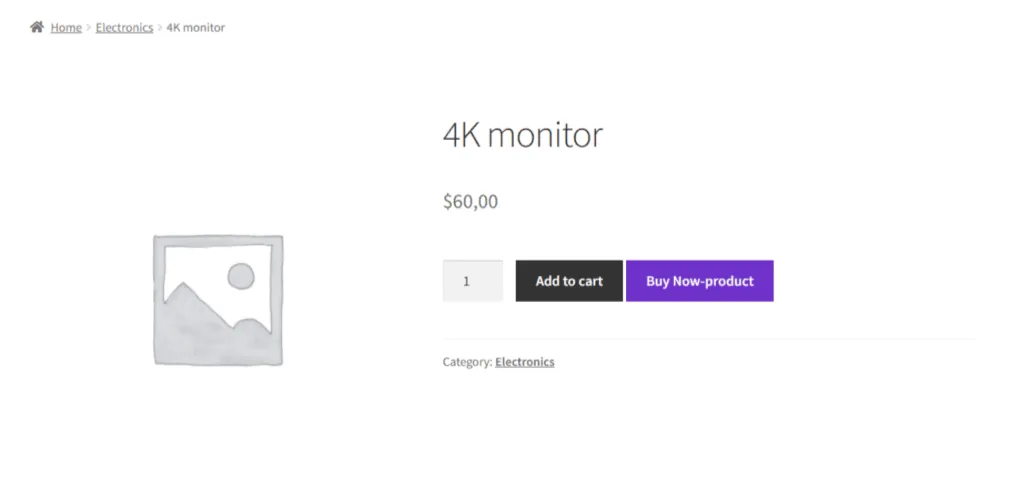
For variable products, the Buy Now button appears only after selecting a valid combination.
Recommended plugin configuration#
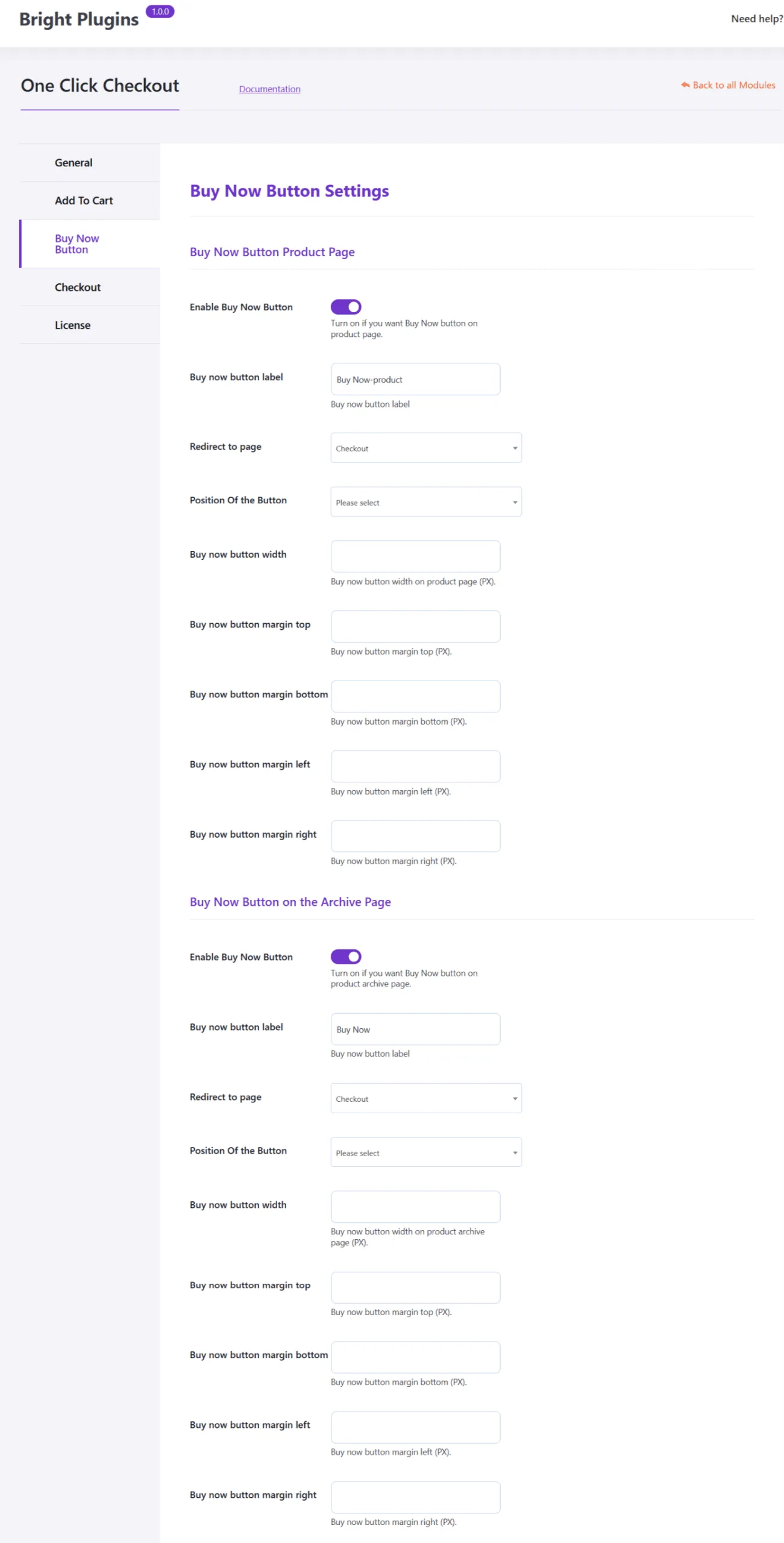
1. Enable Buy Now on product and shop pages#
One Click Checkout → Buy Now Button
Enable: Show Buy Now Button on Product Page
Enable: Show Buy Now Button on Archive (Shop Page)
2. Choose the redirect destination#
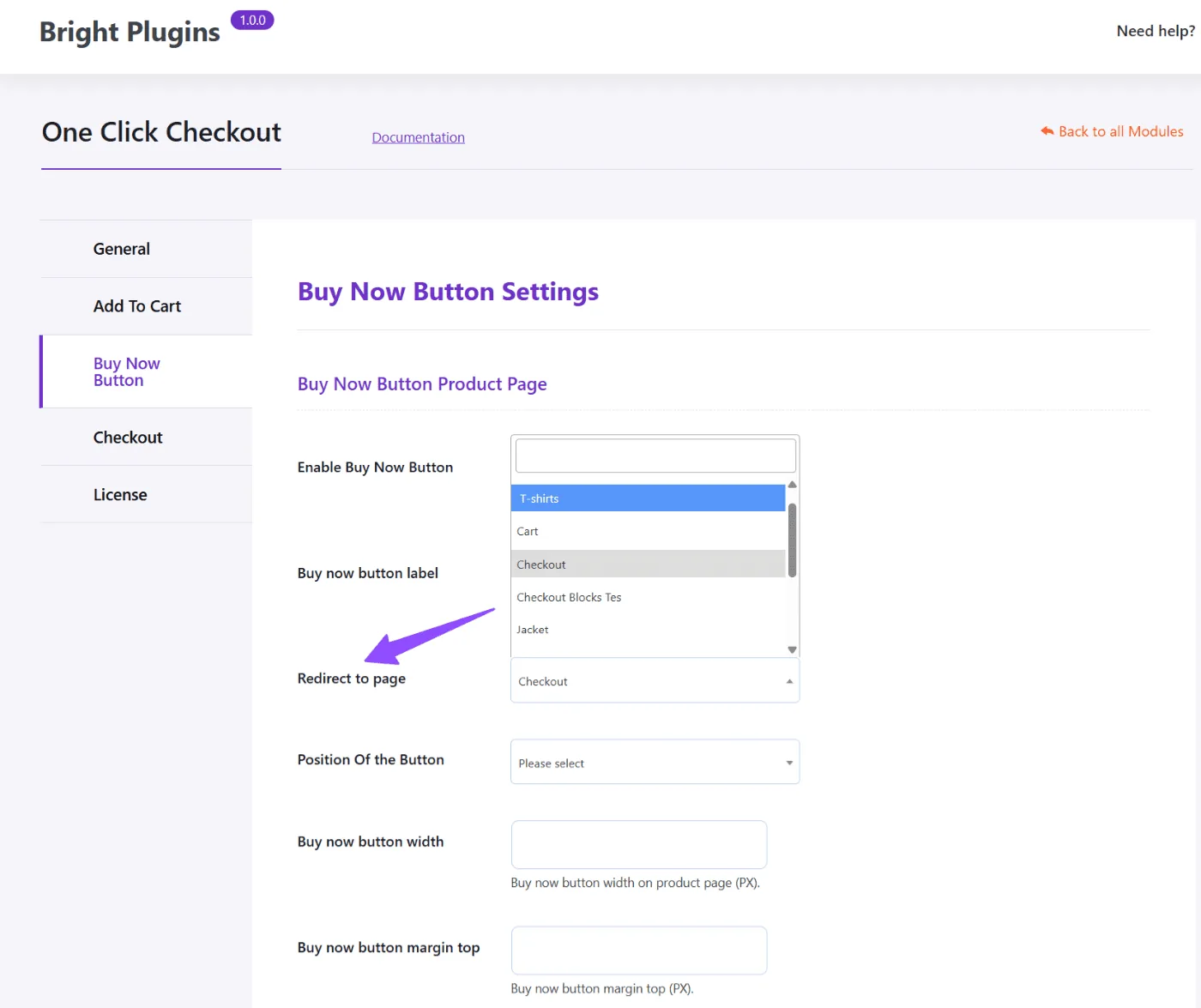
Configuration options include E.g.
- Checkout
- Cart
- My Account
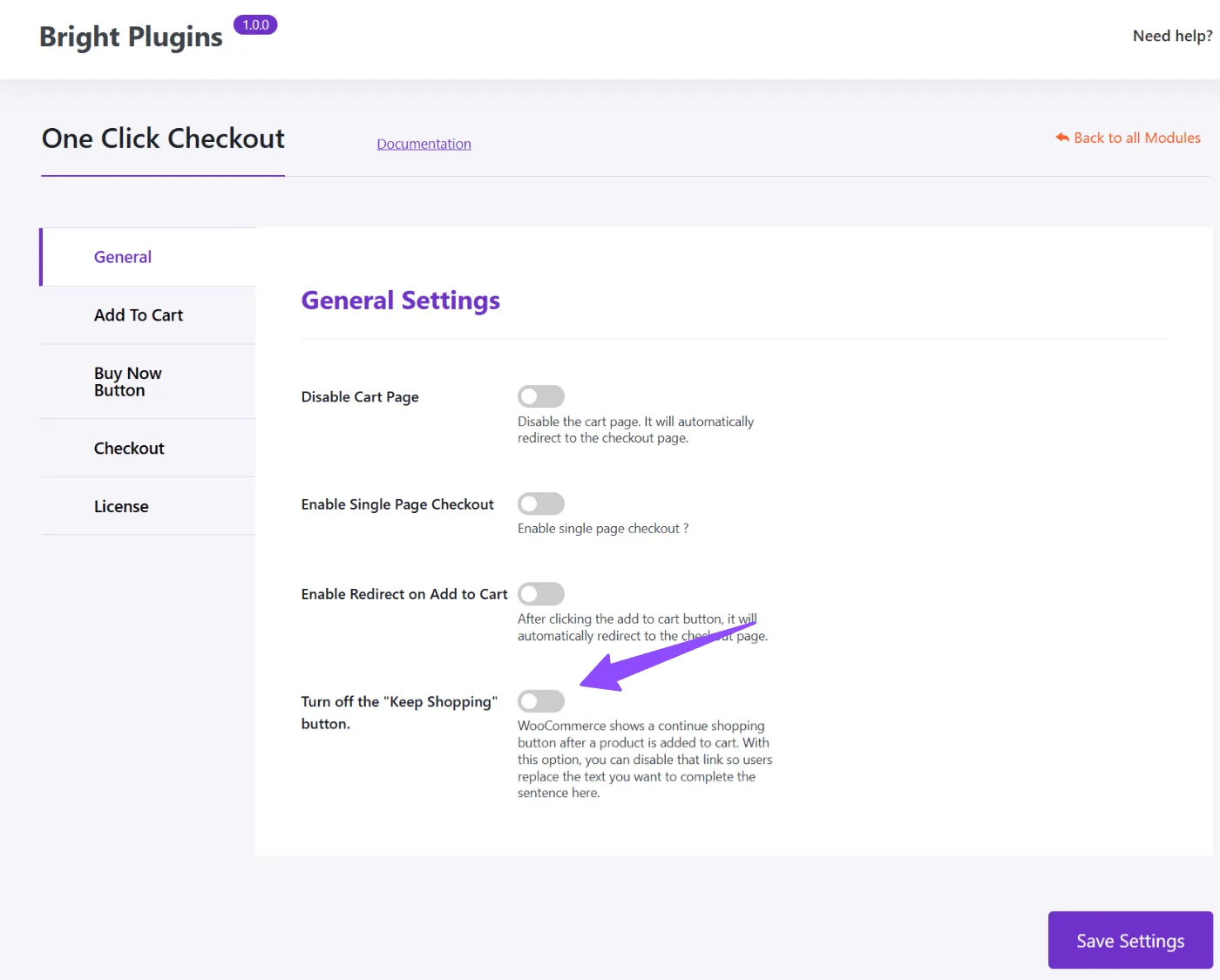
3. Optional: Hide the WooCommerce green notice#
To keep the layout clean, you can disable the “Product added to cart” banner.
General → Turn off the “Keep Shopping” button
Example scenario#
Anna is browsing your shop. She sees a $20 digital product.
She clicks Buy Now directly from the Shop Page, is taken to Checkout, and confirms her purchase in seconds.
No interruptions. No extra steps. Faster conversion.
Key benefits#
- Higher conversions for single-item purchases
- Better user experience
- Fully customizable redirect behavior
- Ideal for digital products, services, and low-cost items
Updated on April 17, 2026 · Need help? Open a support ticket