
ウコマース
トップWooCommerce PDF請求書プラグインの比較
When managing a WooCommerce store, one of the most essential yet often overlooked aspects is generating and organizing customer invoices. As your business grows, manually handling invoices can quickly become time-consuming, error-prone, and inefficient. Whether you’re selling physical goods or digital products, every transaction must be documented appropriately, not just for your records but also for your customers and legal compliance. This is where a WooCommerce PDF請求書プラグイン becomes incredibly valuable. It can automate the entire invoicing process, from generation to delivery, ensuring that every order comes with a clear, professionally formatted invoice.
Using a PDF invoice plugin doesn’t just save time; it also improves the professionalism and reliability of your store. These plugins allow you to customize your invoices to reflect your brand, include essential tax and payment details, and ensure that your documentation meets legal standards. Additionally, automated invoice generation helps maintain consistent records, which is especially important for accounting, audits, and tax filings. In this article, we’ll explore and compare the top WooCommerce PDF invoice plugins, highlighting their features, pros, and cons to help you choose the right solution for your store’s specific needs.
 棒グラフは、2022 年から 2025 年までの WooCommerce における PDF 請求書プラグインのシミュレートされた採用傾向を示しています。この着実な成長は、自動化とコンプライアンスのニーズが店舗オーナーの間でプラグインの採用をどのように促進しているかを反映しています。


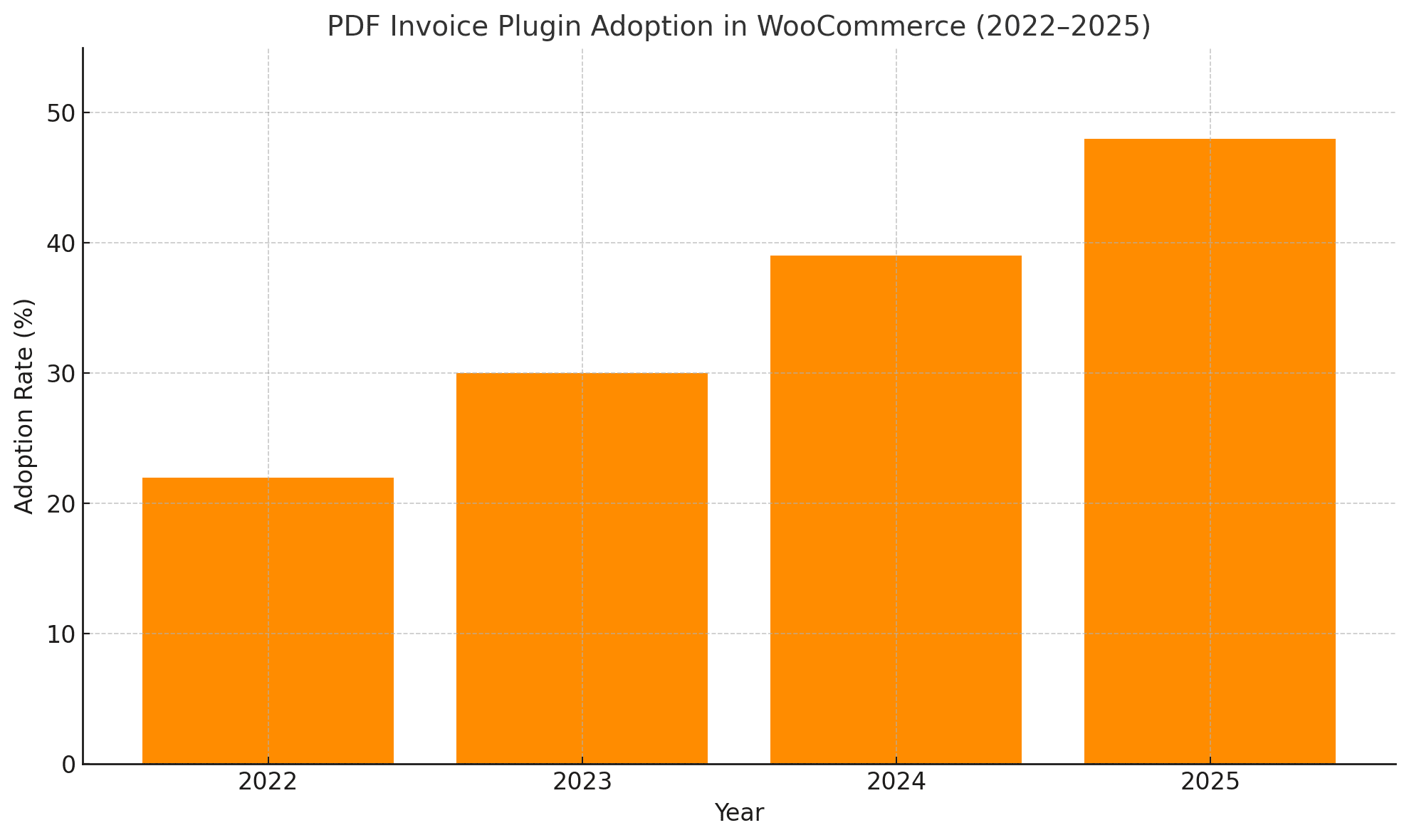 棒グラフは、2022 年から 2025 年までの WooCommerce における PDF 請求書プラグインのシミュレートされた採用傾向を示しています。この着実な成長は、自動化とコンプライアンスのニーズが店舗オーナーの間でプラグインの採用をどのように促進しているかを反映しています。
WooCommerceにPDF請求書プラグインを使用する理由
WooCommerce ストアを運営するということは、複数の責任を両立させることを意味し、顧客請求書の管理は最も重要なことの 1 つです。請求書を手動で処理すると、遅延、不一致、コンプライアンスの問題が発生する可能性があります。ある PDF請求書プラグイン automatically generates and attaches invoices to order emails. This ensures that each customer receives a professional and accurate invoice immediately after purchase, saving time and enhancing your store’s credibility. Beyond efficiency, using a PDF invoice plugin helps you stay organized and legally compliant. These plugins allow you to store, access, and format your invoices consistently, which is especially valuable during tax season or financial audits. With built-in branding and template customization tools, you can also present a polished image to customers with every order. PDF 請求書プラグインを使用する主な利点は次のとおりです。- 自動化: 注文ごとに請求書を自動的に作成して送信します。
- Professionalism: Deliver sleek, branded invoices that reflect your store’s identity.
- コンプライアンス: 現地の税務、会計、法的文書の要件を満たします。
- 記録の保持: 監査と会計のために、整理されたダウンロード可能な記録を保管します。
- 時間の節約: 手動による請求書の生成を排除し、人的ミスのリスクを軽減します。
WooCommerce PDF Invoice プラグインにはどのような機能を求めるべきですか?
Choosing the correct PDF invoice plugin is more than just picking a tool that sends invoices; it’s about finding one that integrates smoothly into your store’s workflow while supporting customization, automation, and compliance. A quality plugin should simplify invoice generation and provide the flexibility to adapt invoices to your store’s branding, legal requirements, and customer needs. These features become even more critical for stores with high orders or international buyers. The best plugins go beyond the basics, offering tools that save time, improve organization, and scale your business. You’ll want a solution that creates and manages invoices efficiently, supports multiple languages, and ensures proper numbering for legal and accounting purposes. Keep these essential features in mind when evaluating your options: 考慮すべき主な機能:- カスタマイズ: この機能を使用すると、ロゴ、色、レイアウトを使用して請求書テンプレートをパーソナライズして、ブランド アイデンティティを反映できます。
- 自動化: 顧客注文メールに請求書を自動的に添付し、手動の手順を削減します。
- 一括アクション: これにより、複数の請求書を同時に生成またはダウンロードして、大量の店舗で効率化できます。
- 連続番号付け: 請求書が論理的で整理された、法的に準拠した番号付けシステムに従うようにします。
- 多言語サポート: グローバル店舗が顧客の好みの言語で対応するために不可欠です。
- 税金と通貨のサポート: 国際取引におけるさまざまな税率と通貨の管理を支援します。
- テンプレートの柔軟性: さまざまな種類の請求書に対して、ドラッグ アンド ドロップ ビルダーまたは複数のレイアウトを提供します。
- 互換性: 配送、会計、ERP システムなどの他のプラグインやツールとシームレスに統合します。
トップの WooCommerce PDF 請求書プラグインはどのように比較されますか?
With numerous options, choosing the best PDF invoice plugin for your WooCommerce store can feel overwhelming. Each plugin offers a unique combination of features, usability, and pricing models, so it’s essential to evaluate them based on your store’s specific needs: automation, customization, international support, or seamless integration with other tools. Some plugins cater to simplicity and basic invoicing, while others provide advanced options for multi-currency, multilingual setups, and detailed tax configurations. Understanding how these plugins compare side-by-side allows you to weigh their pros and cons more effectively. For instance, free plugins deliver solid performance if you want basic functionality without extra cost. However, investing in a premium plugin may offer the flexibility and reliability needed to support growth and compliance for larger stores or those with complex tax or branding needs. 以下は、意思決定の指針となる最有力候補の内訳です。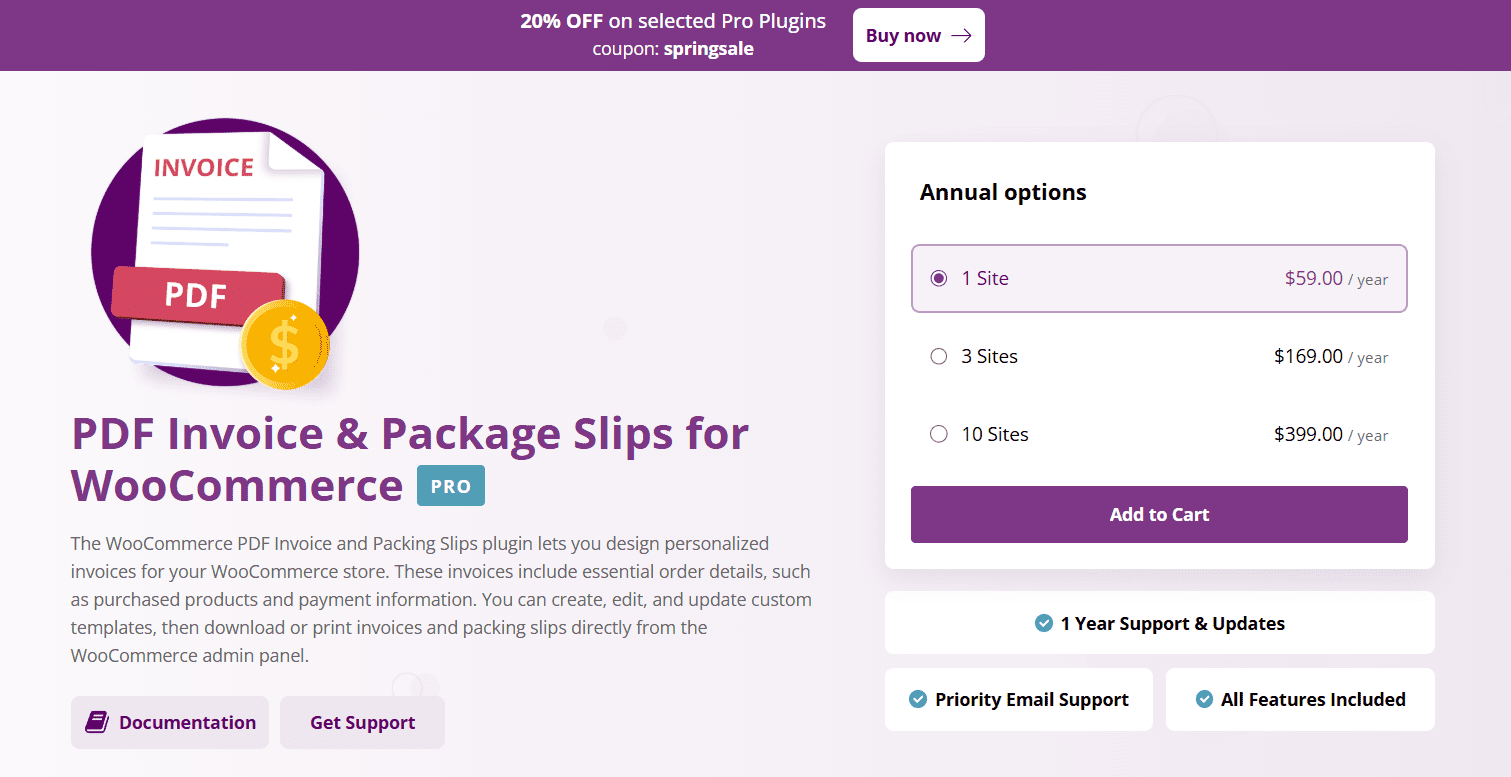
1. WooCommerce PDF 請求書と納品書
Bright Plugins の WooCommerce PDF Invoice and Packing Slips プラグインは、注文文書を合理化するプレミアム ソリューションです。ブランド化されたプロフェッショナルなPDF請求書、梱包明細、配送ラベルをWooCommerce管理者から直接作成することができます。カスタマイズ可能なレイアウト、自動番号付け、優先サポートにより、バックエンドの効率と顧客エクスペリエンスが向上します。 顔立ち:- ブランドテンプレート: ロゴ、会社名、住所、フッターテキストを請求書、納品明細、配送ラベルに追加します
- カスタムテンプレートエディター:トグルベースの設定を使用してレイアウトを調整するか、テンプレート編集を完了します
- 請求書の順次番号付け: 開始請求書番号を手動で設定し、番号付け形式を制御します
- 配送ラベルのサポート: 効率的なフルフィルメントのために配送ラベルを生成およびカスタマイズします。
- PDF生成ツール:WooCommerce管理パネルからドキュメントを簡単にダウンロードまたは印刷できます
- 高度なカスタマイズ: トグルから完全なテンプレート編集まで、柔軟なデザイン オプションにより、まとまりのあるブランディングを実現
- 制御と正確性: 請求書番号付けの正確な管理により、法令遵守と組織的な記録管理が保証されます
- フルフィルメントの合理化: 組み込みの配送ラベル ジェネレーターにより、注文処理の効率が向上します
- 迅速なサポート: 優先メール サポートは通常 24 時間以内に返信します
- 無料版なし:年間ライセンス付きのプレミアムプラグインとしてのみ利用可能
- 限定的な自動化: 請求書のスケジュールまたは自動電子メール送信が欠けています。手動ダウンロードまたはワークフロー設定が必要です
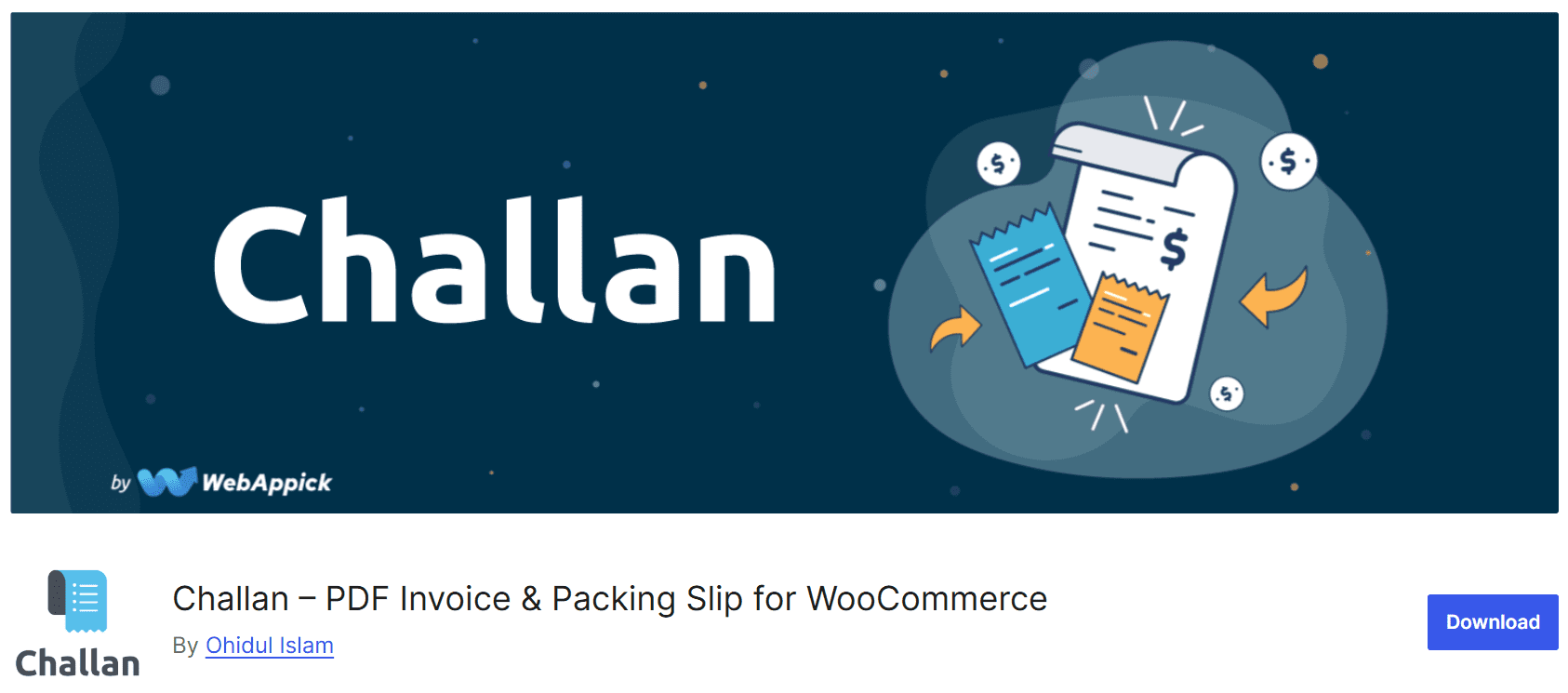
2. Challan – PDF Invoice & Packing Slip for WooCommerce
Challanは、選択した注文ステータスに応じて、PDF請求書、梱包明細、配送ラベルを自動的に生成して電子メールで送信する強力なWooCommerceプラグインです。一括ダウンロードと多様な用紙サイズ(A3/A4/A5/Letter)に対応しています。ロゴのサイズ変更、日付形式、CSS の調整、多言語サポートなどの広範なカスタマイズ オプションを提供し、販売と物流のワークフローを合理化するのに最適です。 顔立ち:- PDFの自動作成:注文状況の変化に基づいて請求書と梱包明細を生成します。
- 一括ダウンロード: 複数の請求書、伝票、または配送ラベルを同時にエクスポートします。
- テンプレートのカスタマイズ: 組み込みオプションまたはカスタム CSS を使用してレイアウトを変更します。
- レスポンシブレイアウト: ロゴのサイズを変更できる A3、A4、A5、レター用紙のサイズを提供します。
- 連番と日付形式: カスタマイズ可能な請求書/注文番号と地域の日付形式をサポートします。
- 多言語および多通貨のサポート: WPML、Polylang、Weglot、TranslatePress、およびグローバル通貨と互換性があります。
- 完全自動化:ステータス変更時にPDFをメールに自動的に添付します
- 強力なバッチ処理: 大量の注文に対して PDF を簡単に生成し、時間と労力を節約します。
- 広範なカスタマイズ: CSS の調整からレイアウト調整、ロゴのサイズ変更まで。
- グローバル対応: 人気のあるプラグインを通じてローカリゼーションと多言語サポートを提供します。
- 無料版とプロ版の制限: カスタム用紙サイズやクレジットノートなどの高度な機能は、プレミアム アップグレードの背後でロックされます
- サポートの依存関係: 無料版では、一部の高度なユースケースが完全にはサポートされていない場合があります。すべての機能を得るには、プロバージョンが必要になる可能性があります。
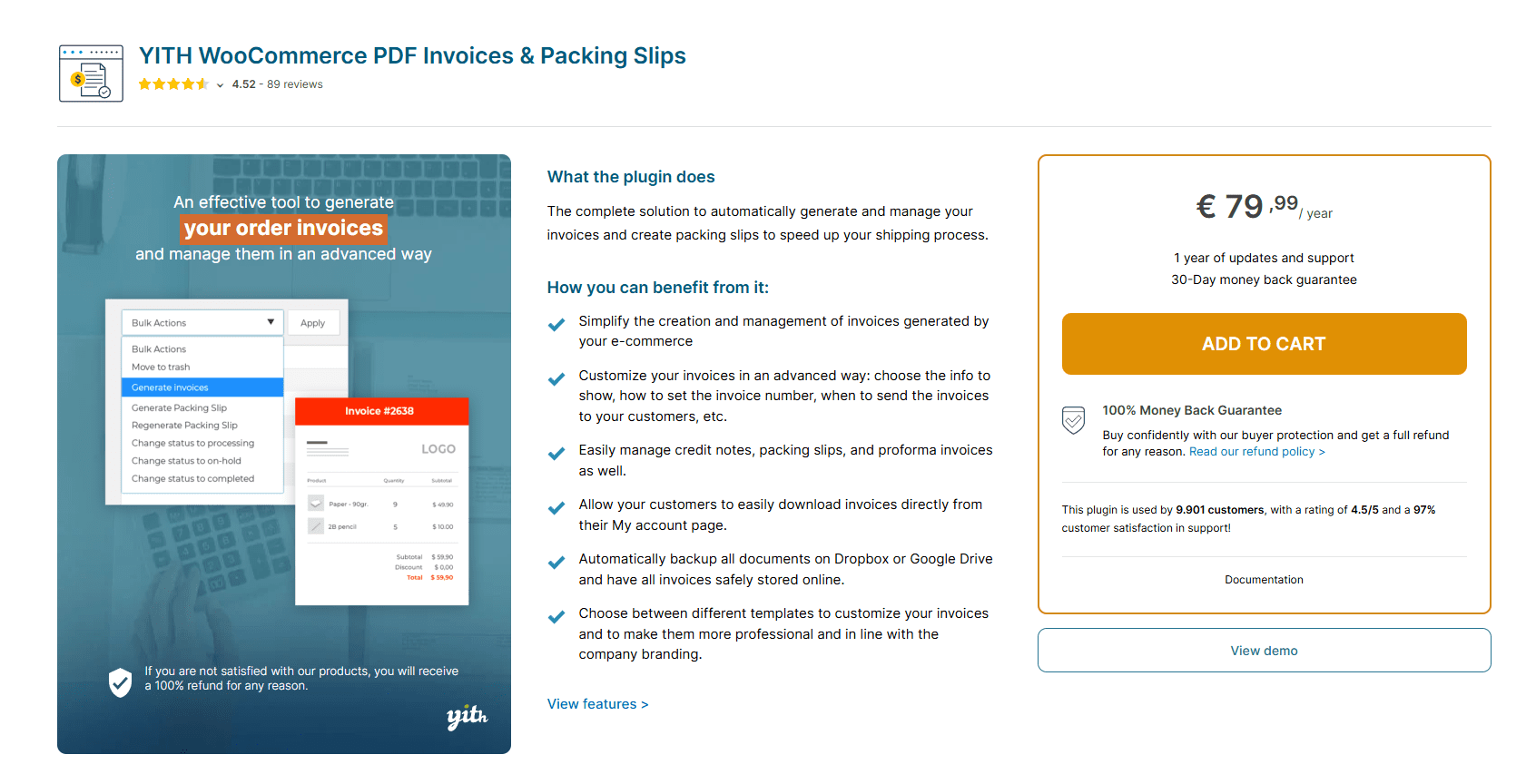
3. YITH WooCommerce PDF 請求書と配送リスト
YITH’s WooCommerce PDF Invoices & Packing Slips is a comprehensive plugin that automates the generation, management, and backup of invoices, packing slips, credit notes, proforma documents, and delivery notes. With customizable templates, flexible numbering, cloud storage support, and Italian e‑invoicing compatibility, it’s ideal for stores seeking professional, compliant documentation workflows. 顔立ち:- 自動および手動のPDF生成:注文ステータスに基づいて、または選択した注文の場合は手動でドキュメントを作成します。
- カスタム番号形式: 注文 ID、連番、年次リセットを使用し、プレフィックス/サフィックスを追加します。
- テンプレートのカスタマイズ: 詳細な設計制御のための複数のレイアウトと Gutenberg ベースのビルダーを提供します。
- クラウドバックアップ:ドキュメントをDropboxまたはGoogleドライブに自動的に同期します。
- 拡張ドキュメント タイプ: 見積請求書、貸方票、納品書 (出荷重量と方法を含む)、および梱包明細をサポートします。
- VAT/SSN のチェックアウト フィールド: 請求先情報を必須にし、請求書に含めます。
- Customer access and order archive: Customers can download PDFs from “My Account” using admin-side bulk generation and CSV export.
- 包括的な文書管理: 請求書、クレジット、プロフォーマ、納品明細、納品書を処理します。
- 高度な書式設定オプション: 高度にカスタマイズ可能な番号付け、日付書式、ブランディング機能。
- クラウド統合: 自動バックアップにより、安全なドキュメント ストレージとコンプライアンスの容易さが保証されます。
- 顧客の利便性: ユーザー アカウントから簡単に PDF をダウンロードできるため、透明性とサービスが向上します。
- 法的準備: VAT/SSN フィールドが含まれ、イタリアなどの地域で電子請求書発行 (電子請求書発行) をサポートします。
- プレミアム価格: 有料版では、最先端の機能 (クラウド バックアップ、プロフォーマ、ビルダー) が提供されます。
- 複雑なセットアップ: 多くのオプションがあるため、初期構成には学習曲線が必要になる場合があります。一部の設定では、初心者を圧倒する可能性があります。
- 頻繁なアップデート: 機能と WooCommerce との互換性を維持するには、年間ライセンスとアップデートが必要です。
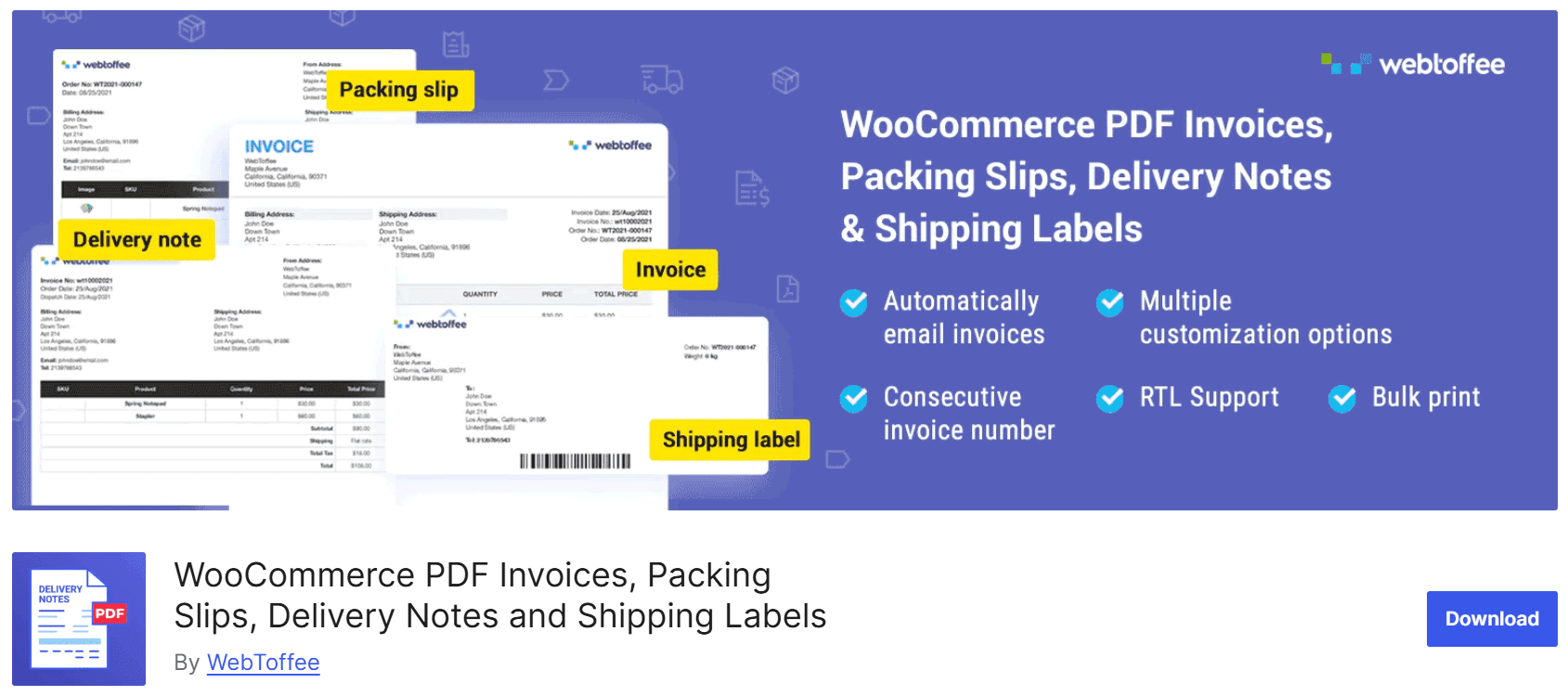
4. WooCommerce PDF 請求書プラグイン by WebToffee
WebToffee のこの包括的な WooCommerce プラグインを使用すると、店舗オーナーは、PDF 請求書、梱包明細、納品書、発送ラベル、配送ラベルなどの重要な注文文書を WooCommerce 注文ページから直接自動的に生成、印刷、電子メールで送信できます。注文処理を強化し、UBL/XML 請求書、カスタマイズ可能なテンプレート、多言語レイアウトをサポートして、フルフィルメントとコンプライアンスを合理化します。 顔立ち:- 複数のドキュメントタイプ:請求書、梱包明細、出荷ラベル、納品書、発送ラベルのサポート。
- PDF生成:管理注文ページからドキュメントを個別または一括でダウンロードまたは印刷します。
- メール統合: 請求書の PDF を注文確認メールに自動的に添付します。
- テンプレートのカスタマイズ: ストアのロゴ、VAT 情報、バーコード、追跡番号を追加します。クラシックレイアウトまたは標準レイアウトから選択します。
- UBL/XML サポート: コンプライアンスのために税マッピングと XML 形式を使用して UBL 請求書を生成します。
- 一括およびRTLのサポート:無料のアドオンを使用すると、複数のドキュメントを同時に印刷し、RTL / Unicode言語を使用できます。
- 連続した請求書番号付け: 接頭辞、接尾辞、および番号付けのパディングを設定します。無料注文をスキップするオプション。
- オールインワンソリューション:請求書、ラベル、梱包、納品書を1つのプラグインで処理
- フルフィルメント効率の向上: バルク処理とラベル生成により、梱包と出荷がスピードアップします。
- 柔軟なテンプレートコントロール: カスタマイズ可能なフィールドとレイアウトオプションにより、ブランディングとコンプライアンスが向上します。
- グローバル対応: RTL と複数の言語をサポートし、国際的な運用に最適です。
- アドオンの複雑さ: 一部の高度な機能 (UBL/XML、RTL サポートなど) では、追加の無料またはプレミアム アドオンをインストールする必要があります。
- 潜在的なバグ/設定: 一括印刷の失敗やテンプレートのエラーなどの問題がサポートフォーラムで報告されています。
- 学習曲線: 機能が広いため、初期設定と構成の最適化に時間がかかる場合があります。
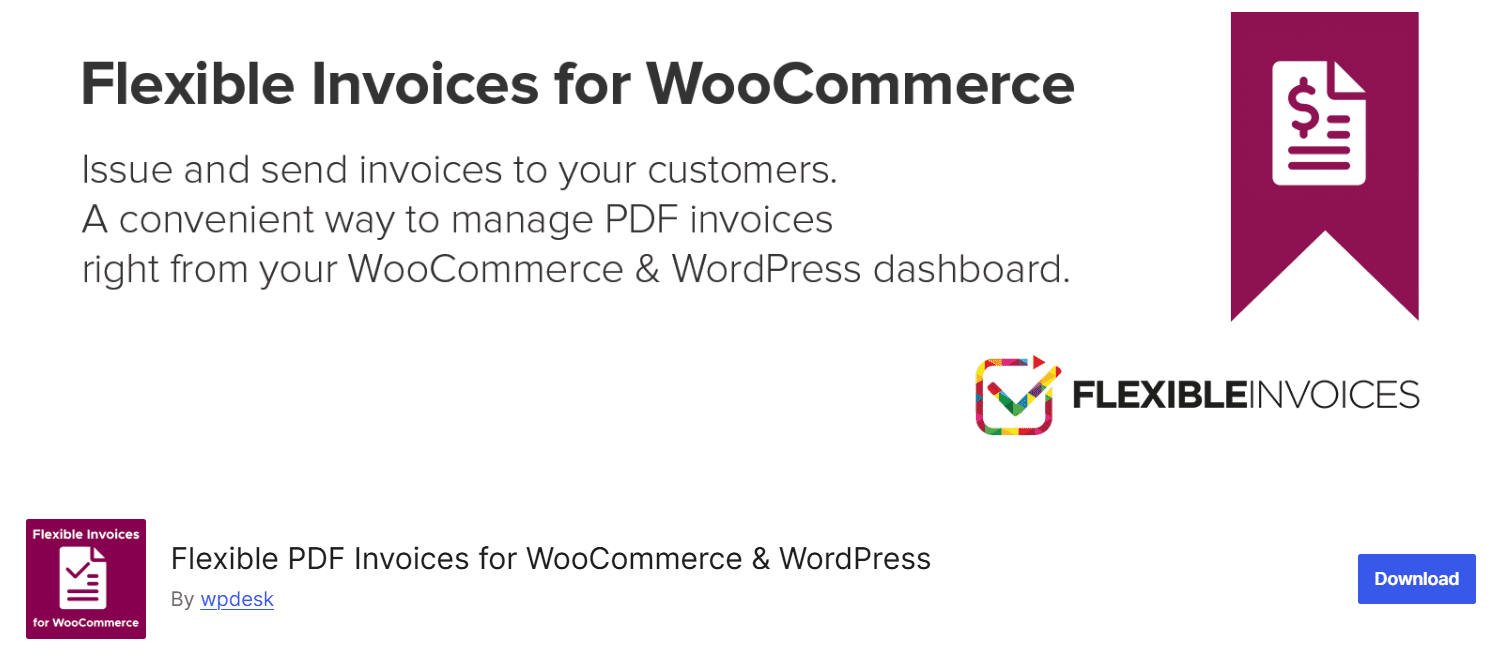
5. WooCommerce と WordPress 用の柔軟な PDF 請求書
Flexible PDF Invoicesは、WooCommerceの注文やスタンドアロンのWordPressサービス用のプロフェッショナルなPDF請求書を生成・管理できる無料のWordPressプラグインです。Gutenberg ベースのテンプレート作成、VAT コンプライアンス、一括請求書生成、多言語サポートにより、高度な自動化と EU 固有の機能のために Pro にアップグレードできる強力な請求ソリューションを提供します。 顔立ち:- Gutenberg テンプレート エディター: 請求書を視覚的にデザインするか、事前定義されたテンプレートを使用します。
- 請求書管理: CPT として保存されている請求書を手動で発行、ダウンロード、編集、削除します。
- VAT 対応: EU VAT 番号、税率、VAT 免除、OSS/MOSS をサポートします。
- 連番: プレフィックス、サフィックス、カスタム開始番号を設定します。
- 一括生成: 日付範囲にわたって請求書を一括で生成してダウンロードします。
- 多言語および多通貨:WPMLと統合し、WooCommerceの通貨設定を使用します。
- 完全に機能する無料版: テンプレート編集、VAT サポート、一括請求などのコア機能が含まれています。
- VAT と EU のコンプライアンス: VAT 番号、OSS ルール、逆請求ワークフローを処理します。
- カスタマイズ可能な番号付け: 財政または内部のニーズに合わせて柔軟な書式設定を提供します。
- ビジュアル請求書ビルダー: Gutenberg ブロックにより、レイアウト デザインが直感的かつ柔軟になります。
- 自動化に必要なプロ: 請求書の自動電子メール送信とプロフォーマ/修正ドキュメントには、有料版が必要です。
- サポートの制限: 無料サポートは制限されています。テクニカルヘルプとアドオンは、Proでのみ使用できます。
- 時折発生するバグ: 一部のユーザーは問題を報告しています (特定の環境での請求書の詳細やロゴ表示の編集など)。
PDF 請求書プラグインを実装するためのベスト プラクティスは何ですか?
Implementing a PDF invoice plugin is more than just installing and activating it. To truly benefit, you must configure it thoughtfully to align with your store’s operations, branding, and compliance requirements. A well-implemented solution improves efficiency, reduces errors, and ensures consistency across all customer communications. It’s essential to take the time to explore all features offered by your chosen plugin and regularly review how it fits into your existing workflow as your store grows. Following best practices helps you stay organized and comply with local and international tax laws. Customizing invoice templates to reflect your brand enhances the customer experience and reinforces your store’s credibility. Here are some essential best practices to follow: ベストプラクティス:- 定期的な更新: 最新の WooCommerce および WordPress バージョンとの互換性を確保し、新機能やセキュリティ パッチの恩恵を受けるために、プラグインを常に最新の状態に保ちます。
- 一貫したブランディング: ロゴ、色、店舗の詳細を使用して請求書テンプレートをカスタマイズし、すべての顧客文書にわたってプロフェッショナルで統一された外観を維持します。
- Legal Compliance: Configure invoice details to meet your country’s tax regulations, including adding VAT numbers, tax rates, or digital signature requirements where needed.
- バックアップとストレージ: クラウド バックアップ (利用可能な場合) を有効にするか、Dropbox や Google Drive などのサービスと統合して請求書のコピーを安全に保存します。
- デプロイ前のテスト: ライブに移行する前に、ステージング注文またはサンドボックス注文で請求書の設定を常にテストして、すべてが正しく表示され、計算されることを確認してください。
- 顧客アクセス: 顧客はアカウント ページから請求書をダウンロードできるため、透明性が向上し、サポートに関する問い合わせが減ります。
あなたのストアに適したPDF請求書プラグインを選択するには?
Choosing the correct PDF invoice plugin for your WooCommerce store depends on understanding your business needs and operational challenges. Some stores may require basic invoicing features, while others may need advanced functionalities like tax handling, multilingual support, and integration with external services like cloud backups or accounting software. Think carefully about how invoicing fits into your fulfillment process, legal compliance, and brand presentation. Consider scalability as well. Your chosen plugin should meet your current requirements and adapt to your store’s growth. Evaluate plugins for ease of use, available documentation, and developer support to ensure long-term reliability. Making the right choice will help you streamline backend operations and deliver a more professional experience to customers. プラグインを選択するときは、次の重要な要素を評価してください。- ビジネス ニーズ: 注文量、税金の設定、顧客ベース、見積請求書や梱包明細などの機能が必要かどうかを考慮してください。
- 使いやすさ: チームが混乱することなく請求書を管理できるように、クリーンで直感的なユーザー インターフェイスと明確な設定を探してください。
- サポートとアップデート: タイムリーなアップデートと迅速なサポートを提供することで知られる開発者からプラグインを選択してください。
- カスタマイズオプション: プラグインがテンプレート、ロゴ、カスタム形式を通じてブランドを視覚的に反映できることを確認してください。
- 統合: 出荷拡張機能、多言語プラグイン、ERP/会計システムなどの既存のツールとの互換性を確保します。
- 成長の可能性: ビジネス ニーズが進化した場合に備えて、アップグレード オプションまたはプレミアム機能を提供するプラグインを選択してください。
何を覚えておくべきですか?
Before finalizing your choice of a WooCommerce PDF invoice plugin, reviewing the essential criteria that will help you achieve long-term efficiency, compliance, and branding consistency is critical. The right plugin doesn’t just automate invoice creation; it supports your store’s professional image, adapts to your growth, and meets regulatory standards. A strategic approach ensures your documentation remains reliable, consistent, and customer-friendly across all order types. Whether running a small online shop or managing hundreds of orders daily, aligning your plugin with business goals will prevent workflow disruptions and reduce manual overhead. Below is a helpful checklist of key points to remember when implementing or evaluating a PDF invoice plugin for WooCommerce: 重要なポイント:- 請求書の生成を自動化して、時間を節約し、手動タスクを減らし、ドキュメント作成のエラーを最小限に抑えます。
- 請求書テンプレートをロゴ、色、法的詳細でカスタマイズして、ブランドを反映し、顧客の信頼を築きます。
- VAT、GST、およびお住まいの地域に固有のその他の請求要件を含む現地の税法を確実に遵守してください。
- 複数の請求書のダウンロードや印刷などの一括アクションをサポートし、特に大量の店舗や納税シーズンに役立ちます。
- 連番を使用して、レコードを整理し、法的基準と監査基準を満たします。
- ストアが海外の顧客にサービスを提供する場合は、多言語および多通貨のサポートを選択してください。
- スケーラビリティを計画します。ビジネスが成長し、請求書発行のニーズがより複雑になるにつれて進化できるプラグインを選択してください。
どのプラグインがあなたに最適ですか?
Choosing the best WooCommerce PDF invoice plugin depends on your business’s specific needs, whether you prioritize affordability, advanced features, scalability, or international support. Not every plugin offers the same flexibility or automation level, so weighing each one against your current and future requirements is essential. Some businesses may value a simple solution with basic invoice generation, while others require complete documentation control, multilingual capabilities, and cloud backups. After comparing features, pricing, and ease of use, your final decision should reflect what matters most to your workflow and customer experience. Whether a small shop with occasional orders or a global eCommerce business handling thousands, the right plugin will save you time and enhance compliance and professionalism. Here’s a quick guide to help you choose: ビジネスニーズに基づくプラグインの推奨事項:- シンプルさと予算のために: WooCommerce PDF 請求書と納品書は、基本的な機能を備えた信頼性の高い無料のソリューションが必要な場合に最適です。
- カスタマイズとグローバル販売の場合: Challan or WebToffee’s PDF Invoice Plugin offers excellent value for businesses that need multi-language, branding, and currency support.
- 高度な請求書発行とフルフィルメントの場合: YITH WooCommerce PDF 請求書と配送リストは、クレジットノート、納品伝票、見積請求書など、すべての販売書類を完全に管理したい店舗に最適です。


