Empieza con las reservas anticipadas para WooCommerce
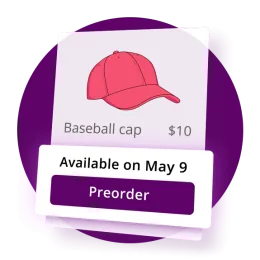
Las reservas anticipadas te permiten vender productos antes de que estén disponibles…

Guías de instalación, tutoriales y resolución de problemas para todos los plugins de WooCommerce y WordPress de Bright Plugins, escritos y mantenidos por los desarrolladores que los crean. Busca en todas las guías o elige un plugin más abajo.
Buscando en 252 guías.
Las guías que más se abren, directamente de las colecciones más consultadas.
Las reservas anticipadas te permiten vender productos antes de que estén disponibles…
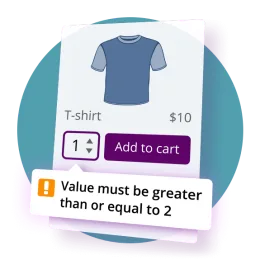
Esta guía detalla cómo configurar texto dirigido al cliente, alertas y mensajes de validación para el Pedidos anticipados para WooCommerce Pro plugin.
¿Está disponible en versiones gratuitas? # No. Gratis admite cada función por separado.
Cada plugin tiene su propia colección. Los recuentos salen de lo que está publicado.













Los titulares de licencia Pro y los miembros del Club tienen respuesta prioritaria, normalmente en menos de 24 horas en días laborables.
Contactar con soporte →Consigue los ZIP de tus plugins y tus claves de licencia desde el panel de tu cuenta, cuando quieras.
Ir a mi cuenta →¿Falta un tutorial? Dinos qué documentar a continuación y lo añadimos a la cola.
Proponer un tema →Busca primero en la documentación: allí se responden la mayoría de las dudas de instalación y resolución de problemas. Si aún necesitas ayuda, abre un ticket desde la página de Soporte. Los titulares de licencia Pro y los miembros del Club tienen respuesta prioritaria, normalmente en menos de 24 horas en días laborables.
Accede a tu cuenta de Bright Plugins y abre la pestaña Descargas para el ZIP del plugin y la pestaña Claves de licencia para tu clave. Ambas se incluyen también en el correo de confirmación de compra.
Sí. La colección Documentación general y la página de WordPress.org de cada plugin gratuito cubren la instalación y la configuración de los plugins gratuitos, incluidos Custom Order Status Manager y Cha Ching Order Notifications.
Sí. Usa el formulario de contacto para proponer temas de documentación o funciones. Las peticiones de los miembros del Club tienen prioridad en la hoja de ruta.