Starten Sie mit Vorbestellungen für WooCommerce
Pre-Orders ermöglichen es Ihnen, Produkte zu verkaufen, bevor sie verfügbar sind…

Einrichtungsanleitungen, Anleitungen und Fehlerbehebung für alle WooCommerce- und WordPress-Plugins von Bright Plugins, geschrieben und gepflegt von den Entwicklern, die sie bauen. Durchsuchen Sie alle Anleitungen oder wählen Sie unten ein Plugin.
252 Anleitungen werden durchsucht.
Die Anleitungen, die am häufigsten geöffnet werden, direkt aus den meistgenutzten Sammlungen.
Pre-Orders ermöglichen es Ihnen, Produkte zu verkaufen, bevor sie verfügbar sind…
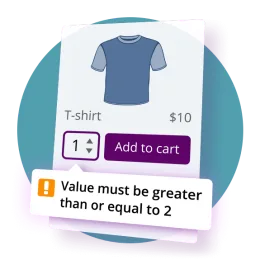
Diese Anleitung beschreibt, wie kundenorientierte Texte, Benachrichtigungen und Validierungsmeldungen für das Vorbestellungen für WooCommerce Pro Plugin.
Gibt es das in den kostenlosen Versionen? # Nein. Free unterstützt jede Funktion separat.
Jedes Plugin hat seine eigene Sammlung. Die Anzahl ergibt sich aus dem, was veröffentlicht ist.





Pro-Lizenzinhaber und Club-Mitglieder erhalten bevorzugte Antworten, in der Regel innerhalb von 24 Stunden an Werktagen.
Support kontaktieren →Laden Sie Ihre Plugin-ZIPs und Lizenzschlüssel jederzeit über Ihr Konto-Dashboard herunter.
Zu meinem Konto →Fehlt eine Anleitung? Sagen Sie uns, was wir als Nächstes dokumentieren sollen, und wir nehmen es auf.
Thema vorschlagen →Durchsuchen Sie zuerst die Dokumentation — die meisten Fragen zu Einrichtung und Fehlerbehebung werden dort beantwortet. Wenn Sie weiterhin Hilfe brauchen, eröffnen Sie ein Ticket über die Support-Seite. Pro-Lizenzinhaber und Club-Mitglieder erhalten bevorzugte Antworten, in der Regel innerhalb von 24 Stunden an Werktagen.
Melden Sie sich in Ihrem Bright Plugins Konto an und öffnen Sie den Reiter „Downloads“ für die Plugin-ZIP und den Reiter „Lizenzschlüssel“ für Ihren Schlüssel. Beides ist auch in Ihrer Kaufbestätigungs-E-Mail enthalten.
Ja. Die Sammlung „Allgemeine Dokumentation“ und die WordPress.org-Seite jedes kostenlosen Plugins behandeln Installation und Einrichtung der kostenlosen Plugins, darunter Custom Order Status Manager und Cha Ching Order Notifications.
Ja. Nutzen Sie das Kontaktformular, um Dokumentationsthemen oder Plugin-Funktionen vorzuschlagen. Anfragen von Club-Mitgliedern werden auf der Roadmap bevorzugt behandelt.